Google Photos Magic Eraser: Does It Actually Work?
 James Walker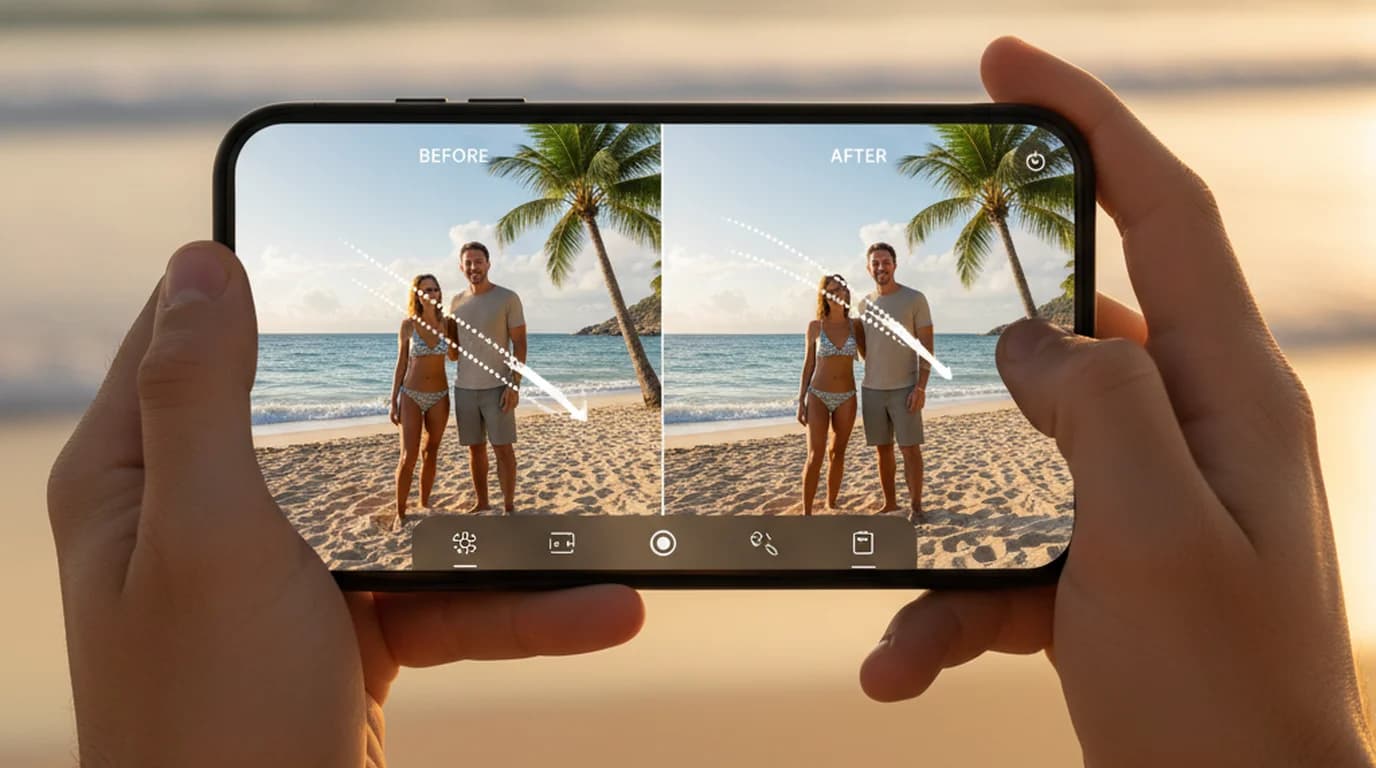
Google Photos Magic Eraser comes up constantly in discussions of product photo workflows. It's free, it's built into an app many people already have, and it genuinely does remove background objects in a few taps. So why isn't it part of any serious ecommerce image pipeline?
The answer is a combination of phone-first access, no background replacement, and a fundamental design mismatch — Magic Eraser was built for consumer vacation photos, not catalog production.
Quick answer. Google Photos Magic Eraser is a free Google Photos feature that removes background distractions from photos using AI inpainting. It works in the Android and iOS apps and on Chromebook Plus — there's no version in a desktop browser. For quick fixes on personal photos, it's one of the best mobile tools available. For product photography, Shopify listings, or Amazon catalog images, it lacks the control and workflow integration that professional product images require.
What Google Photos Magic Eraser Actually Does
Magic Eraser uses AI inpainting — the same family of technique behind the fill and erase tools in generative image models — to remove selected objects from photos and reconstruct the background behind them. The process has two parts: semantic segmentation (identifying the pixels that belong to the object you're removing) and inpainting (generating plausible background content to fill the gap).
Google's implementation has gotten significantly better since the feature launched on Pixel 6 in 2021. The segmentation model handles small-to-medium objects well, especially against simple backgrounds. The inpainting quality is convincing for natural environments — sky, grass, sand, painted walls — where the generated fill is hard to distinguish from the original.
The tool also includes a second mode called Camouflage, which blends the object with surrounding colors rather than fully removing it. Camouflage works better when the background has a repeating pattern or texture that would be difficult to reconstruct cleanly.
Where Magic Eraser performs well:
- Removing strangers from vacation photos (people in backgrounds, distant crowds)
- Erasing small distractions — trash cans, power lines, parked cars in landscape shots
- Cleaning up casual portrait backgrounds
- Quick fixes on smartphone photos before sharing to social media
Where it runs into limits:
- Large objects that cover significant portions of the frame
- Products or subjects photographed close-up (the main subject itself can't be removed cleanly)
- Complex or detailed backgrounds where the AI fill is visibly wrong
- Ecommerce product photos — see below
How to Use Google Photos Magic Eraser Step by Step
Before you start: update the Google Photos app. The tool appears on devices with at least 3 GB of RAM running Android 8.0 or iOS 15 and up.
Step 1. Open Google Photos and tap the photo you want to edit.
Step 2. Tap Edit (pencil icon) at the bottom of the screen.
Step 3. Scroll the tool row at the bottom and tap Tools.
Step 4. Tap Magic Eraser. Google Photos will analyze the image and may automatically highlight suggested objects to remove.
Step 5. To accept a suggestion, tap the highlighted object. To select your own area, use your finger to brush or circle the object you want to remove. The tool processes the selection and fills in the background within a few seconds.
Step 6. If the result isn't clean, tap Undo and try again with a more precise brush stroke, or switch to Camouflage mode if your device offers it.
Step 7. Tap Done, then Save copy to keep the edited version alongside the original.
The whole process takes under a minute for a straightforward removal. For messier cases — object overlapping the main subject, complex patterned background, large fill area — expect more attempts.
Google Photos Magic Eraser Requirements and Access
Access has changed more than once, which is why older guides disagree.
Free since May 2024. Magic Eraser launched on the Pixel 6 in 2021 and was then extended to Google One subscribers on Android and iOS in 2023. In April 2024 Google announced that Magic Eraser, Photo Unblur and Portrait Light would roll out to all Google Photos users at no cost from May 15, 2024. Magic Editor is the exception: non-Pixel users get 10 saves a month unless they have a 2 TB+ Google One plan.
Device requirements. The free tools need at least 3 GB of RAM and Android 8.0 or iOS 15 or later. Chromebook Plus laptops on ChromeOS 118+ also get them.
No desktop browser version. There is no equivalent in the Google Photos web interface at photos.google.com. Windows and Mac users who need object removal have to use a different tool entirely.
Google Photos Magic Eraser vs. Ecommerce Product Photo Needs
For Shopify sellers and Amazon catalog managers, the workflow requirements for product images are specific in ways that Magic Eraser wasn't designed to address.
Here's where the gap shows up:
White background compliance. Amazon requires product main images on a pure white background (RGB 255, 255, 255) with the product filling at least 85% of the image frame. Magic Eraser removes background objects — it doesn't replace entire backgrounds with white. It's an object removal tool, not a background replacement tool.
Precision at product edges. When cleaning up product photos for marketplace listings, edge quality at the product boundary is the difference between a listing that looks professional and one that looks sloppy. Magic Eraser's inpainting is optimized for natural scene reconstruction. Product edges — sharp corners, reflective surfaces, fine fabric texture — require a different approach: precise background removal followed by a clean fill, not AI inpainting.
Batch processing. A single product shoot can produce dozens of images. Tap-by-tap phone tools are impractical for batch workflows. A browser-based tool with batch processing capability handles a product shoot in a single session.
Desktop workflow integration. The majority of ecommerce catalog work happens on desktop, in Shopify's admin, Amazon Seller Central, or a design tool. A phone-first editing tool adds friction at every step.
Amazon's own listing policy is the reason white backgrounds dominate page one: the main product image must sit on pure white (RGB 255, 255, 255) with the product filling at least 85% of the frame. Listings that don't comply risk suppression, so competitive categories converge on the same look by rule rather than by preference. Meeting the spec isn't an optimisation — it's the entry requirement.
Better Alternatives for Product Photo Object Removal
For ecommerce product photography, the tools that actually fit the workflow are browser-based, desktop-accessible, and built with precision rather than consumer convenience.
Playyy handles object removal as part of a full product photo editing workflow. The object eraser works in the browser on desktop, supports batch editing, and integrates directly with background removal and scene replacement — so you can remove an unwanted reflection from a product, replace the background with marketplace-compliant white, and export the result without switching tools. For Shopify sellers, this end-to-end workflow is what actually reduces per-image time compared to piecemeal mobile editing.
The distinction matters because ecommerce photo editing isn't just about removing objects — it's about producing a finished, compliant, export-ready asset. Magic Eraser handles one step. A purpose-built product photo tool handles the whole workflow.
For context on the background removal piece specifically, see how AI background removers work for product photography — the accuracy differences between tools show up most clearly on complex product edges, which is exactly where mobile AI tools tend to underperform.
Consistency across a catalogue tends to matter more than the quality of any single image. When every product sits on the same background under the same lighting, a category page reads as one coherent shop and shoppers compare products rather than photographs. Mixed backgrounds and lighting force the eye to re-adjust between items, which is the friction clean, uniform processing removes — and it compounds across a catalogue rather than showing up on one listing.
When Magic Eraser Is the Right Tool
Magic Eraser is genuinely useful — it's just not a product photography tool.
Use it for:
- Personal photos: removing background people, distracting objects, environmental clutter from vacation shots, family photos, events
- Social media content: quick cleanup of lifestyle content where you're not selling something
- Phone-first editing: it's free in the Google Photos app, and for casual use it's one of the best mobile photo editing features available
Don't use it for:
- Any ecommerce listing image — it reconstructs backgrounds rather than replacing them, which makes it the wrong tool
- Desktop editing workflows on Windows or Mac — there's no browser version
- Anything requiring a white background swap — Magic Eraser reconstructs backgrounds, it doesn't replace them
If you're using Google Photos mainly for personal photo management and want a quick fix for casual shots, Magic Eraser is worth using — it costs nothing beyond the app you already have. If you're a seller looking to fix product images, the mobile app is the wrong starting point.
Conclusion
Google Photos Magic Eraser is a well-executed consumer tool. For removing a stranger from a vacation photo or cleaning up a background distraction on a personal image, it does the job in a few taps, at no cost.
For ecommerce, it's the wrong tool. The phone-first access, lack of background replacement, and AI-reconstruction approach don't match what marketplace listings actually need. Product images require precise background removal, white-background compliance, full-resolution exports, and a workflow that runs on desktop — all things Magic Eraser wasn't designed to provide.
If you're a Shopify or Amazon seller looking for a tool that handles object removal alongside background replacement, scene generation, and batch processing in one place, Playyy is built specifically for that workflow. Try it free and process your first product shoot without switching between apps.

James Walker
I help Shopify and Amazon sellers improve product images, promotional banners and ad creatives. I focus on practical visual improvements that help products look more credible and conversion-ready — no design jargon, just what works.
Frequently asked questions
Yes. Magic Eraser started as a Pixel exclusive and was later limited to Google One subscribers, but since May 15, 2024 Google has offered it to all Google Photos users at no cost, on devices with at least 3 GB of RAM running Android 8.0 or iOS 15 and up, plus Chromebook Plus models. Magic Editor is the one tool that stays capped for non-Pixel users without a 2 TB+ Google One plan.