
How a Founder Built a YouTube Brand Without a Designer
A legal-tech startup founder, no designer, 22 YouTube thumbnails — how the startup built a consistent channel identity in one week using Playyy's brand kit.
 Daniel Brooks
Remove watermarks, sharpen blurry or over-compressed photos, and export polished visuals for every marketing channel, from stock images to AI-generated ones.
Start creating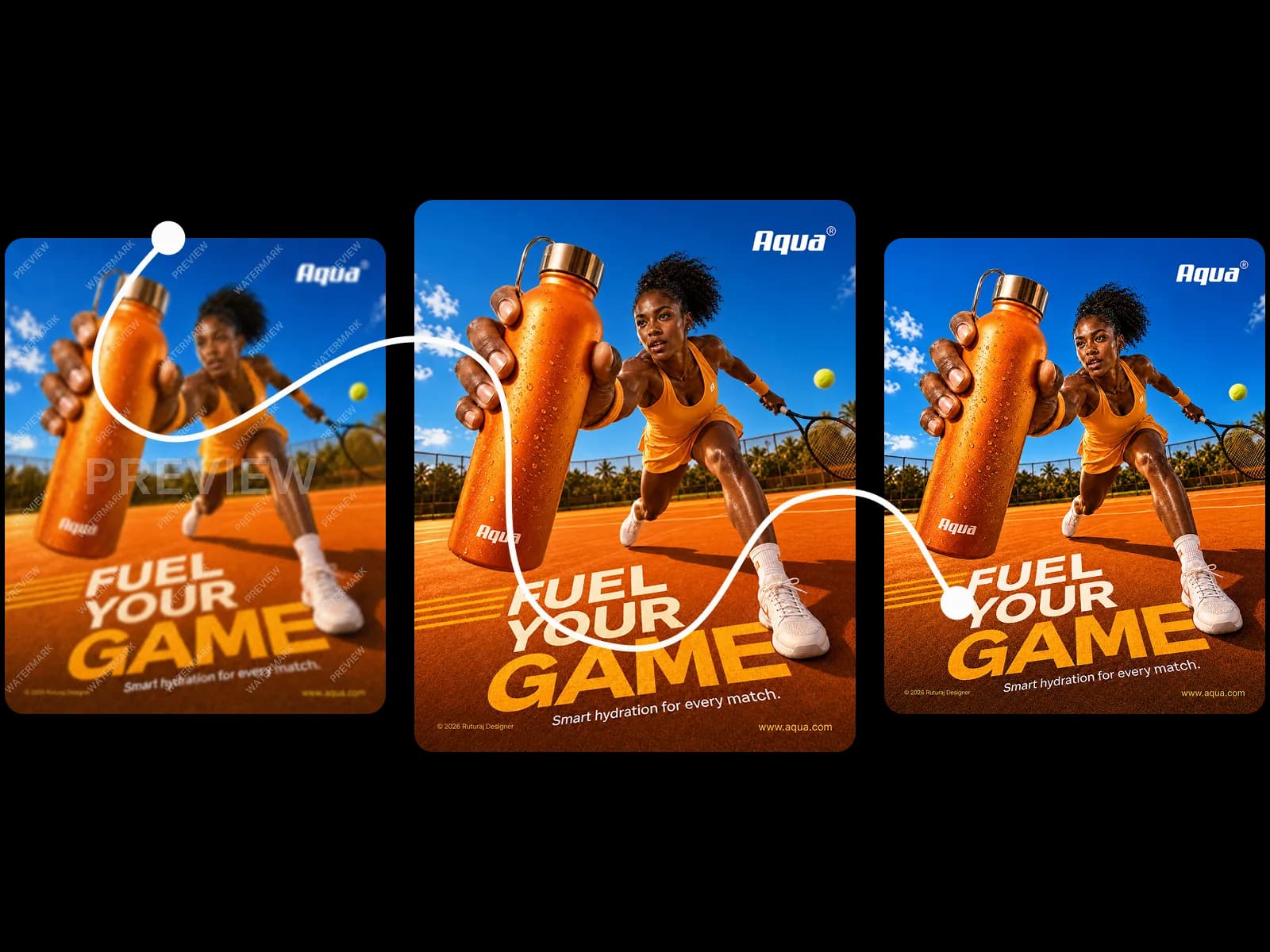
Find the image, remove what doesn't belong, sharpen what compression damaged — export for every channel you publish to.
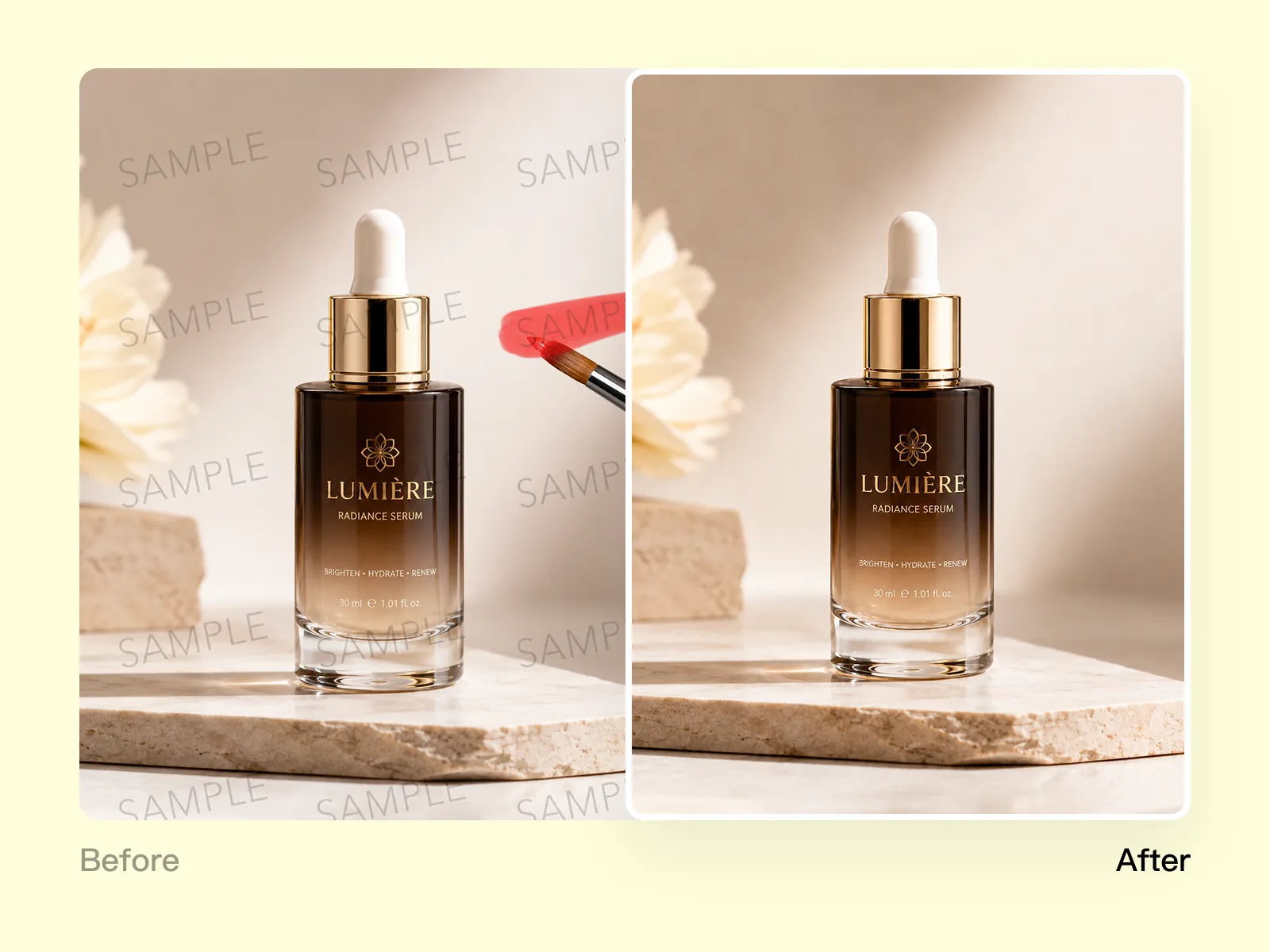
Images sourced from stock sites, supplier catalogs, AI generators, or web searches often arrive with watermark overlays, copyright notices, or photo credits that can't stay in place. Object Remover lets you select the watermark with a brush, and the AI reconstructs the background from surrounding pixels and scene context. Works on text watermarks, semi-transparent logo overlays, and repeated-pattern credits. The cleaned image retains all product and scene detail from the original — ready for ads, social, or print.
Try for free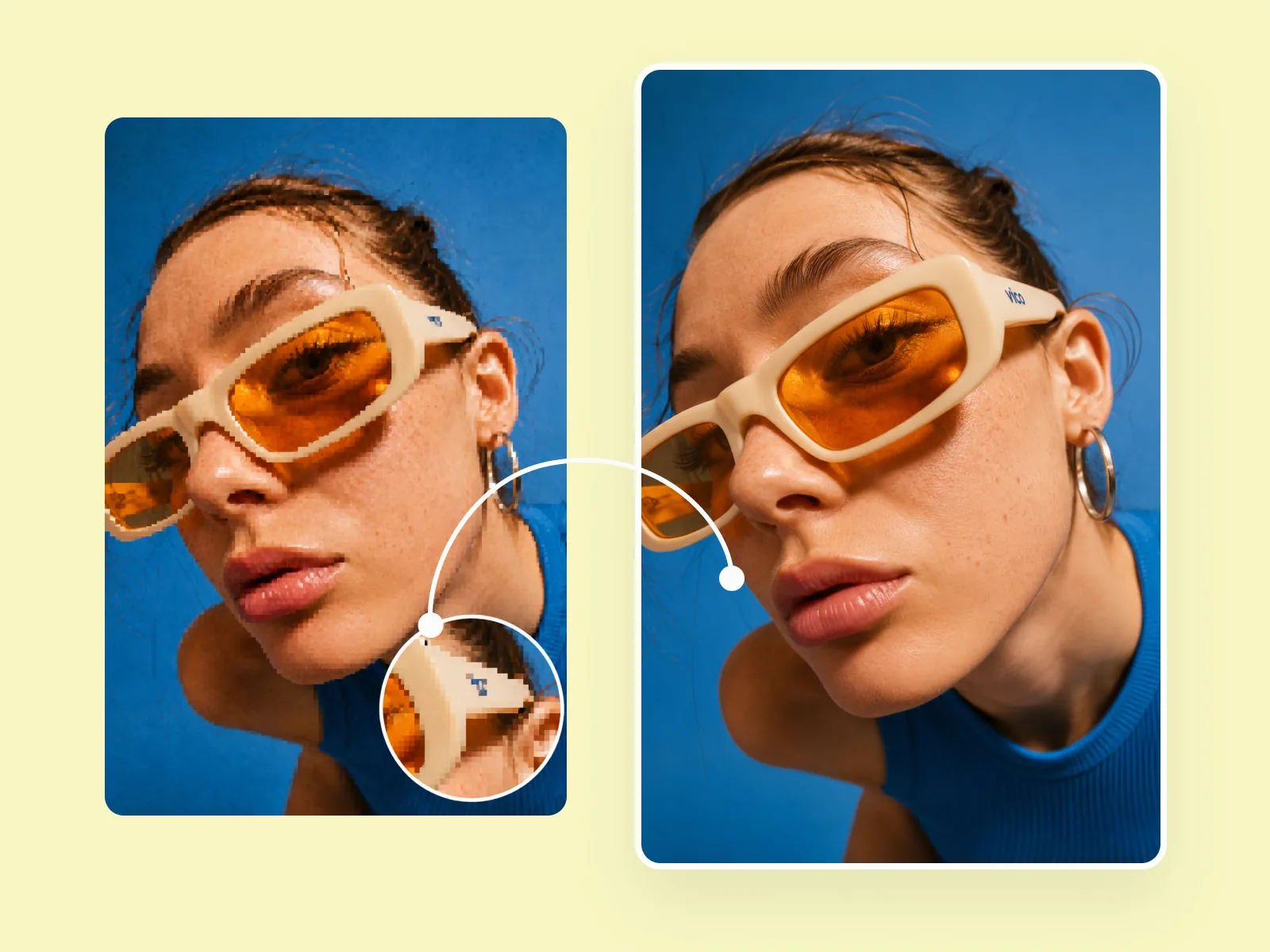
Images downloaded from the web, repurposed from older campaigns, or received as compressed files lose sharpness that becomes visible in paid ads and printed materials. Visual Enhancer analyses edges, texture, and noise patterns to restore detail without the halo artifacts standard sharpening tools produce. The same pass brings the image to the resolution standard display ads, social platforms, and print production require — without reshooting or returning to the original source.
Try for free
Once watermarks are removed and sharpness restored, Image Expander adapts the finished image to every format without cropping the subject — social square, story, display ad, email header, or print flyer. Image Upscaler brings any output to the resolution print shops and large-format vendors require. One session produces the full set of channel-ready marketing visuals from a single source image, without rebuilding the composition per format.
Try for freeBrush over any watermark with Object Remover and the AI reconstructs the background beneath it — no patch, no smear, no visible seam. Works on text watermarks, logo overlays, and semi-transparent stamps on any image type.
Visual Enhancer recovers edge sharpness from motion blur, compression artifacts, and out-of-focus shots. Unblur image results hold detail at full zoom, not just at thumbnail size.
Aggressive sharpening tools introduce bright halos around high-contrast edges. Playyy's image sharpener recovers detail without introducing edge artifacts, so the result looks naturally sharp rather than over-processed.
Upload screenshots, downloaded images, compressed social media exports, or supplier photos — the enhancer works on whatever file you have. No minimum resolution or specific file format required to start.
After enhancement, export at the exact dimensions needed for social posts, display ads, or print — all from one session. The cleaned image becomes the source file for every downstream format.
Playyy is a free watermark remover with no per-image fee and no watermark added to your output. Remove watermarks from photos and export at full resolution without a subscription.
“Catalog images show up watermarked, compressed, or both. I strip the mark, restore the edges, and export the channel sizes in one pass. That used to be a Photoshop afternoon per drop.”

James Walker
Ecommerce Creative Strategist
“Old campaign stills and stock pulls are too soft to run again. Visual Enhancer gets them sharp enough for ads without making them look over-processed, then I adapt the crop for each channel.”

Sophie Whitmore
Social Media Manager & Brand Content Consultant
“Taste dies when you sharpen blindly. Playyy reconstructs what compression took out instead of adding a crunchy halo. The image still looks like the original shoot, just publishable.”

Claire Dubois
Creative Director & Brand Aesthetic Consultant
See how teams are using Playyy to ship better visuals, faster.
A legal-tech startup founder, no designer, 22 YouTube thumbnails — how the startup built a consistent channel identity in one week using Playyy's brand kit.
Daniel Brooks
ChatGPT images buried in chat, no brand kit, no spec control. How a 12-person B2B SaaS team switched workflows and tripled creative output in the same time budget.
 Emily Carter
YouTube channel banner, profile picture, and 4 end-card variants — zero design cost, one afternoon, no designer.
 Luca Moretti
Most tools that remove watermark from photo leave a smeared patch or a visible void where the watermark was. Playyy's Object Remover uses generative fill to reconstruct the background under the watermark, matching texture, color, and pattern from the surrounding area. The result looks like the watermark was never there — not like it was erased.
JPEG compression destroys edge information and introduces blocking artifacts that make images look degraded at scale. Visual Enhancer works as an image sharpener that recovers that lost edge detail — not by adding artificial sharpening, but by reconstructing what compression removed. The same pass handles motion blur and out-of-focus softness, so one tool covers the full range of image quality problems.
Enhancement, watermark removal, and format export all happen in Playyy without switching to separate tools for each step. Clean the image, upscale if resolution is low, and export at the dimensions each channel needs — social, ads, and print — before closing the session. What used to require a stack of desktop software now runs entirely in the browser.
Playyy's Object Remover handles watermark removal by letting you paint over the watermark with a brush — the AI reconstructs the background from surrounding pixels and scene context. Works on text watermarks, semi-transparent overlays, and repeated-pattern credits. The cleaned image retains all original scene and product detail outside the removed area, ready for social posts, display ads, or print without visible traces of the original overlay.
Yes. Playyy's Visual Enhancer restores sharpness in blurry, compressed, or pixelated photos without reshooting. The AI analyzes edge patterns and texture data to recover detail lost to compression or motion blur. Results are strongest on photos with recoverable detail — slightly blurry or web-compressed images respond well, rather than photos taken significantly out of focus. The sharpened image meets the resolution standard social platforms and print shops require.
AI watermark removers work on text-based watermarks, semi-transparent logo overlays, repeated-pattern credits, and timestamp stamps — the most common types found on stock photos, supplier images, and AI-generated content. Playyy's Object Remover reads the surrounding scene to fill the removed area naturally. Watermarks over plain or uniform backgrounds remove most cleanly; watermarks overlapping complex scene elements or product edges may benefit from a follow-up review pass at 100% zoom.
Pixelated supplier photos and heavily compressed images respond to Playyy's Visual Enhancer, which sharpens edge detail and reduces compression artifacts in one pass. Upload the source image, run Visual Enhancer, and review at 100% zoom to confirm the improvement. For images that are genuinely low-resolution — under 500px on the longest side — combine with Image Upscaler to bring pixel count to the minimum required for social feeds and print.
Playyy's watermark remover produces images at the resolution and quality standard professional marketing requires across social media, display ads, and print. The practical limit is background complexity: watermarks over plain or uniform backgrounds remove seamlessly, while watermarks over detailed scenes may need a final review pass at 100% zoom. Export at the specification that applies — JPEG for digital channels, high-quality PNG for print production.
Each channel has specific requirements. Instagram feed: 1080×1080px JPEG. Facebook and Google Display ads: 1200×628px. Email headers: 600px wide minimum. Print flyers at 300 DPI require 1748×2480px (A5) or larger. Playyy's Image Expander adapts one source image to all these formats, and Image Upscaler brings any output to the resolution print production requires. Export as JPEG for digital channels and high-quality PNG or TIFF for print.

Turn any product photo into channel-ready studio imagery — no studio, no reshooting.
Explore workflow
From one campaign brief to every channel asset — AI image generator, creator, and editor in one workflow.
Explore workflow
Ecommerce image editing across every SKU — background removal, cleanup, and upscaling that meet marketplace specs.
Explore workflowKeep every image on brand, control the final look, and turn campaign ideas into polished assets without waiting on another design cycle.














