10 Best ImagineArt Alternatives in 2026 (Free & Paid)
 Daniel Brooks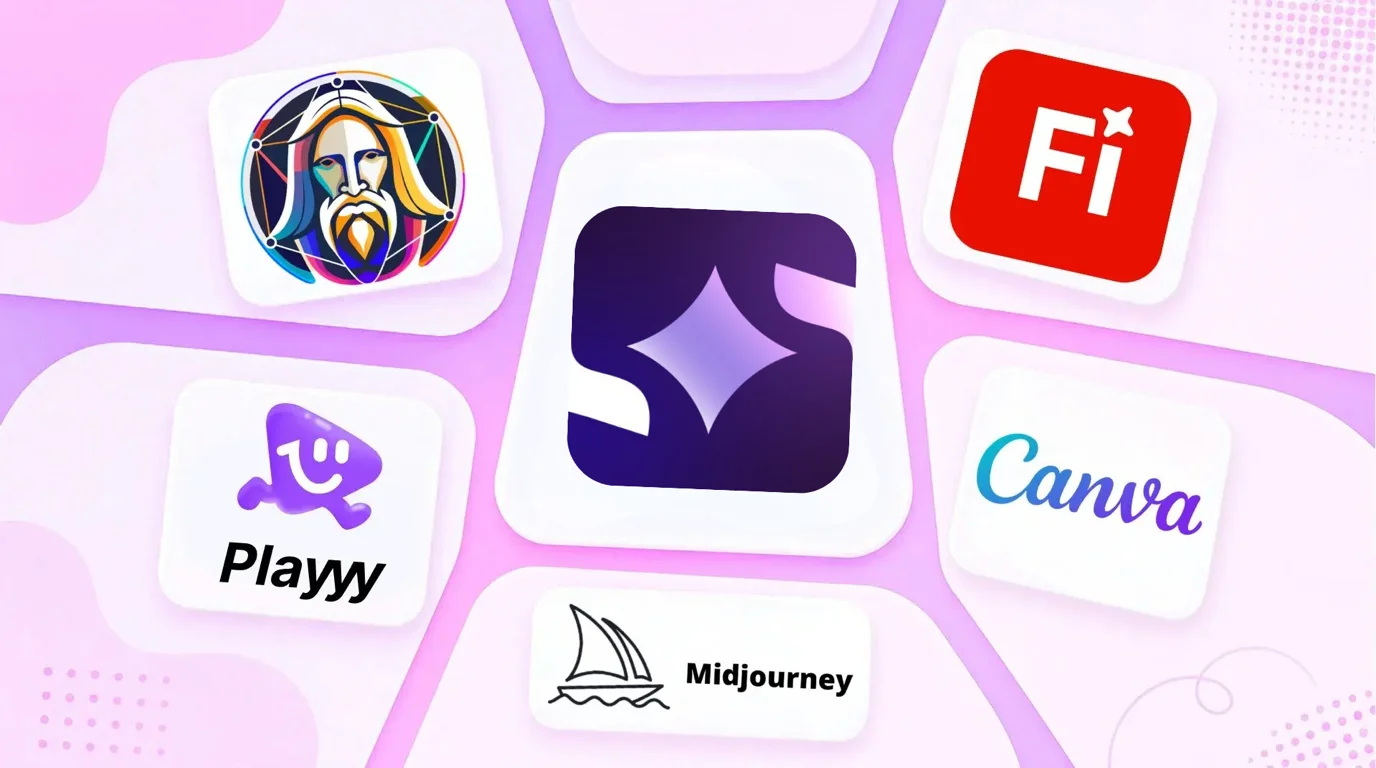
Most frustrations with ImagineArt come back to the same wall. The platform — also written Imagine Art — sells breadth: one subscription covering text-to-image, video, voice and a stack of third-party models. The problem is what that breadth costs. Every capability draws on one credit pool, video burns it at a completely different rate than stills, and unused credits expire monthly instead of rolling over.
The short answer. The best ImagineArt alternative depends on which part you were using. Choose Playyy for brand-consistent product and social visuals, Midjourney for the highest image quality, Adobe Firefly when output must be legally cleared, and Magnific (formerly Freepik) if you want the same many-models-one-bill deal without the credit surprises.
How We Picked These ImagineArt Alternatives
Every tool here had to clear four bars. It must be a working product with public pricing as of October 2026 — no waitlists, no "contact us" tiers standing in for a price. It must grant commercial usage rights on a plan a solo creator can actually afford. It must replace a specific thing Imagine Art does, rather than merely overlapping with it. And its credit or usage model has to be legible enough that you can predict a monthly bill before you commit.
That last criterion matters most here. If unpredictable credit spend is what made ImagineArt frustrating, a replacement with an equally opaque meter, or with commercial licensing reserved for enterprise contracts, just moves the problem.
We've also ordered these by job rather than by quality score. There's no single best AI image generator, only a best one for the thing you're making this week.
1. Playyy — Brand-Consistent Visuals with a Canvas Editor
Best for: Brands, creators and small teams producing ongoing visual content that all has to look like it came from the same place.
Playyy's workflow is generate-then-edit. You generate an image from a prompt and it lands on a canvas where images, text, subjects and backgrounds stay as separate, adjustable layers. You refine by prompt or by dragging, in one workspace, without exporting and starting over. AI image generation, background removal and upscaling all sit in the same place.
The part that matters for brand work is the brand kit. Paste your website URL and Playyy pulls your brand colours, fonts, voice and tone, and logo into a kit (or add them by hand), then applies them across everything you produce, so a month of social posts, listings and ad creative share a visual system instead of looking like ten unrelated experiments.
Generalist suites tend to lose time not in generating the image but in the round trip afterwards: export, open an editor, place it in a layout, discover the crop is wrong, regenerate. Keeping output editable removes that loop. The same pattern shows up in AI product photography, where a listing image usually needs three crops rather than one.
Pricing: Free plan with daily bonus credits. Basic $18/month or $15/month billed annually (1,800 credits a month), Pro $48/month ($39 annually, 7,200 credits), Mega $98/month ($79 annually, 16,000 credits). As of October 2026, the first month of a monthly plan is half price — Basic $9, Pro $24, Mega $49 — then the regular price applies.
Limitation: No video or voice generation. If video was your reason for using ImagineArt, see Runway below.
2. Midjourney — Highest Artistic Quality
Best for: Creative professionals who need the best-looking image and will compose the finished asset themselves.
Midjourney still sets the quality ceiling for artistic and editorial imagery. Its style range is wider than anything else here, and output needs less rescuing. For campaign hero images and editorial illustration — where the picture itself is the deliverable — nothing beats it.
The trade-offs are structural. It's prompt-only: no templates, no canvas, no brand kit. Images come out flat and get composed elsewhere. There's no free tier, so evaluating it costs money from day one.
As an ImagineArt alternative it's a narrowing rather than a swap — you gain image quality and lose video, voice and the utility generators entirely.
Pricing: Basic $10/month ($96/year). Standard $30/month. No free tier.
Standout features: Highest output quality, deepest style control, strong prompt ecosystem.
3. Adobe Firefly — Commercially Safe Generation
Best for: Agencies, regulated industries and brands that need AI content cleared before it publishes.
Firefly is trained exclusively on licensed and public-domain content, and Adobe offers enterprise indemnification on output. When legal asks where the training data came from — and in agency work they increasingly do — Firefly is the only answer here that satisfies them without caveats.
Quality is high if below Midjourney's ceiling, and Generative Fill and Generative Expand integrate directly with Photoshop. Most Creative Cloud subscribers already have access, which makes it the cheapest switch on this list for existing Adobe teams — you may be able to drop ImagineArt without adding a bill at all.
Pricing: Free plan with a limited monthly credit allowance that expires monthly. Included with Creative Cloud; standalone plans available.
Standout features: Licensed-only training data, enterprise indemnification, Photoshop integration.
4. Magnific (formerly Freepik) — Many Models Under One Bill
Best for: Teams who liked ImagineArt's multi-model breadth and want it with a bigger asset library behind it.
Freepik, which rebranded as Magnific in 2026, is the closest like-for-like swap. It puts the leading image, video and audio models behind one subscription and pairs them with a library of 250M+ stock photos, videos, vectors and PSDs — so when generation isn't the right answer, licensed stock sits in the same place. The two products are comparable enough that ImagineArt's own pricing page benchmarks itself against Freepik.
Pick Magnific for the asset library and the more established billing operation. Pick ImagineArt if its specific model line-up is what you came for.
Pricing: Paid plans from Premium up to Pro, with Premium+ as the tier for unlimited generations; yearly billing saves about 25%. Check current local pricing at checkout.
Standout features: Leading AI models in one place, 250M+ stock assets, upscaling, video and audio.
5. Leonardo.AI — Character and Style Consistency
Best for: Game artists, illustrators and anyone who needs the same character to reappear across dozens of images.
Leonardo's differentiator is repeatability. You can fine-tune a custom model on your own style, and Character Reference keeps a specific character recognisable across a whole series. For sequential work — a comic, a game's asset library, a campaign with a recurring mascot — that's the feature that decides it, and generalist suites handle it poorly.
The free tier at 150 tokens per day is among the most generous available, which makes proper evaluation cheap — and unlike ImagineArt's daily allowance, it's enough to finish a small series rather than just sample the tool.
Pricing: Free with 150 tokens/day. Paid plans from $12/month (about $10/month billed annually).
Standout features: Custom model training, Character Reference, inpainting, generous free tier.
6. Krea AI — Real-Time Canvas and Upscaling
Best for: Designers who want to steer generation visually rather than by rewriting prompts.
Krea's real-time canvas updates as you sketch, turning generation into something closer to direct manipulation — useful when you know the composition you want but can't describe it. Its upscaler is also among the best available for rescuing low-resolution source images.
Commercial licensing is included from the first paid plan, which is worth flagging because it isn't universal. Krea is narrower than ImagineArt by design, so if you were only using generation and upscaling, it's a straight upgrade.
Pricing: Free tier with a daily allowance. Pro $35/month including commercial licence. Max $105/month. Annual billing saves 40%.
Standout features: Real-time generation canvas, strong upscaler, commercial licence from the first paid plan.
7. Ideogram — Text Inside Images
Best for: Anyone generating posters, ads, packaging or thumbnails where words have to render correctly.
Most image models mangle text, because they treat letterforms as texture rather than as symbols with fixed shapes. Ideogram was built specifically to fix that, and legible typography inside generated images is its core strength. For ad creative, event posters and book covers, that single capability decides the tool.
It's narrow — a generator with strong typography, not a design platform — so it works best alongside something that handles layout and brand application. Treat it as a supplement to an ImagineArt alternative rather than a full replacement for one.
Pricing: Free tier available. Plus $20/month ($15/month billed annually) and Pro $60/month ($42/month billed annually), each with a monthly allowance of priority credits.
Standout features: Accurate in-image text rendering, typography control, unlimited slow generations.
8. Recraft — Vectors, Logos and Brand Style Sets
Best for: Designers who need scalable output — logos, icons, illustrations — rather than raster photos.
Recraft generates true vector graphics rather than raster images traced afterwards, which makes it right for logos and icon sets that scale from a favicon to a billboard. Its style-set feature lets you define a visual style once and generate consistently within it — the closest thing here to a brand system for illustration.
If you were using ImagineArt's logo generator and finding raster output limiting, this is the fix.
Pricing: Free plan with daily credits (free-plan images are public and owned by Recraft). Paid plans add full ownership and commercial rights. Annual billing saves 20%.
Standout features: Native vector generation, custom style sets, icon and logo output.
9. Runway — Serious AI Video
Best for: Anyone who was using ImagineArt mainly for video and hitting its ceiling.
Runway is video-native rather than video-as-a-feature. It has proper editing tools, motion control, video-to-video transformation and a credit model built around video's real cost — so pricing tells you the truth up front instead of surprising you when one generation costs what forty stills would.
If video is a side quest, ImagineArt's bundled approach is more convenient. If video is the work, Runway is a different class of tool.
Pricing: Free plan with 125 one-time credits. Standard $12/user/month billed annually (625 credits/month). Pro $28/user/month and Max $76/user/month, also billed annually.
Standout features: Video-first editing, motion and camera control, video-to-video, transparent credits.
10. Canva — Generation Inside a Template Workspace
Best for: Non-designers and teams producing ordinary marketing collateral.
Canva's Magic Studio puts generation directly inside the design workspace. Generated images drop into templates, decks and social layouts with no export step, and its collaboration and brand-template features are the most mature here.
Raw generation quality trails the specialists, but for a marketing team shipping a steady stream of posts and flyers, workflow speed usually matters more.
Pricing: Free tier with limited AI generation. Pro $12/month billed annually (US$144/year).
Standout features: Generation inside templates, no export step, team collaboration, brand templates.
ImagineArt Alternatives Compared
| Tool | Best For | Free Tier | Starting Price | Brand Kit | Video |
|---|---|---|---|---|---|
| Playyy | Brand and product visuals | ✅ daily bonus credits | $18/mo, $15/mo annually | ✅ | ❌ |
| Midjourney | Highest artistic quality | ❌ | $10/mo | ❌ | ⚠️ |
| Adobe Firefly | Commercially safe output | ✅ Limited credits | Included with CC | ✅ | ⚠️ |
| Magnific | Many models, one bill | ⚠️ Not listed | Premium plan | ⚠️ | ✅ |
| Leonardo.AI | Character consistency | ✅ 150 tokens/day | $12/mo | ❌ | ⚠️ |
| Krea AI | Real-time canvas, upscaling | ✅ | $35/mo | ❌ | ✅ |
| Ideogram | Readable text in images | ✅ | $20/mo | ❌ | ❌ |
| Recraft | Vectors and logos | ✅ Daily credits | Paid plans | ⚠️ Styles | ❌ |
| Runway | Serious AI video | ✅ 125 credits | $12/user/mo annually | ❌ | ✅ |
| Canva | Generation in templates | ⚠️ Limited | $12/mo annually | ✅ | ⚠️ |
Prices as of October 2026. AI tool pricing changes often — confirm current rates at checkout.
How to Choose in One Minute
Work backwards from the job, not the feature list.
- Brand and product visuals every week. Playyy — the brand kit and layer-aware canvas are the point.
- The image itself is the deliverable. Midjourney.
- Legal has to sign off. Adobe Firefly.
- ImagineArt's breadth without the credit surprises. Magnific (formerly Freepik).
- The same character fifty times. Leonardo.AI.
- Steering generation by hand. Krea AI.
- The image contains words. Ideogram.
- Output must scale infinitely. Recraft.
- Video is the actual work. Runway.
- Everyday marketing collateral. Canva.
- Print-on-demand apparel. Our t-shirt design tool comparison covers the free apparel-specific options this list doesn't.
Three Things to Check Before You Switch
Switching costs more than the subscription, so check these first.
How credits actually behave. Ask two questions of any plan: do unused credits roll over, and does a video or 4K render cost the same as a standard image? A cheap plan with expiring credits and expensive renders can cost more per finished asset than a pricier one with flat rates.
According to Adobe's own generative credits documentation, credits on free plans expire one month after allocation and don't accumulate. Monthly expiry is common across AI image tools (Recraft and Ideogram subscription credits reset each cycle too) rather than an ImagineArt quirk — so the deciding factor isn't whether credits expire but whether one shared pool covers images, video and voice together, or each capability is billed separately.
What the commercial licence covers. Confirm the licence attaches to your plan, not just the top tier, and check whether indemnification is offered — Firefly is the outlier that provides it.
The US Copyright Office holds that copyright protection requires human authorship, and its January 2025 report on AI copyrightability concluded that purely AI-generated output isn't protected. Selling AI art is legal under most tool licences, but you may be unable to stop competitors copying a design you paid to generate.
What resolution you can export. Free and entry tiers frequently cap output at 2K, which is fine for social and useless for print. Verify the ceiling before migrating a workflow.
The pattern across all ten is the same: ImagineArt is a competent generalist, and every alternative here beats it at one specific thing. Decide which thing you need. If it's producing on-brand visuals week after week rather than exploring what AI can do, a tool built around brand consistency will save you more hours than one built around breadth.

Daniel Brooks
I work with SaaS founders, indie makers and early-stage teams on positioning, launch assets, pitch visuals and founder-led content. I write for small teams making smart decisions with limited time and resources.
Frequently asked questions
Yes. Imagine Art is a real commercial product operated by Vyro AI, an Islamabad-based AI company, and it has been on the market for years. Paid plans grant commercial usage rights on what you generate. The complaints in reviews concern billing rather than legitimacy — unclear credit consumption, credits that expire without rolling over, and slow replies to cancellation requests.