
How a Founder Built a YouTube Brand Without a Designer
A legal-tech startup founder, no designer, 22 YouTube thumbnails — how the startup built a consistent channel identity in one week using Playyy's brand kit.
 Daniel Brooks
Ecommerce product photo editing that meets Amazon and Shopify specs — background removal, cleanup, and upscaling across your whole catalog in one pass.
Start creating
From supplier JPEG to marketplace-ready listing — background removal, cleanup, and upscaling in one consistent pass.
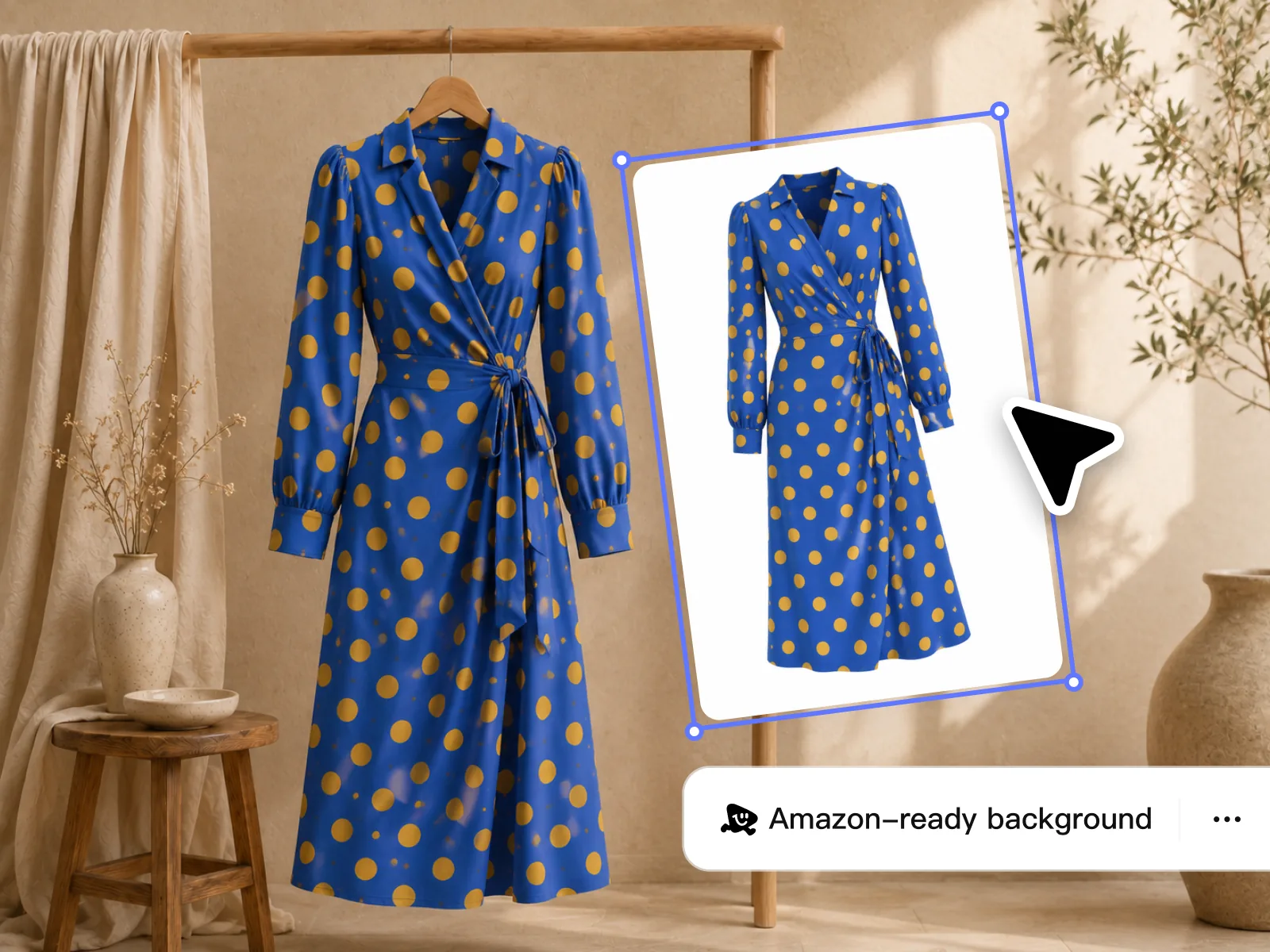
AI background remover takes supplier JPEGs from raw source to clean cutout in under two minutes per SKU — no manual masking. Playyy handles shapes that trip up standard tools: apparel with loose threads, glassware with transparency, and products with curved edges and fine details. Output meets Amazon's pure white (RGB 255,255,255) background requirement out of the box, and the same workflow processes one product or an entire catalog run.
Try for free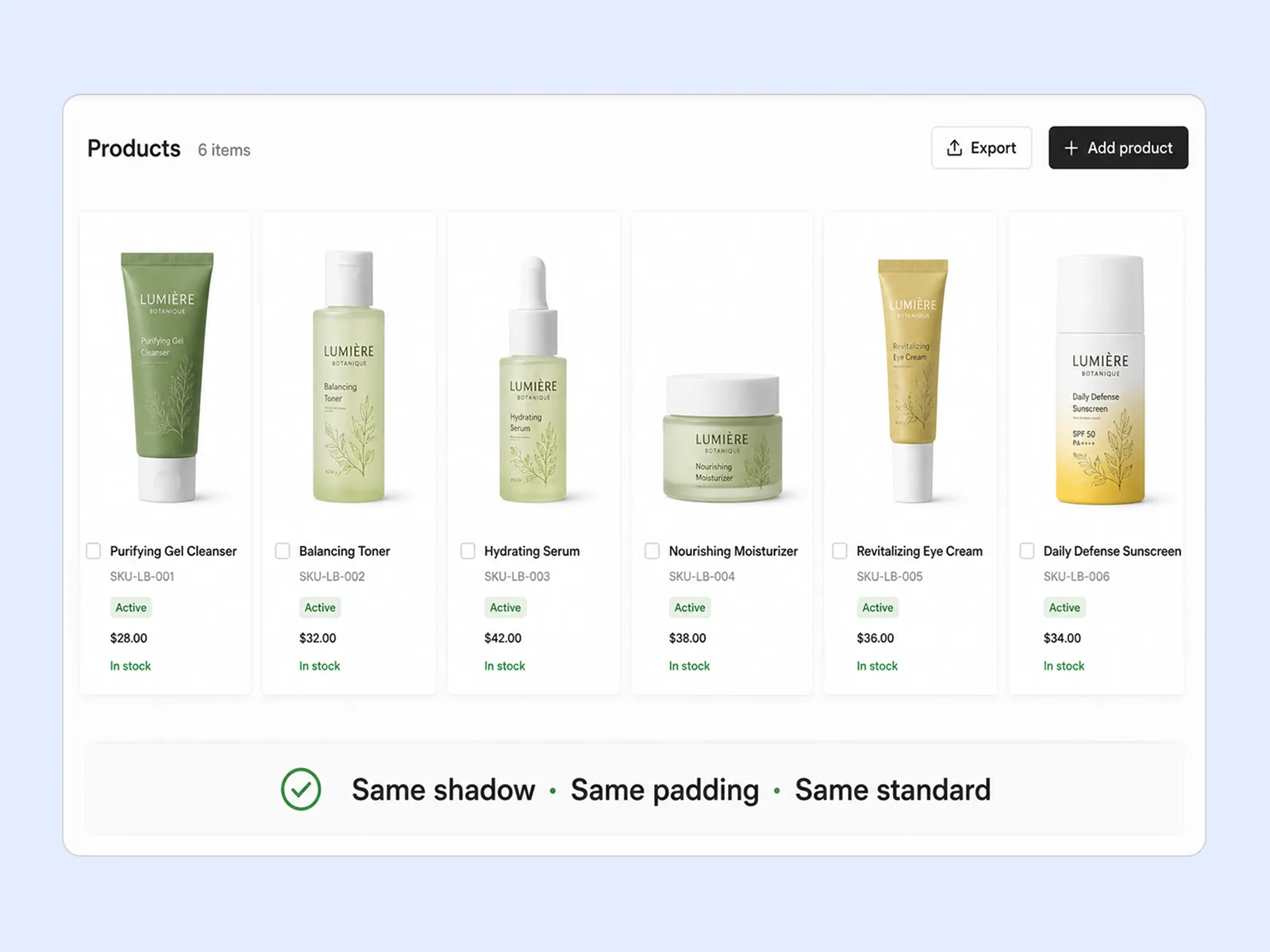
Ecommerce photo editing at catalog scale is a consistency problem, not a per-image one — pure white for marketplace compliance, or a lifestyle surface for DTC detail pages. Object Remover handles what background removal can't reach: hanger shadows, size tags, and props that weren't meant to be in frame. The same shadow treatment, padding, and surface across all SKUs makes the catalog read as intentional rather than assembled from multiple supplier shoots.
Try for free
Amazon requires product images at minimum 1,000px on the longest side for the zoom feature to activate — most supplier sample images fall below this. AI image upscaler brings images to 2× or 4× original resolution without the blurring or edge artifacts that standard upscaling produces. Export at the exact specification each channel requires: Amazon main image at 2,000px+, Shopify hero, or Google Shopping thumbnail.
Try for freePlayyy produces pure white RGB 255,255,255 backgrounds that pass Amazon's main image requirements, with output at 1000px minimum on the longest side for zoom eligibility. No manual color-checking — the background removal and export handle compliance.
Playyy's AI background remover isolates products cleanly from any source — supplier photos, lifestyle shots, or images with cluttered backgrounds. Edge handling is sharp enough for jewelry, apparel, and products with fine detail.
Use Object Remover to erase props, price tags, unwanted shadows, or reflections that crept into the source photo. Brush over the area and the AI reconstructs the background without leaving a patch.
Run any product image through the AI image upscaler at 2× or 4× to reach the resolution marketplaces require for zoom and print. Low-resolution supplier photos stop being a bottleneck for catalog publishing.
Describe the change once and the Batch Photo Editor applies it to hundreds of SKUs in a single session. Product photo editing stops being per-image work, and consistency becomes a property of the run rather than something to police afterwards.
Export square crops for Amazon and eBay, landscape for Google Shopping, and vertical for Pinterest and Instagram Shopping — all from the same processed image. Format requirements per platform stop slowing down catalog launches.
“Supplier photos come from different shoots — mixed backgrounds, mixed resolution, details that fail marketplace zoom. Playyy standardizes the catalog: white background, cleanup, upscale. Listings finally read as one collection.”

James Walker
Ecommerce Creative Strategist
“Amazon wants pure white and a zoom floor. Shopify wants a larger hero. I used to fix those in two tools. Now the same pass covers both specs so a restock does not stall on photo cleanup.”

Emily Carter
Growth Marketing Strategist
“Jewelry chains and sheer packaging are where cheap cutouts fall apart. Playyy keeps the fine edges, so the catalog still holds up when a buyer pinches to zoom on a phone.”

Aiko Tanaka
Independent Designer & Visual Systems Consultant
See how teams are using Playyy to ship better visuals, faster.
A legal-tech startup founder, no designer, 22 YouTube thumbnails — how the startup built a consistent channel identity in one week using Playyy's brand kit.
Daniel Brooks
ChatGPT images buried in chat, no brand kit, no spec control. How a 12-person B2B SaaS team switched workflows and tripled creative output in the same time budget.
 Emily Carter
YouTube channel banner, profile picture, and 4 end-card variants — zero design cost, one afternoon, no designer.
 Luca Moretti
Supplier photos arrive at inconsistent resolutions with cluttered or colored backgrounds — Playyy's background removal and upscaler turn them into Amazon- and Shopify-compliant product images without a studio shoot. Background removal produces the clean white canvas Amazon requires; the AI image upscaler brings resolution up to the 2048px Shopify recommends for zoom. The entire compliance workflow runs in the browser, not across a stack of editing software.
Most ecommerce photo editing stalls on tool-switching: one service for cutouts, another for retouching out props, a third for upscaling. Playyy runs all three in the same session, so a supplier JPEG reaches marketplace spec without exporting between apps and losing quality at each hop. For sellers processing restocks and variant shots weekly, the removed handoffs matter more than any single step being marginally better.
Jewelry with chain links, apparel with loose threads, and products with transparent elements are where basic background removal tools fail. Playyy's AI background remover preserves fine edge detail — strands, mesh, reflections — that a simple cutout would destroy. The result is clean isolation that holds up at Amazon's zoom level and in retina display storefronts.
Amazon requires product images on the main listing to have a pure white background at RGB 255,255,255. Images with off-white or light grey backgrounds are often flagged or suppressed. Playyy's AI background remover outputs to this specification by default — you can verify the background value before export and adjust if needed for other marketplace requirements.
Transparent products like glassware and reflective surfaces like chrome hardware are handled through Playyy's edge detection, which distinguishes product boundaries from background gradients. For highly reflective or partially transparent products, the workflow preserves edge integrity while removing the background. A final review pass is recommended for catalog-critical accuracy on complex materials.
Ecommerce product photo editing for marketplace compliance follows three steps: remove the background to pure white (RGB 255,255,255), clean up residual shadows or props with Object Remover, then upscale to the platform's resolution minimum — 1,000px for Amazon zoom, 2,048px for Shopify hero. Running this sequence on every SKU produces a catalog that meets both platforms' requirements without rebuilding the process per image.
Amazon requires product images to be at least 1,000 pixels on the longest side to enable the zoom feature — the interactive detail view that buyers rely on before purchasing. For main listing images, 2,000px or larger is recommended for high-resolution displays. Images below 1,000px are accepted but disable zoom, which measurably reduces conversion. Playyy's AI image upscaler brings images to 2× or 4× original resolution to meet this floor.
Consistency across supplier photos comes from running the same sequence on every SKU: remove the background to the same white specification (RGB 255,255,255), apply the same padding and surface treatment with Object Remover, then upscale to the same output resolution. Playyy runs this sequence in one session and applies the same treatment across the full catalog range. The result reads as a single branded collection rather than photos from different sources.
Yes. The Batch Photo Editor applies one instruction across a whole set of images, so a catalog run shares the same background, padding, and cleanup treatment. Because the source cutout is resolution-independent once upscaled, a single processed image exports to each channel's spec — square for Amazon and eBay, larger hero for Shopify, landscape for Google Shopping — without repeating the edit per platform.
Manual retouching services price per image, so cost scales linearly with catalog size — a constraint that gets expensive on frequent restocks and variant shots. Browser-based ecommerce image editing shifts the cost to a flat subscription, which changes the economics most for sellers who re-shoot or add SKUs regularly. Outsourced retouching still wins where a human judgment call on brand-critical hero images matters more than turnaround time.
The practical difference is scope. Dedicated background removers do one step well; Playyy runs background removal, prop and shadow cleanup, and upscaling in the same session, which matters when supplier photos need more than a cutout. If your catalog only needs backgrounds removed at high volume, a single-purpose tool may be enough — the multi-step workflow is what removes the tool-switching.

Turn any product photo into channel-ready studio imagery — no studio, no reshooting.
Explore workflow
From one campaign brief to every channel asset — AI image generator, creator, and editor in one workflow.
Explore workflow
One hero visual, every platform format — YouTube, LinkedIn, Instagram — without manual resizing.
Explore workflowKeep every image on brand, control the final look, and turn campaign ideas into polished assets without waiting on another design cycle.














