
Free AI Product Photography for Ecommerce Brands
Turn any product photo into channel-ready studio imagery — no studio, no reshooting.
Explore workflowTurn flat lays, hanger shots, or on-model photos into 3D ghost mannequin product images — shape and drape preserved
Upload a garment photo, reconstruct the 3D shape, and export a catalog-ready invisible-mannequin shot.
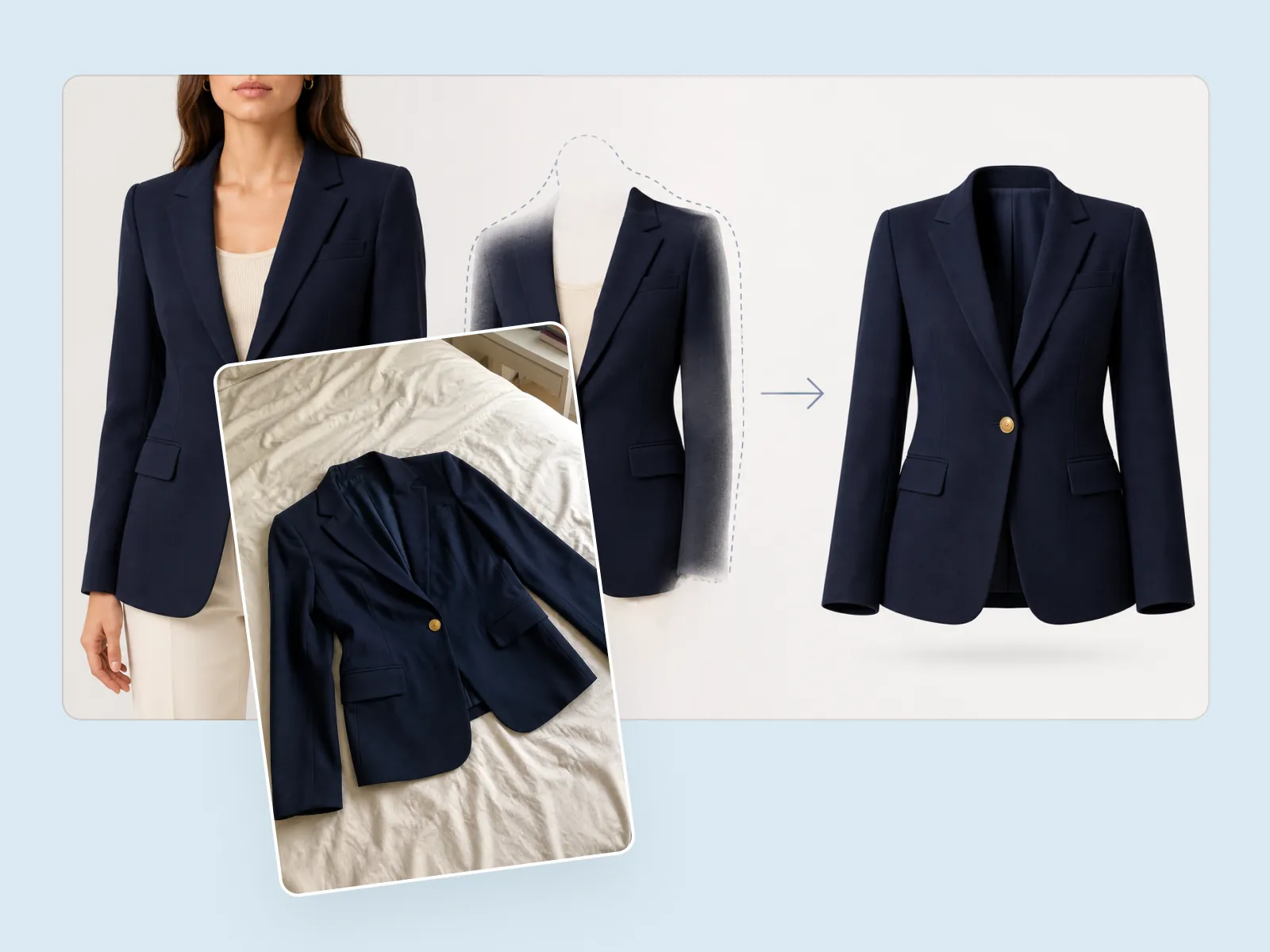
Start from a flat lay, a hanger shot, a mannequin, or an on-model photo. The AI removes the person or stand, rebuilds the hidden collar, cuffs, and interior, and leaves a three-dimensional garment that looks worn by an invisible body. Shape, drape, and fabric detail stay intact.
Try for free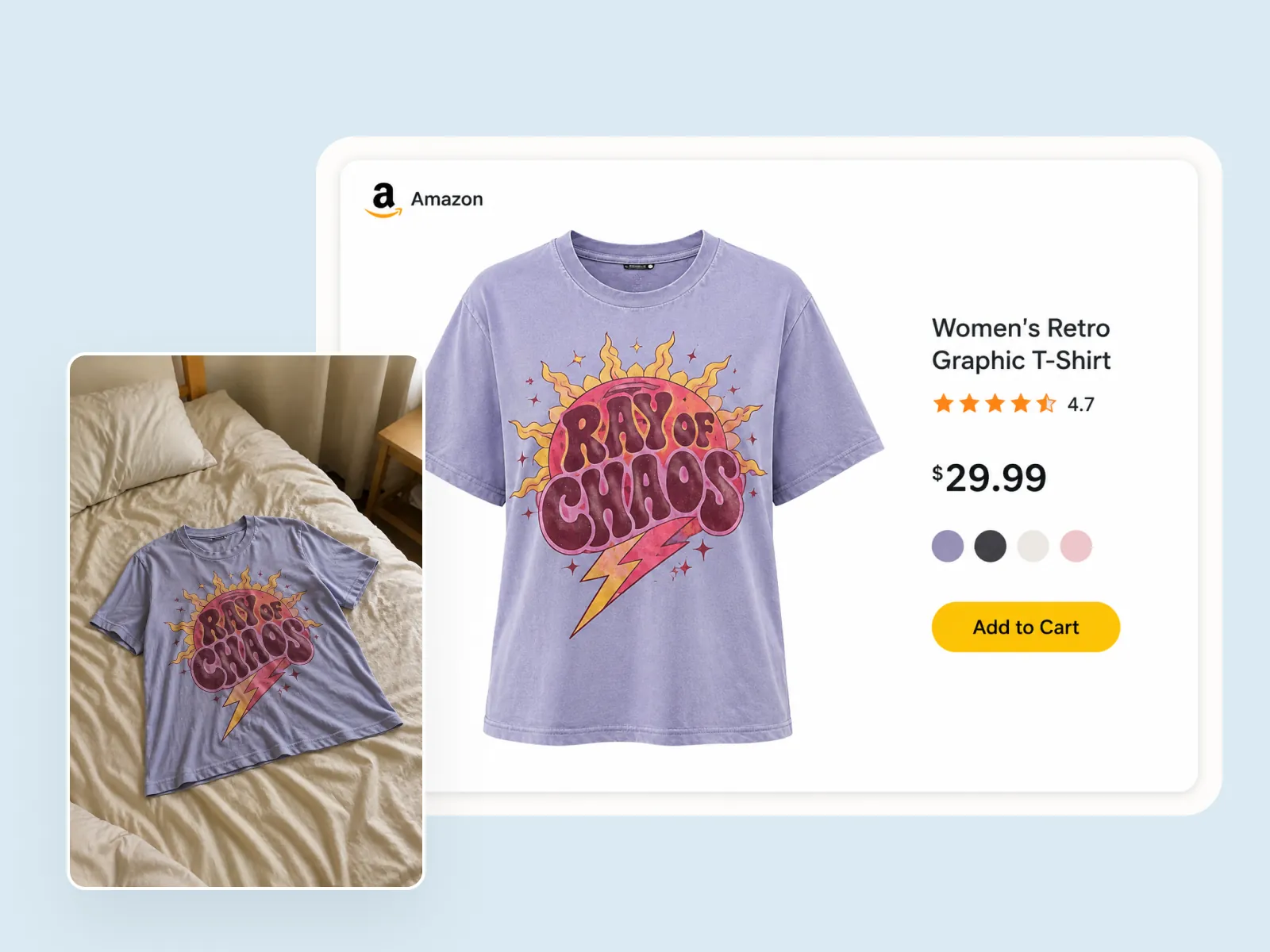
A wrinkled phone photo on a bedspread becomes a clean apparel listing: white background, filled-out silhouette, and marketplace-ready framing. Invisible mannequin photography shows cut and drape without a model in the frame — the look Etsy and Shopify apparel grids run on, the format Amazon specifies for Kids & Baby and accessories main images, and what fills Amazon's alternate slots for adult clothing.
Try for free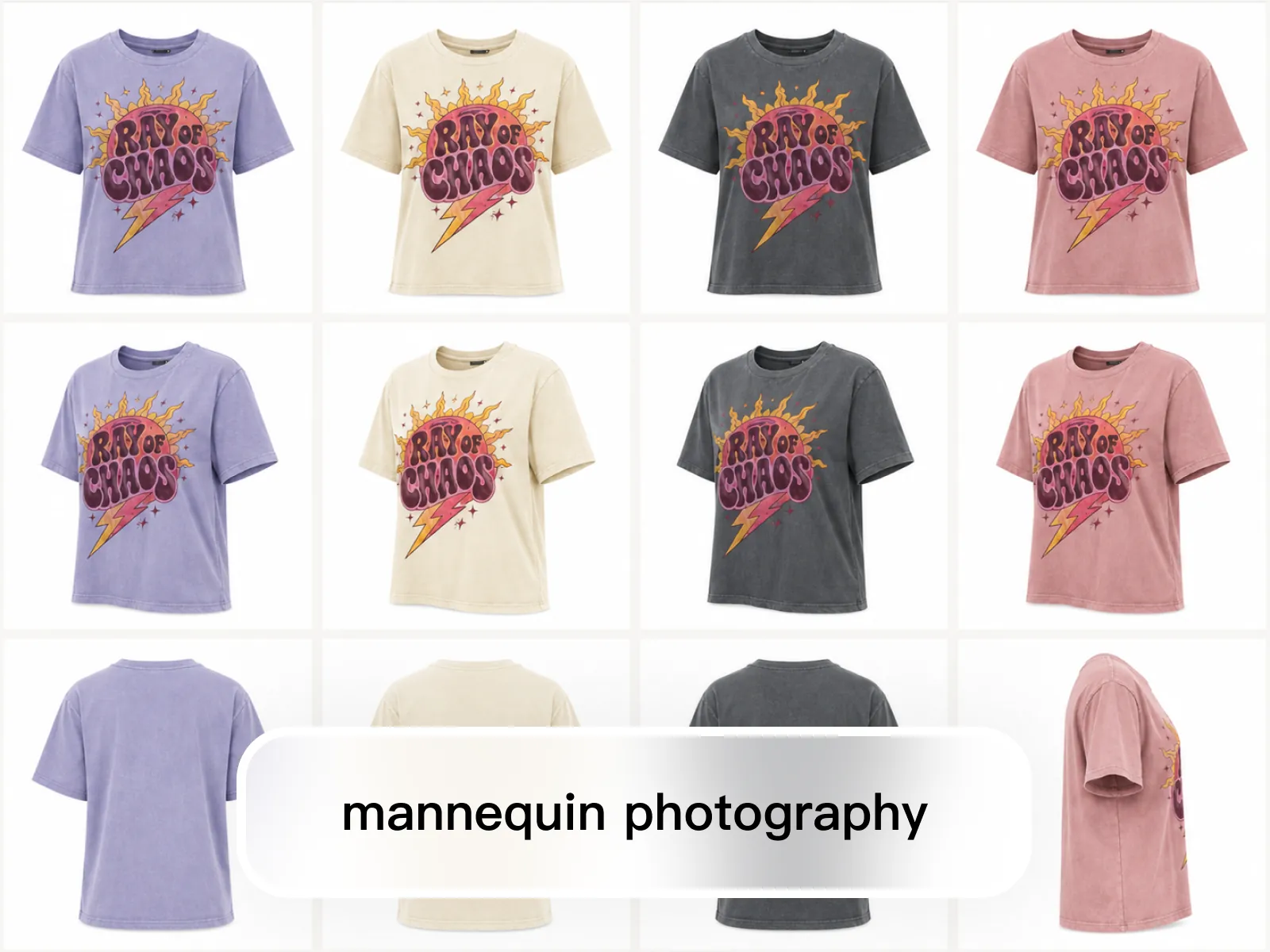
Once the ghost mannequin look is set, generate front, three-quarter, and back views across colorways with the same proportions, lighting, and hollow-body effect. A full SKU set looks like one studio session instead of a mix of hanger shots and live models.
Try for freeFlat lays, hanger shots, dress forms, and on-model photos all convert. You do not need a dedicated mannequin shoot to get the hollow-body look.
The garment keeps volume after the model or stand is gone — sleeves hold their form, hems sit naturally, and the interior of the neckline is rebuilt.
Collars, cuffs, and waistbands that were hidden by a body or stand are reconstructed so shoppers can see how the garment is finished inside.
Export on white for Amazon listing slots — main images for Kids & Baby and accessories, alternate images for adult apparel — or keep a studio gray for brand catalogs. The silhouette stays consistent across every SKU.
Generate matching ghost mannequin views for every color and camera angle so a drop looks photographed together, not assembled from leftover shoots.
Upload, generate, review. Most apparel shots are ready to export in one pass — then move into background, resize, or listing layout in the same editor.
“Most of our apparel still arrives as hanger shots or phone flats. Ghost mannequin used to mean a retoucher reconstructing the neckline by hand. Playyy gives me a 3D listing photo I can drop into the gallery the same afternoon.”

James Walker
Ecommerce Creative Strategist
“I need the garment to look worn, not pinned to a board — but I also cannot have a model's face on every PDP. The invisible-mannequin output keeps drape and volume without turning the catalog into a lookbook.”

Claire Dubois
Creative Director & Brand Aesthetic Consultant
“Colorways used to look like they came from three different studios. Once we lock the ghost mannequin treatment, every size and color sits in the same silhouette. The grid finally looks like one collection.”

Emily Carter
Growth Marketing Strategist
Ghost mannequin is the default construction shot across fashion PDPs because it shows cut and finish without a model's face competing with the product. On Amazon it is the specified main-image format for Kids & Baby and accessories, and the format that fills the alternate slots for adult clothing, where the style guide asks for an on-figure main. Playyy starts from the photos you already have — supplier flats, hanger shots, or a single model look — and produces that catalog standard without booking a second shoot.
The model, hanger, or wrinkled backdrop comes out; print placement, stitching, buttons, and fabric texture stay. That is the difference between a hollow-body listing photo and a restyled illustration that no longer matches the SKU.
After the ghost mannequin pass, keep going: remove a stray tag, upscale for marketplace zoom, or place the cutout into a campaign scene. There is no export-and-reupload between tools.
Turn any product photo into channel-ready studio imagery — no studio, no reshooting.
Explore workflow
Ecommerce image editing across every SKU — background removal, cleanup, and upscaling that meet marketplace specs.
Explore workflowGhost mannequin photography — also called invisible mannequin or the hollow-man effect — shows a garment in 3D as if worn by an invisible body. The model or stand is removed and the hidden interior (collar, cuffs, lining) is reconstructed so shoppers see shape and fit without a person in the frame.
Flat lays, hanger shots, dress-form photos, and on-model images all work. Results are cleanest when the full garment is visible and not heavily bunched. Wrinkled phone photos still convert; extreme occlusion (folded in half, stuffed in a bag) may need a second pass.
Yes. Structured pieces like blazers hold volume well; dresses and knitwear keep drape rather than flattening into a cardboard cutout. Very sheer or heavily layered pieces may need a review pass on the reconstructed interior.
On Shopify and Etsy, yes — including as the main image, and it is the cleanest way to keep a collection grid consistent. On Amazon it depends on the category: the Clothing & Accessories style guide specifies on-figure main images for adult apparel, so ghost mannequin belongs in the alternate slots there, while off-figure lay-down is the specified main format for Kids & Baby, accessories, and multipacks. Every slot still wants a pure white background and at least 1,000 px on the longest side.
Yes. Playyy is a free web tool — not a downloadable app. Ghost mannequin runs in the browser with no watermark. Daily and monthly credits cover typical catalog work, including batch, with nothing extra to unlock.
No. The traditional Photoshop workflow shoots the garment on a mannequin plus a separate neck-insert photo, then composites them by hand. The AI ghost mannequin generator rebuilds the hidden collar and interior automatically from one photo — no layers, masking, or pen tool.
Ghost mannequin removes the person and keeps a hollow 3D garment — the construction shot for catalog grids and Amazon alternate slots. Virtual Model dresses an AI fashion model in the product for lookbook and lifestyle shots. Use ghost mannequin for construction and collection grids; use Virtual Model when a listing needs an on-figure shot, which is what Amazon's style guide asks for on adult apparel main images.
See how teams are using Playyy to ship better visuals, faster.

Sixty lifestyle images, three days, no studio. How one Shopify brand cut product shoot costs by 80% using AI photo editing.
 James Walker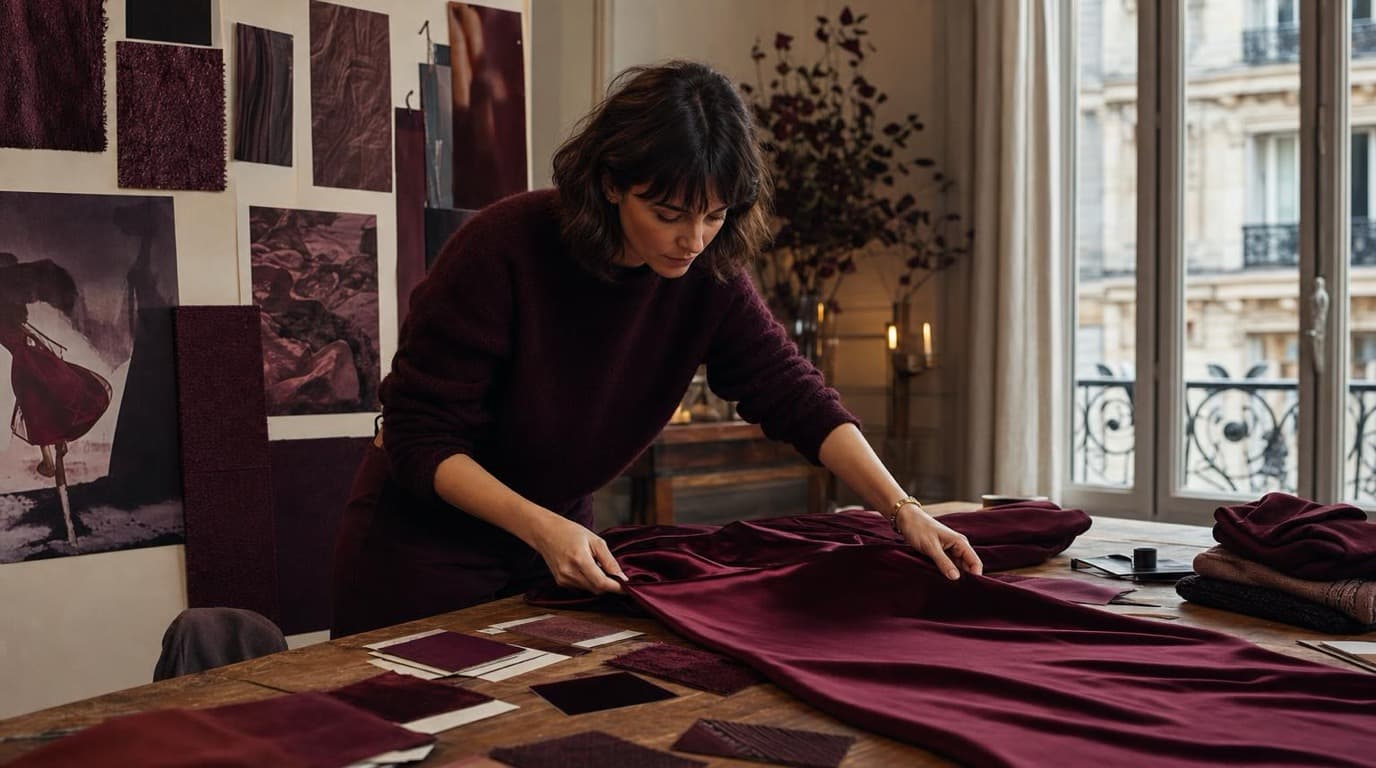
Thirty-four campaign images. Six days. One colour. How Camille Laurent built an entire autumn campaign around a burgundy colour story without booking a studio.
 Aiko Tanaka
Phone photos, an AI photo editor, and a clear brand vision — how one indie maker's first launch looked like a studio produced it.
 Minji Park
Keep every image on brand, control the final look, and turn campaign ideas into polished assets without waiting on another design cycle.














