
Free AI Product Photography for Ecommerce Brands
Turn any product photo into channel-ready studio imagery — no studio, no reshooting.
Explore workflowTurn a folder of casual product shots into one clean set on pure white — same product, same viewpoint, new light
A workflow built around your real creative needs — from first direction to final asset.
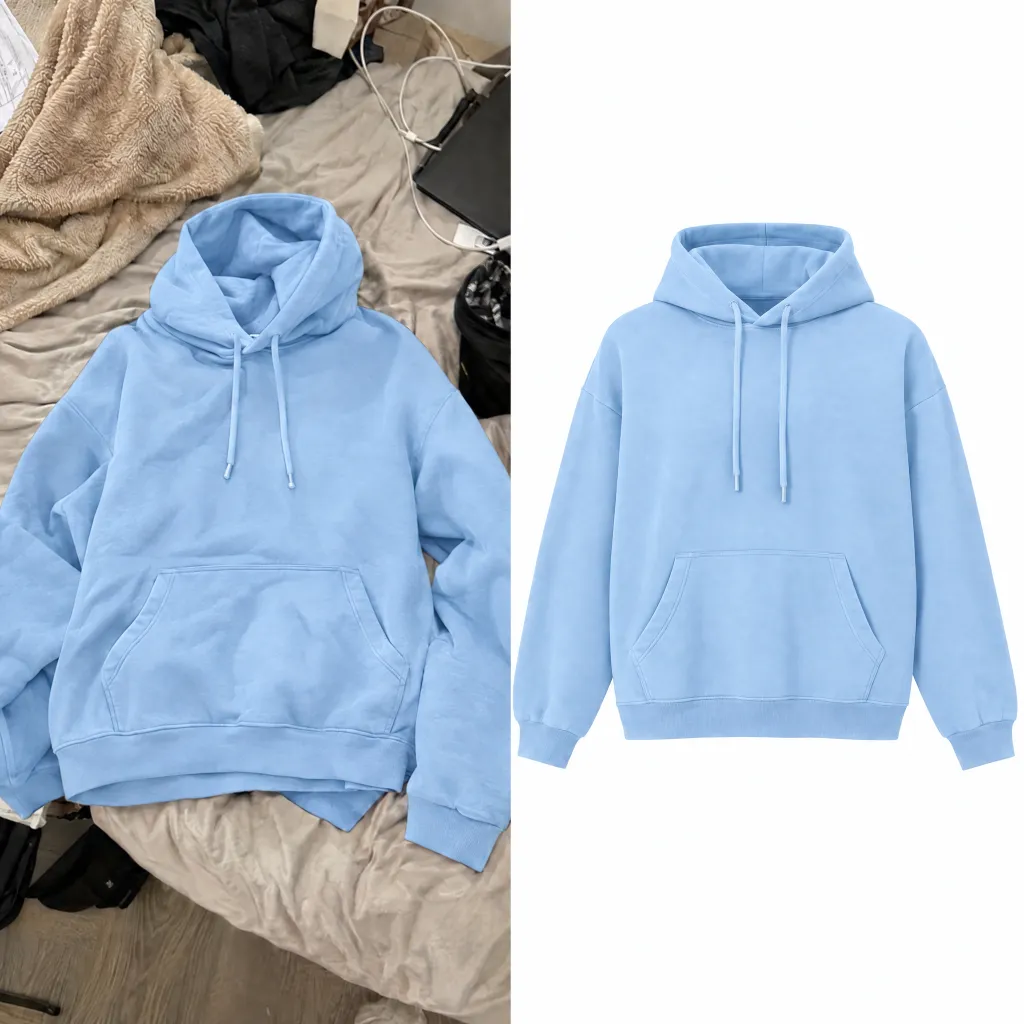
Removing a background leaves everything else as it was: the phone's color cast, the exposure the kitchen counter gave it, the shadow that belonged to a different surface. Dropping that onto white produces a cutout on a white card, not a studio shot. This relights the product instead — same item, same viewpoint it was photographed from, new light, new background — so what comes back reads as a catalog photograph of the thing rather than a rescued snapshot.
Try for free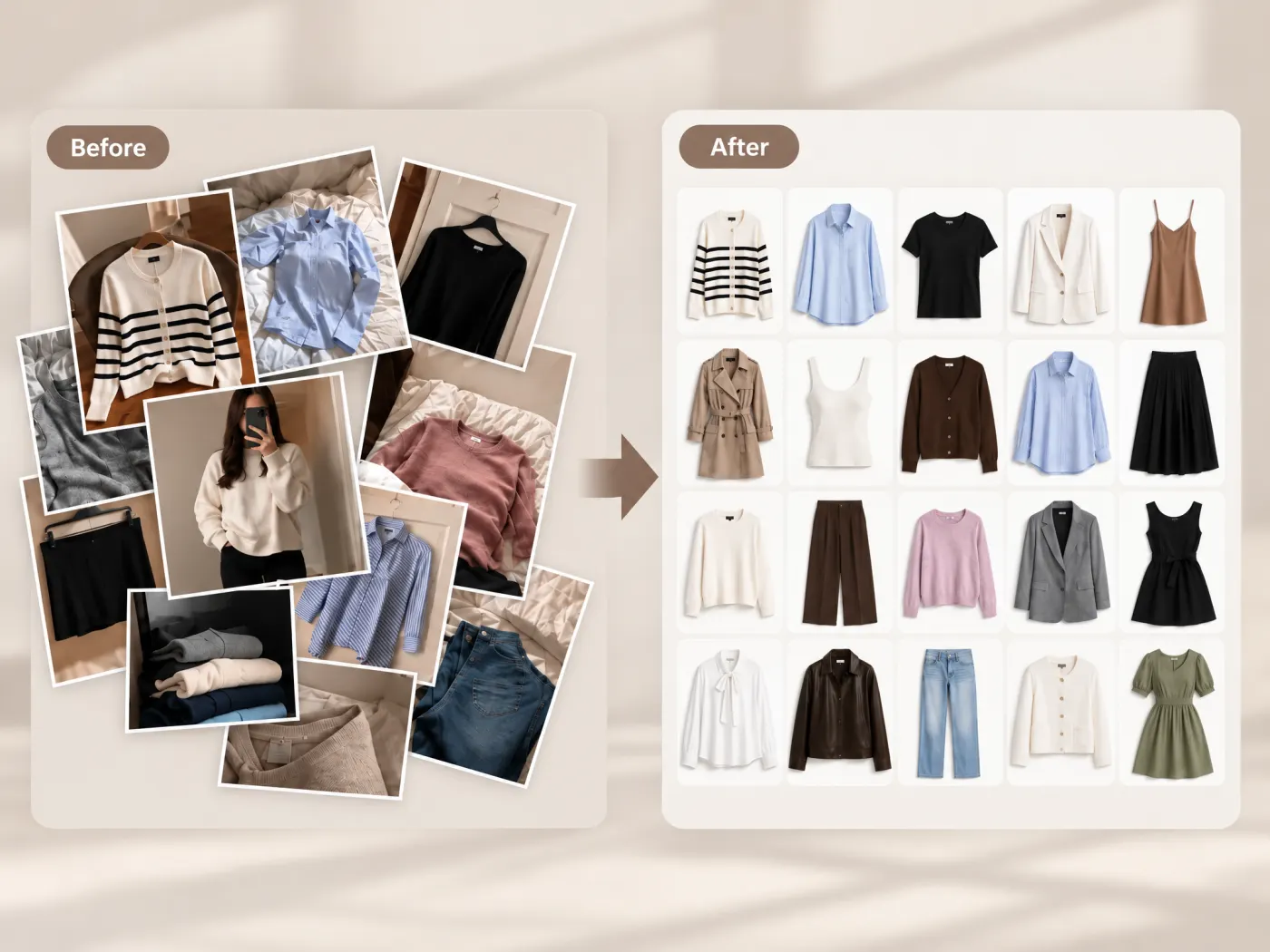
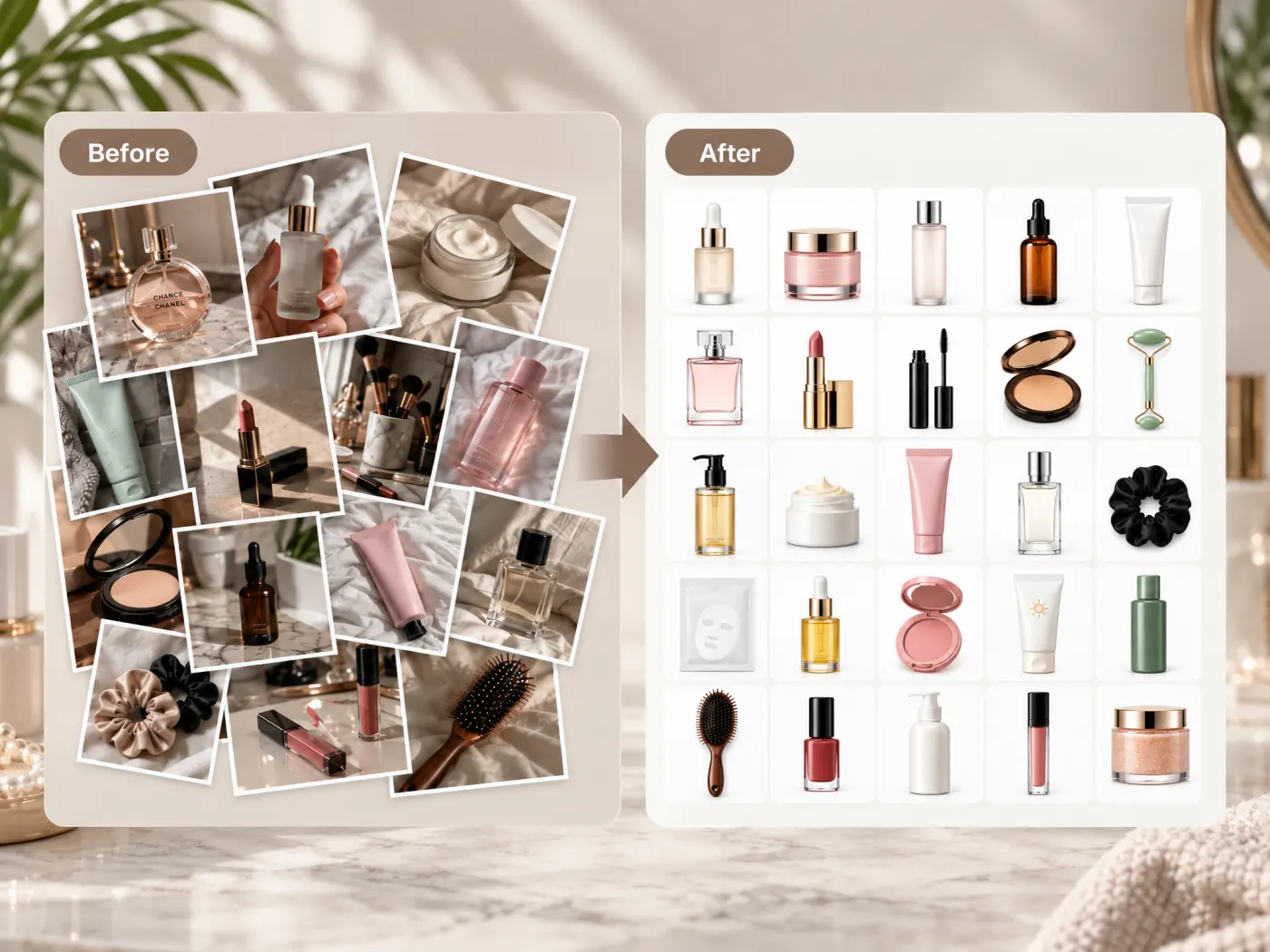
Upload up to ten photos at once and each comes back as its own finished image, in the order you sent them. They do not have to be the same product: a seller's ten photos are usually ten different SKUs shot on different days in different light, and that is the case this is built for. What they share afterwards is the part that matters — one light direction, one background, one framing convention across the whole set.
Try for free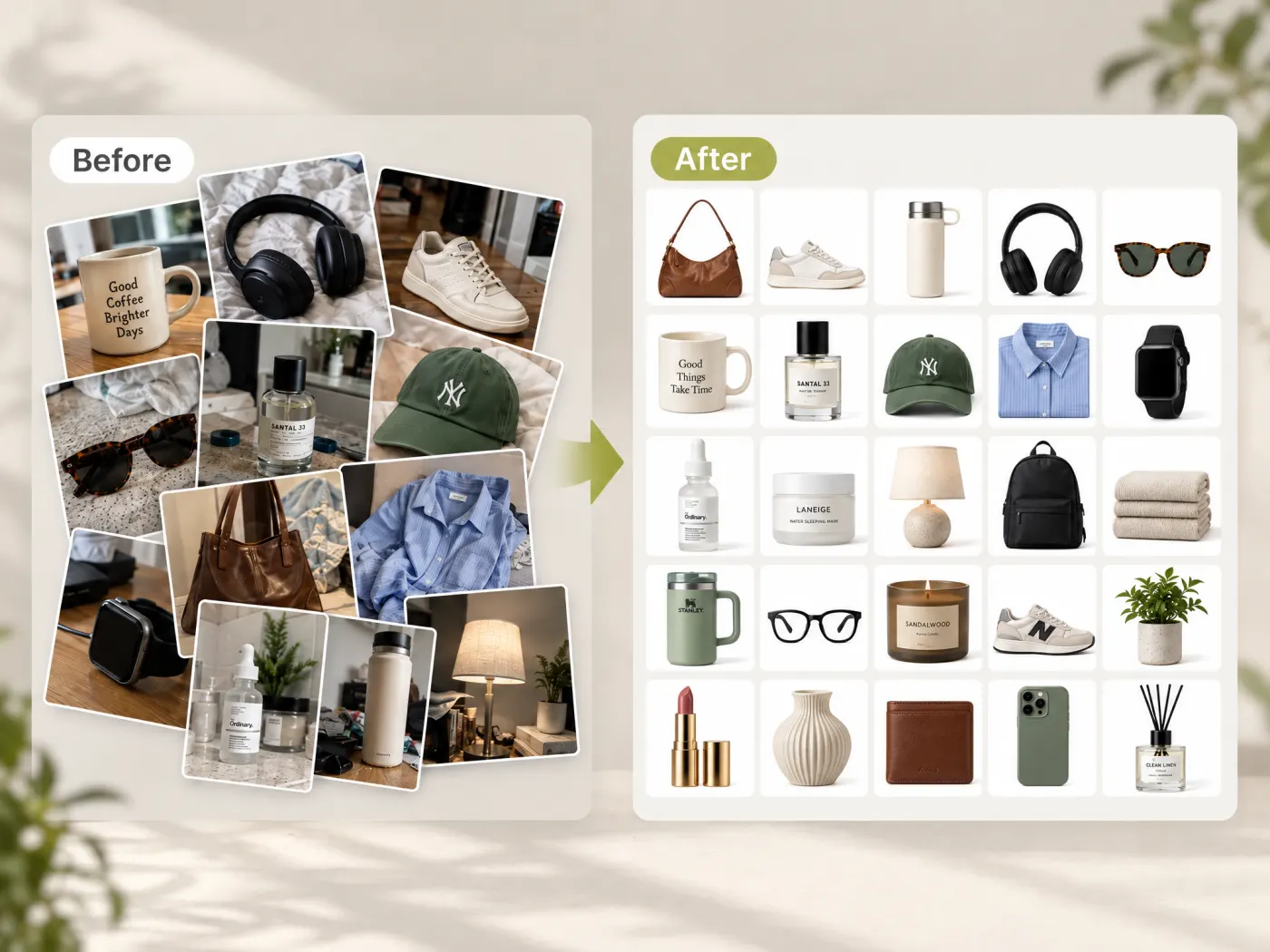
The background goes, and so does everything around the product that a listing has no use for: surface clutter, a hand holding the bottle, the hanger, the price tag, the sticker, packaging that isn't part of the purchase. Flat items — a garment, a textile, a flat accessory — are handled as flat items rather than stood up. When a photo shows more than one sellable thing and your notes don't say which one is the product, it asks once for the whole batch instead of guessing ten times.
Try for freeNeed the sides your photo never showed, not just a clean main image? Generate the other angles from the same shot
One finished image per upload, returned in upload order, so a batch of mixed SKUs comes back as a set you can hand straight to a listing queue.
The product is never turned to show a side your photo didn't. What changes is the light and the background; the angle on the shelf stays the angle in the render.
New studio lighting and a fresh contact shadow, which is the difference between a product that sits on the white and one that floats above it.
Hangers, price tags, stickers, stray props, and packaging that isn't part of the sale all come out with the background rather than after it.
Output is 1:1, the shape every marketplace main-image grid is built for, so nothing needs recropping before it goes up.
A clean white shot is what the rest of the listing is built on — extra angles, colorways, and on-model images all start from it.
“Our supplier photos arrive in every light imaginable. Running the drop through this is the only reason our collection page looks like one shoot instead of forty.”

Emily Carter
Growth Marketing Strategist
“I kept trying to do this with a background remover and wondering why it still looked off. It was the lighting, not the cutout — relighting the product is what fixed it.”

James Walker
Ecommerce Creative Strategist
“The detail I check is the shadow. A product with no contact shadow looks pasted on, and that is exactly what a marketplace reviewer notices first.”

Luca Moretti
Local Business & Event Marketing Consultant
Background removal answers "isolate this subject"; a white-background product photo answers "make this look photographed in a studio". The first is a masking problem and the second is a lighting one, which is why a transparent PNG dropped onto a white square so often still looks wrong — the highlights, the shadow and the color temperature all still belong to wherever the photo was actually taken.
Any one white-background image is easy to produce. A collection page is judged on whether forty of them sit together without one looking brighter, warmer, or framed differently from its neighbours. Running the whole batch through the same treatment is what holds that constant, and it is the thing manual editing loses first when the SKU count climbs.
Marketplaces are specific about it — Amazon wants pure white at RGB 255,255,255 and at least 1,000 px on the longest side — and an off-white or gray backdrop is a common reason for a listing to be flagged. It is also the only image most shoppers ever see, since it is what the search grid shows.
Turn any product photo into channel-ready studio imagery — no studio, no reshooting.
Explore workflow
Ecommerce image editing across every SKU — background removal, cleanup, and upscaling that meet marketplace specs.
Explore workflowUpload the photo and the product is rephotographed on pure white: the original background is replaced, the product is relit with studio lighting, and a fresh contact shadow is added. You don't select anything or draw a path — the whole frame is reshot rather than masked.
No, and the difference shows. A background remover cuts the subject out and leaves everything else — exposure, color cast, the shadow from the original surface. Put that on a white card and it still looks like a phone photo with the background deleted. This relights the product as a studio shot, which is why it reads as a packshot. Use the Background Remover when what you actually want is a transparent cutout to drop into a design.
It shouldn't. Shape, proportions, color, material, print, logos, labels, closures and hardware are all read off your photo and carried through. What changes is the light, the background, and the things around the product that aren't for sale. Review the result before publishing, as you would any generated image.
Not here — this keeps the viewpoint your photo was taken from. That is deliberate: it is what makes the output trustworthy as a main image. For the side, back and overhead views a gallery needs, Multi-Angle Product Photos renders the sides your photo never showed.
Up to ten per run, and they don't need to be the same product. Each upload comes back as its own finished image in the order you sent them, which is what makes a mixed batch of SKUs practical rather than ten separate sessions.
A top worn with trousers, a bag beside a pair of shoes, two bottles on a shelf — if it isn't clear which item is the one for sale, you're asked once for the whole batch rather than being interrupted on every photo. Saying so in your notes up front skips the question.
The output is pure white, which is what Amazon's main-image policy asks for at RGB 255,255,255, alongside a minimum of 1,000 px on the longest side for zoom. Category rules still apply on top of that — adult apparel main images, for instance, are specified as on-figure rather than flat.
See how teams are using Playyy to ship better visuals, faster.

Sixty lifestyle images, three days, no studio. How one Shopify brand cut product shoot costs by 80% using AI photo editing.
 James Walker
Ninety marketplace-ready product images, four days, no studio. How one pet brand replaced its entire catalog workflow with AI.
James Walker
A 300-SKU Shopify founder cancelled $800/year in Adobe CC and upscaler subscriptions after switching to Playyy for background removal, object cleanup, and AI lifestyle images.
James WalkerKeep every image on brand, control the final look, and turn campaign ideas into polished assets without waiting on another design cycle.














