How a Founder Built a YouTube Brand Without a Designer
A legal-tech startup founder, no designer, 22 YouTube thumbnails — how the startup built a consistent channel identity in one week using Playyy's brand kit.
 Daniel Brooks
Generate social media visuals for every platform from one hero image. Playyy adapts YouTube banners, LinkedIn covers, and Instagram posts — no resizing by hand.
Start creating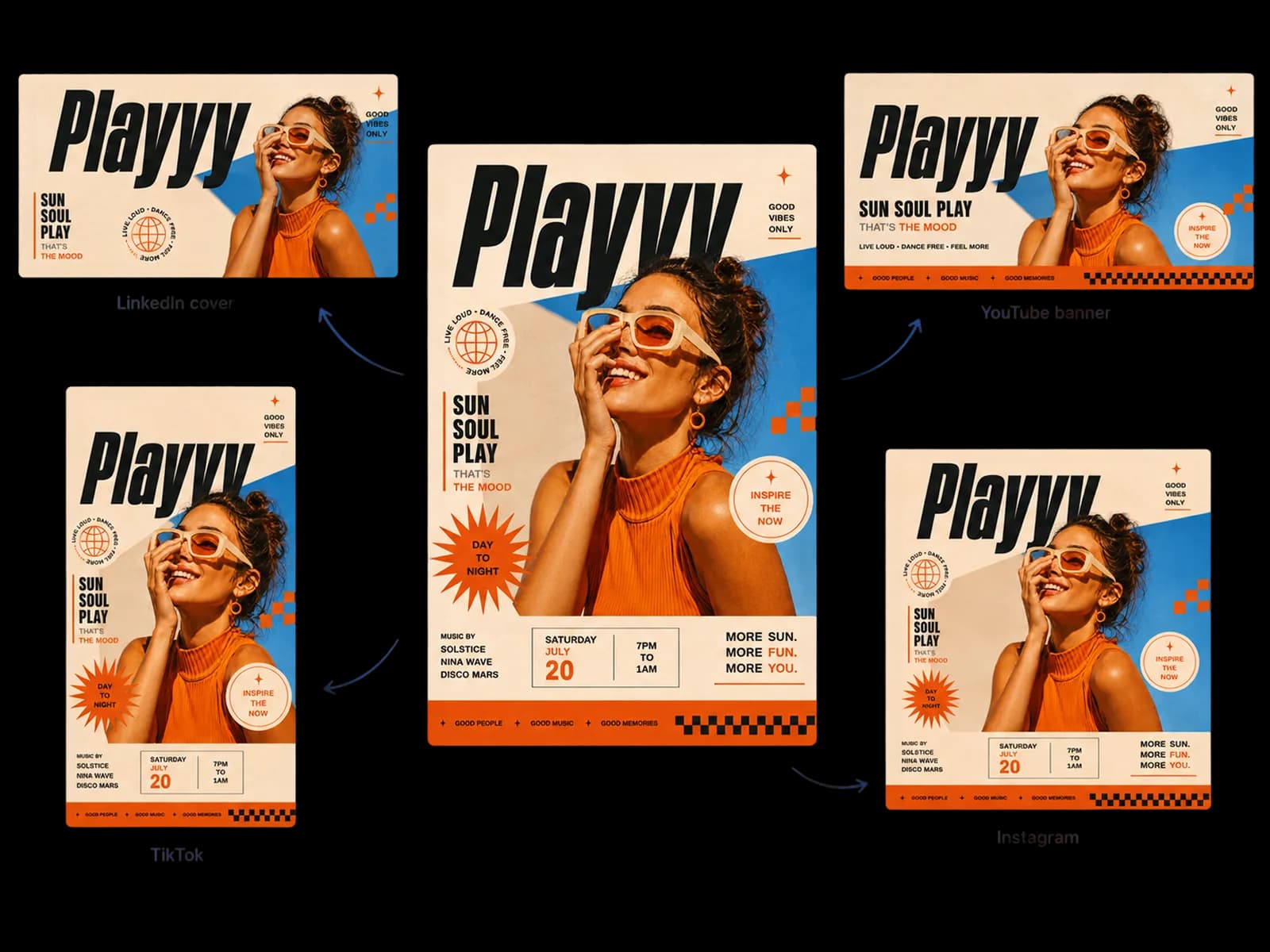
Generate the hero visual once, adapt it to every platform — no manual resizing, no rebuilding the composition.
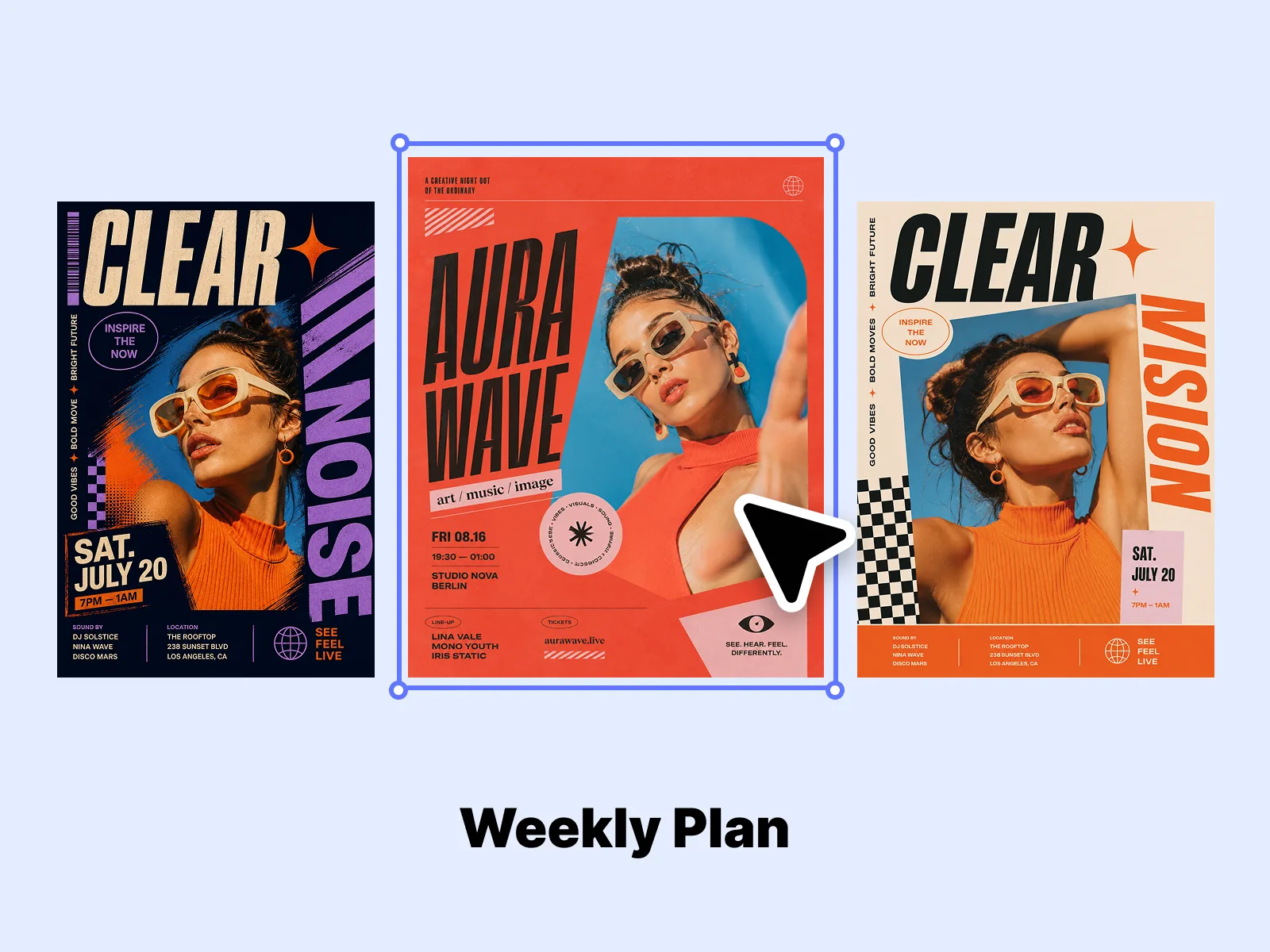
Use AI Image Generator to produce the anchor social media visual for the week — one image strong enough that every derivative piece of content reads as part of the same moment. This isn't generating all your content at once; it's generating the one image that gives everything else a consistent look and feeling.
Try for free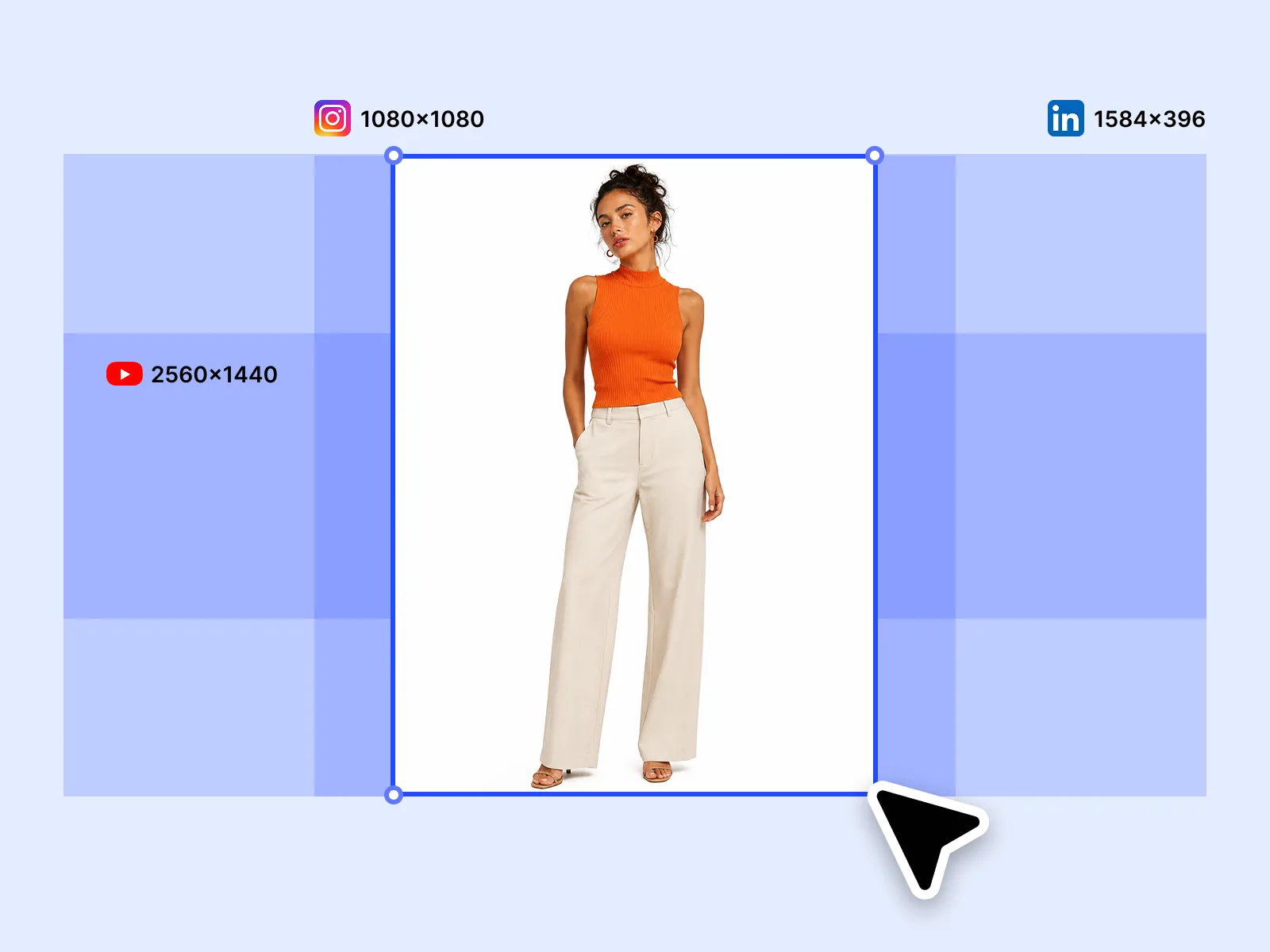
Image Expander takes the hero visual and extends it to every platform's required format: 1:1 Instagram feed, 9:16 Stories and TikTok, 16:9 YouTube banner, 1.91:1 LinkedIn cover. The AI fills extended areas naturally so each platform version looks composed, not stretched or padded. One image, every format, no manual resizing.
Try for free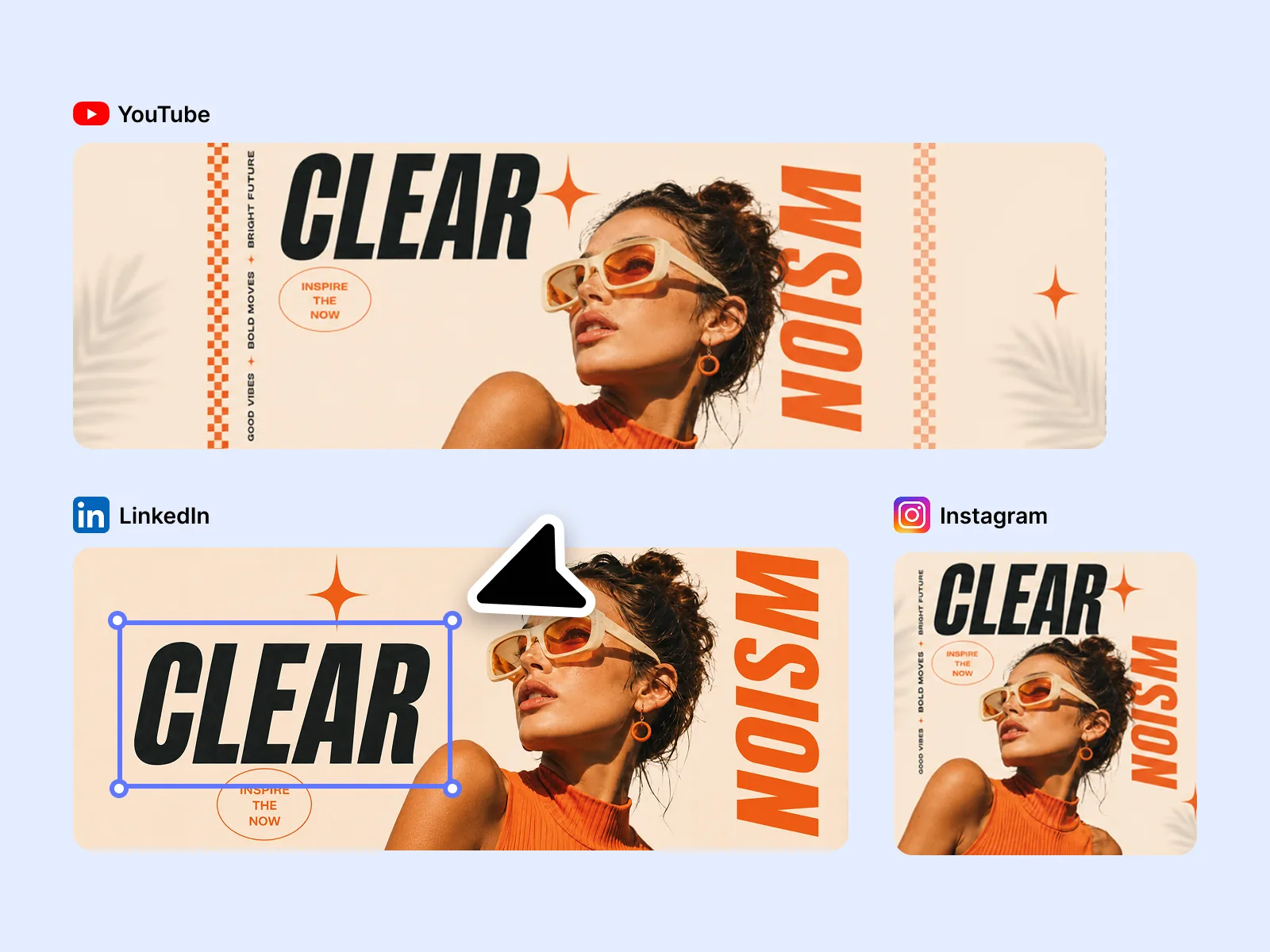
Edit Elements lets you adjust text position, brand color contrast, and thumbnail legibility per platform — because what's readable on a LinkedIn desktop preview is different from what works in a YouTube mobile thumbnail. Each platform has a different focal point, and the final pass makes the adaptation feel deliberate rather than automatic.
Try for freeGenerate scroll-stopping social media visuals from a text prompt — no stock photos, no templates. Playyy's AI image generator produces original imagery matched to your brand tone, ready to adapt across every platform.
Start with one hero image and use Image Expander to output every format — YouTube banner at 2560×1440, LinkedIn banner at 1584×396, Instagram post at 1:1, and 9:16 Stories. No manual resizing, no quality loss.
Edit Elements lets you adjust text, colors, and graphic details directly on each exported format. Add a channel-specific CTA to your YouTube banner, a tighter headline to your Instagram post — all without rebuilding from scratch.
Style Transfer applies the aesthetic of a reference image — your brand palette, texture, or mood — to every new visual you generate. Your LinkedIn banner, YouTube banner template, and Instagram posts look like they came from the same shoot.
Generate a set of base visuals, expand them to every platform ratio, and adjust copy per format — all in one sitting. What used to take hours of back-and-forth across tools now fits in a focused session.
Image Expander handles the dimension math so you don't have to. Output exact platform specs for every social channel without cropping, distorting, or re-composing your original design.
“We were either resizing by hand or shipping the wrong crop. I generate the hero once in Playyy and adapt it to YouTube, LinkedIn, and Instagram — no rebuild, no guesswork on dimensions.”

Sophie Whitmore
Social Media Manager & Brand Content Consultant
“Paid social tests need the same idea in three ratios by end of day. Playyy keeps the subject intact when the canvas changes, so I am not recropping faces out of a 16:9 master.”

Emily Carter
Growth Marketing Strategist
“A creator feed falls apart when every platform looks like a different brand. Style Transfer plus expand means the banner, the post, and the story still feel like one identity.”
Minji Park
Creator Marketing Strategist
See how teams are using Playyy to ship better visuals, faster.
A legal-tech startup founder, no designer, 22 YouTube thumbnails — how the startup built a consistent channel identity in one week using Playyy's brand kit.
Daniel Brooks
ChatGPT images buried in chat, no brand kit, no spec control. How a 12-person B2B SaaS team switched workflows and tripled creative output in the same time budget.
 Emily Carter
YouTube channel banner, profile picture, and 4 end-card variants — zero design cost, one afternoon, no designer.
 Luca Moretti
Generate a single high-quality image, then let Image Expander adapt it to every platform spec automatically — YouTube banner at 2560×1440, LinkedIn banner at 1584×396, Instagram square at 1:1, and vertical Story at 9:16. No re-composing, no guesswork on dimensions. One session produces the complete set of social media visuals, ready to publish.
Style Transfer anchors every new visual to the same aesthetic — whether that's a color palette, lighting style, or mood from a reference image. Apply it across your Instagram posts, LinkedIn banners, and YouTube channel art so your feed looks intentional without manual effort. Your audience sees a consistent brand presence across every channel.
Edit Elements lets you fine-tune each format for legibility at platform scale — tighten the headline on a YouTube banner, swap in a different CTA for an Instagram post, adjust contrast for a LinkedIn banner thumbnail view. Per-platform copy and color changes take minutes, not a redesign cycle. Every format ships with text that actually reads at size.
YouTube channel art displays at 2560×1440px but the safe zone for all devices is 1546×423px — design for the safe zone. LinkedIn profile banners are 1584×396px; company page banners are 1128×191px. Instagram feed posts are 1080×1080px for square, 1080×1350px for portrait. Playyy's Image Expander outputs to these specifications from a single source image.
YouTube banners display at 2560×1440px on large screens, but only a 1546×423px center strip is visible on every device. Design your YouTube banner with all key elements — channel name, tagline, and any CTA — within that safe zone. Image Expander fills the outer areas naturally so the banner scales correctly without cropping your main content on large monitors or TVs.
Yes. Generate the hero image once, then use Image Expander to adapt it to each platform's required ratio — 1:1 and 4:5 for Instagram, 16:9 for YouTube banners, 1.91:1 for LinkedIn. The AI fills extended areas by reading the scene's spatial logic so each platform version looks composed rather than cropped. One session produces every format without rebuilding the image.
YouTube channel art uploads at 2560×1440px, but only a 1546×423px safe zone at the center is visible across all devices — desktops, mobile, and TVs each crop the outer areas differently. Design all text, logos, and key visuals within that safe zone. Image Expander generates the full 2560×1440px banner from a hero image and fills the outer areas naturally — no separate YouTube banner template file required.
Consistency starts with generating one anchor image that sets the creative direction — color palette, mood, and composition style. From that single hero visual, Image Expander adapts the image to each platform's ratio rather than generating separately per channel. Edit Elements then applies the same brand colors and typography treatment across every format. The result looks like one cohesive campaign rather than content created platform by platform.

Turn any product photo into channel-ready studio imagery — no studio, no reshooting.
Explore workflow
From one campaign brief to every channel asset — AI image generator, creator, and editor in one workflow.
Explore workflow
Ecommerce image editing across every SKU — background removal, cleanup, and upscaling that meet marketplace specs.
Explore workflowKeep every image on brand, control the final look, and turn campaign ideas into polished assets without waiting on another design cycle.














