
Ecommerce Product Photo Editing: Amazon & Shopify
Ecommerce image editing across every SKU — background removal, cleanup, and upscaling that meet marketplace specs.
Explore workflowEdit a whole set of images in one pass — describe the change once and it lands on every photo in the batch
A workflow built around your real creative needs — from first direction to final asset.
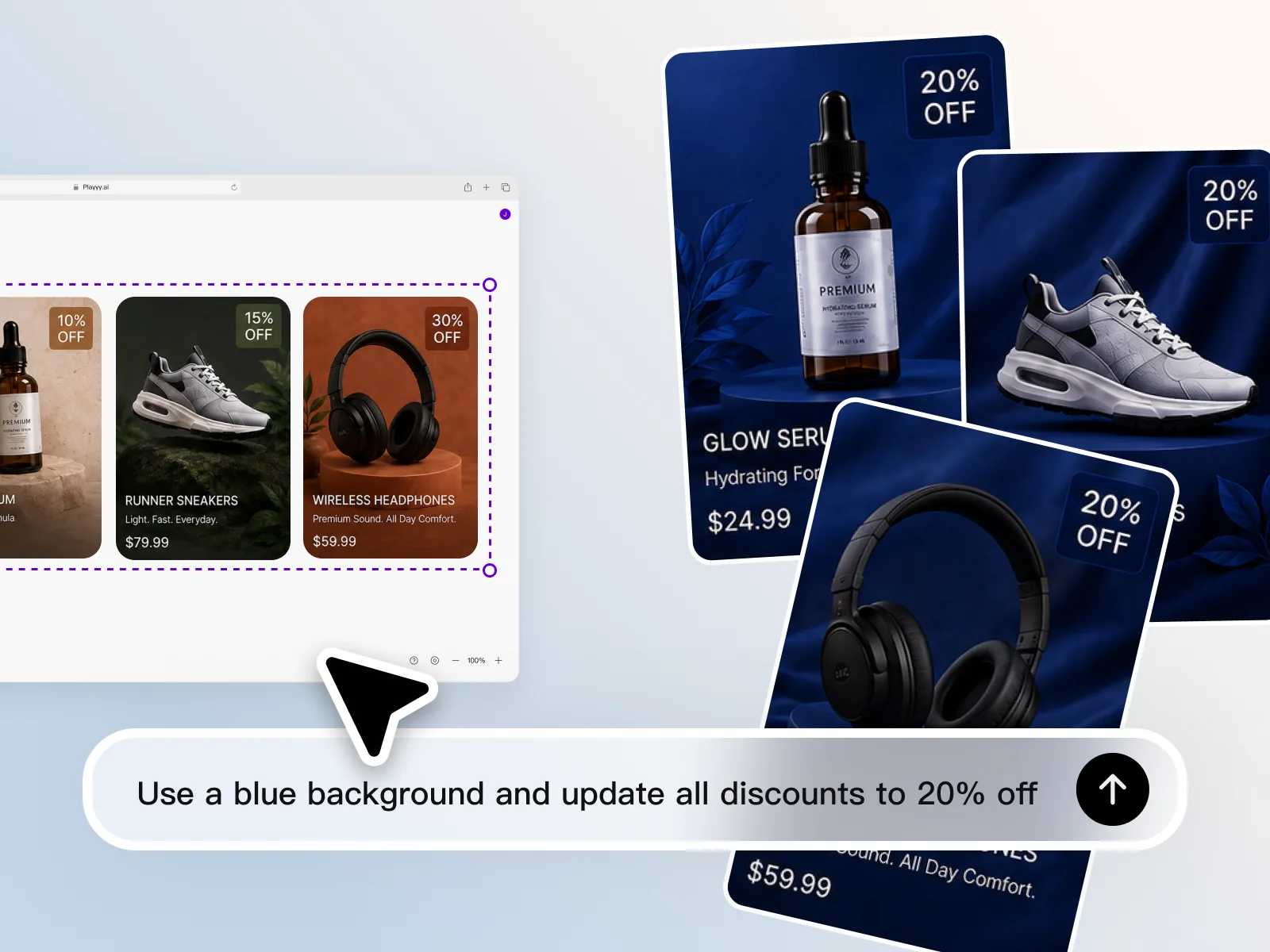
Select the whole batch, type one instruction — put every product on a navy background, push all the discount badges to 20% off, change the headline — and the edit lands on every image at once. No action to record, no preset to configure, no per-file pass. This is what batch editing looks like when the tool understands the instruction instead of replaying a macro.
Try for free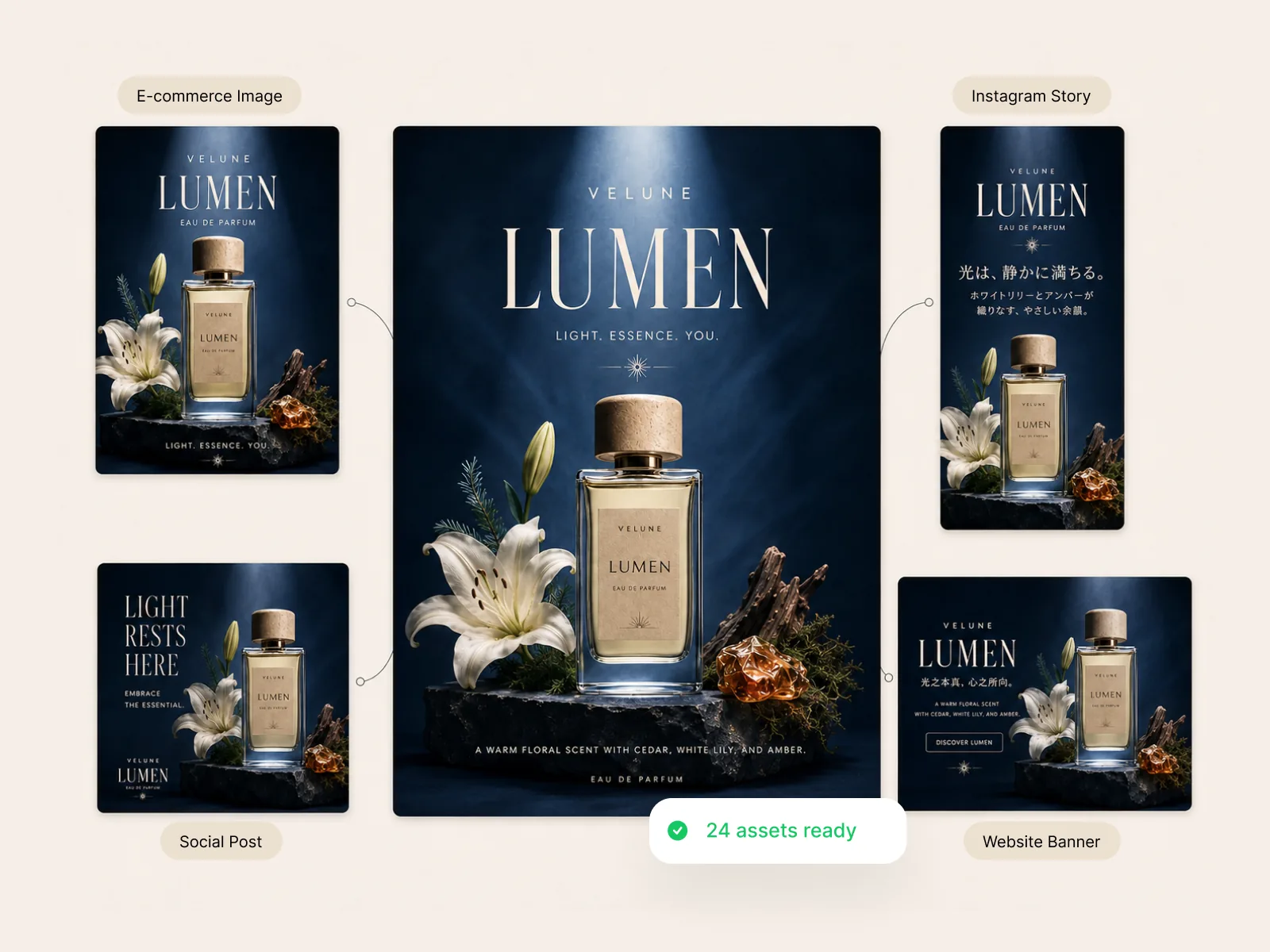
Approve one master layout, then bulk-resize it into every format the campaign needs — marketplace listing, Instagram Story, feed post, website banner. Text and subject get re-composed for each aspect ratio instead of cropped off, and translated copy comes along for the ride. Two dozen assets come out of a single review.
Try for free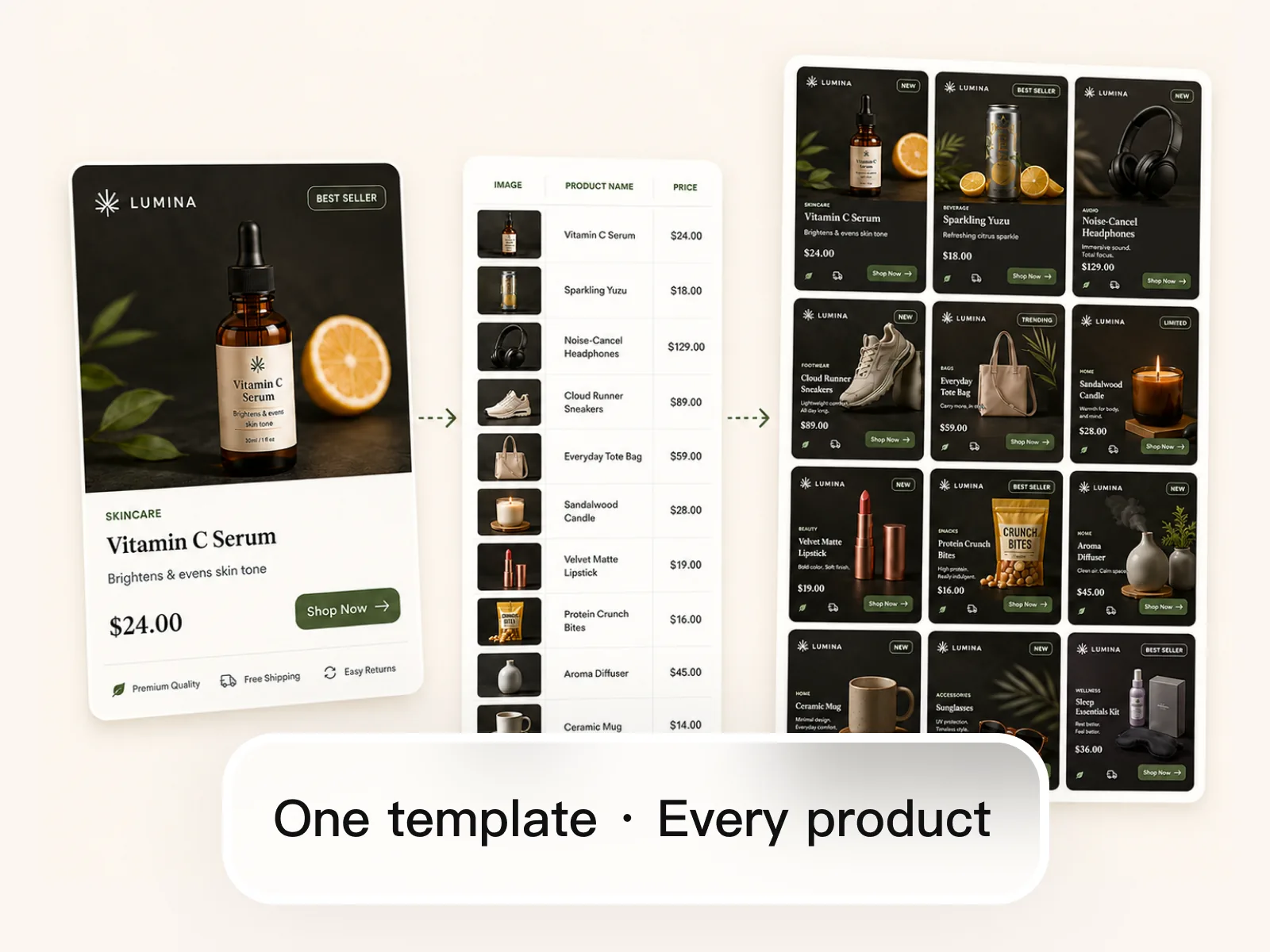
Build one card the way you want it, then feed in a product list — name, price, category, photo. The bulk image generator fills the template for every row and returns a complete set of on-brand visuals. A twelve-SKU drop and a hundred-row catalog take the same effort as the first card.
Try for freeType the change once and it applies to every selected image. Nothing to record, nothing to repeat per file — batch editing runs on plain instructions instead of macros.
Every image in the batch gets the same treatment — same background, same framing logic, same color. Catalog rows look like they were shot together instead of stitched from ten sessions.
Push a batch into marketplace, ad, and social specs in one pass. Each ratio is re-laid out rather than cropped, so headlines and products stay inside the frame.
Remove or replace the background across a whole product set at once, then drop every cutout onto the same color or scene for a uniform catalog.
Pair one template with a product list and get an image per row — the fastest path to a full catalog or a set of ad variants without rebuilding the layout each time.
Upload a folder of photos and work the batch in the browser. No install, no plugin, no export-and-reimport round trip between tools.
“We add forty to sixty SKUs a month and every one needs the same background and the same badge treatment. I used to run Photoshop actions and then hand-fix a third of them because the products weren't identical. Playyy takes one instruction across the batch and I'm fixing two or three, not fifteen.”

James Walker
Ecommerce Creative Strategist
“One campaign means the same visual in about eight sizes for me — Story, feed, LinkedIn, email header. Bulk resizing here actually re-lays out the text instead of cropping my headline in half, so a full week of content comes out of one approved design.”

Sophie Whitmore
Social Media Manager & Brand Content Consultant
“We test a lot of creative and the bottleneck was never the idea, it was producing twenty variants of it. Generating the whole set from one template turned a two-day production task into something I finish before standup.”

Emily Carter
Growth Marketing Strategist
A traditional bulk photo editor replays a fixed recipe: apply this filter, resize to this width, save. That holds up until an image needs judgment — the shadow falls differently, the label sits somewhere else, the bottle is taller. Playyy reads the instruction and adapts it per image, so one prompt can carry a batch that was never perfectly uniform to begin with.
The batches that actually matter are product sets and channel sets: forty SKUs that need one background, or one hero that needs eight formats. Playyy is built around both — template-driven bulk generation for the first, layout-aware bulk resizing for the second — rather than treating batch as a folder-level filter pass.
Bulk edit, then keep going: erase an object on a single file, upscale the two that came in small, export the set. There's no hand-off to a second app and no re-upload between steps, so the batch you started is still there when you spot something to fix.
Ecommerce image editing across every SKU — background removal, cleanup, and upscaling that meet marketplace specs.
Explore workflow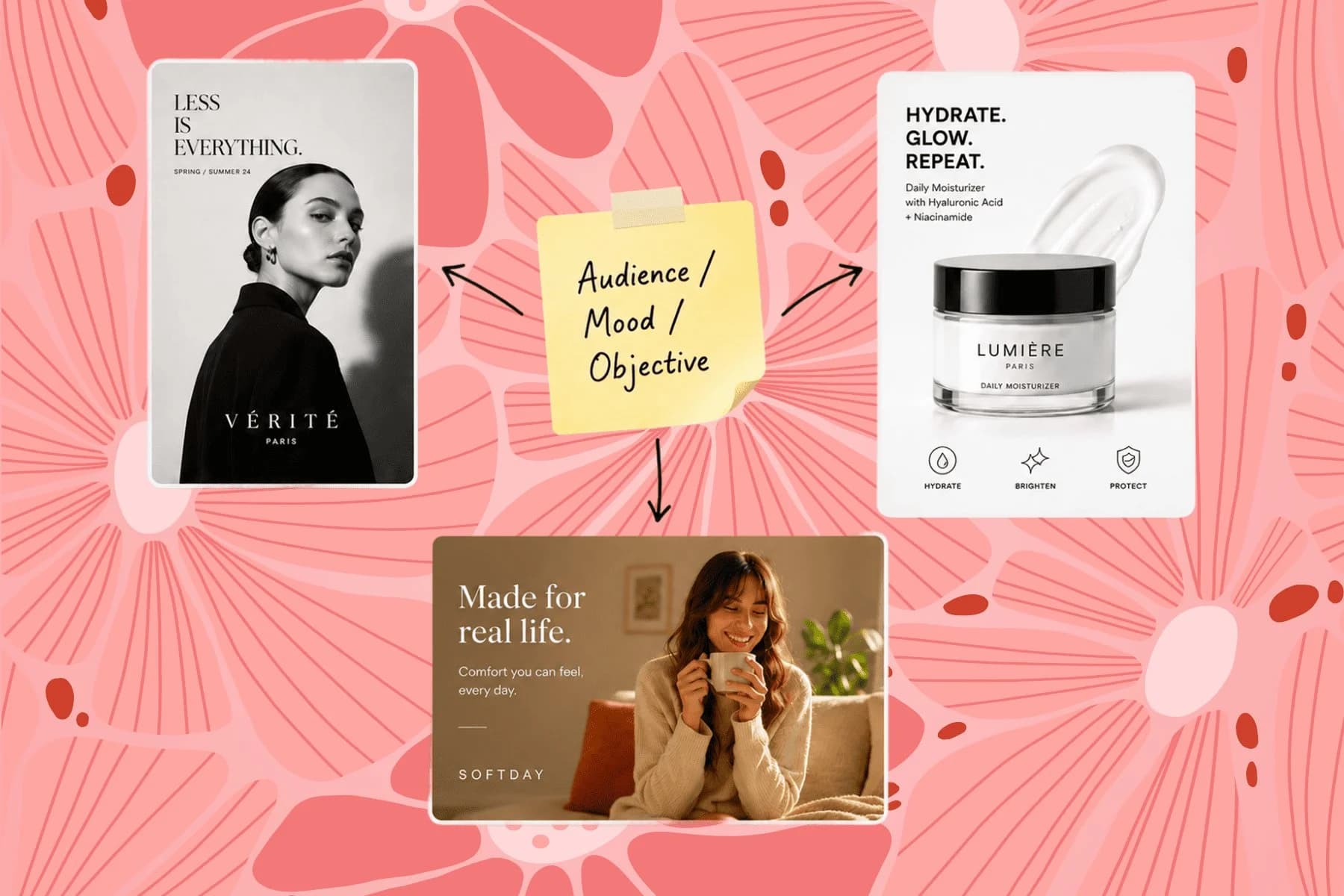
From one campaign brief to every channel asset — AI image generator, creator, and editor in one workflow.
Explore workflowYes. Select the images you want to change, describe the edit in one sentence, and Playyy applies it across the batch — backgrounds, text, color, badges, or formatting. There is no macro to record and nothing to configure per file.
Upload the set, select everything, and write a single instruction such as 'put every product on a light grey background'. Playyy processes the batch and returns the edited images together. With 100 mixed subjects, review the output and re-run the prompt on the few that need a different treatment.
Playyy's batch photo editor is free to start — sign up and bulk edit photos with no subscription and no desktop install. Paid plans add volume, not the capabilities you need for a first batch.
Nothing. Both describe editing many images in one pass instead of opening them one at a time; 'batch' is the more common search term and 'bulk' the more common product word. Playyy covers both jobs: bulk editing a set you already have, and bulk generating a new set from a template.
Yes. Choose the target formats and each one is re-composed rather than cropped — a square feed post, a 9:16 Story, and a wide banner all come out of the same source design with the subject and text intact.
Yes. Background removal runs across a selection, so a full product set becomes cutouts in one pass. From there, place every cutout on the same color or scene to keep the catalog consistent.
Yes. Build one template, then supply the rows — product name, price, category, image. The bulk image generator returns one finished visual per row, which is how a twelve-item drop or a full catalog gets produced in a single pass.
That is the point of batch editing: one instruction produces the same treatment across the set. Where source images differ — a taller bottle, a darker shot — the edit adapts to each image rather than forcing an identical recipe that would break on some files.
See how teams are using Playyy to ship better visuals, faster.

Ninety marketplace-ready product images, four days, no studio. How one pet brand replaced its entire catalog workflow with AI.
 James Walker
Same campaign, three channels, zero brand drift — and 60% less time per launch cycle.
 Sophie Whitmore
One product creative, ten color variants, thirty minutes — how a DTC supplement brand kept its paid social fresh without a designer round-trip.
 Emily Carter
Keep every image on brand, control the final look, and turn campaign ideas into polished assets without waiting on another design cycle.














