
AI Campaign Visual Creator — From One Brief to Every Channel
From one campaign brief to every channel asset — AI image generator, creator, and editor in one workflow.
Explore workflowReduce GIF file size online — no sign-up required
A workflow built around your real creative needs — from first direction to final asset.
GIF files store colour using an indexed palette — each pixel points to one of up to 256 colours in a lookup table. Many exported GIFs use the full 256-colour palette even when the actual content uses fewer distinct colours. Reducing the palette to 128 or fewer carefully chosen colours produces a smaller colour table and more compressible index data, cutting file size without obvious visual degradation on graphics-style content.
Try for free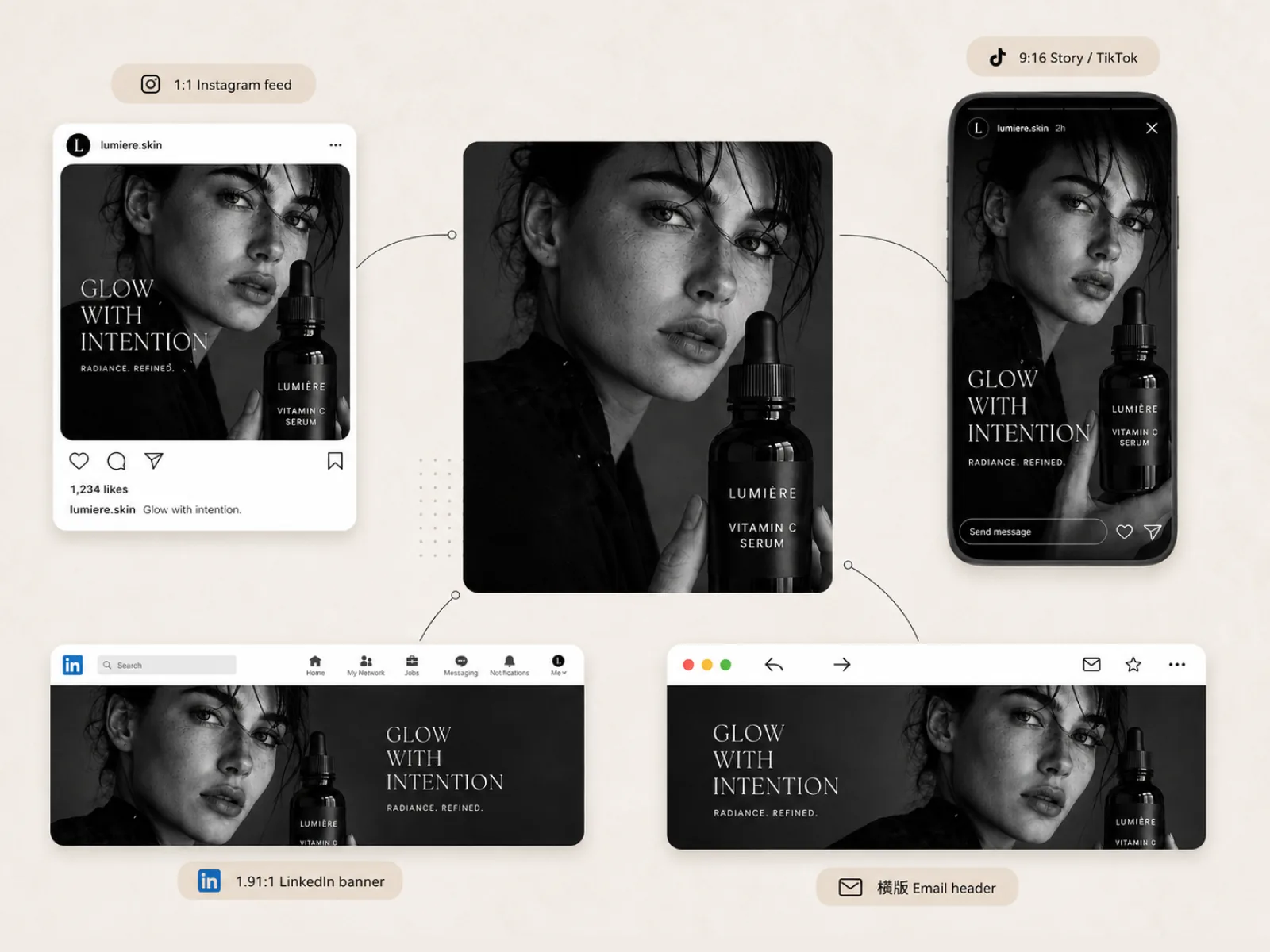
Animated GIFs compress frame by frame — palette reduction applies to every frame in the animation, reducing each frame's colour table and the inter-frame delta encoding. Static GIFs get the same palette optimisation and, where the content is photographic, an automatic conversion to WebP which is typically 40–60% smaller than equivalent GIF.
Try for free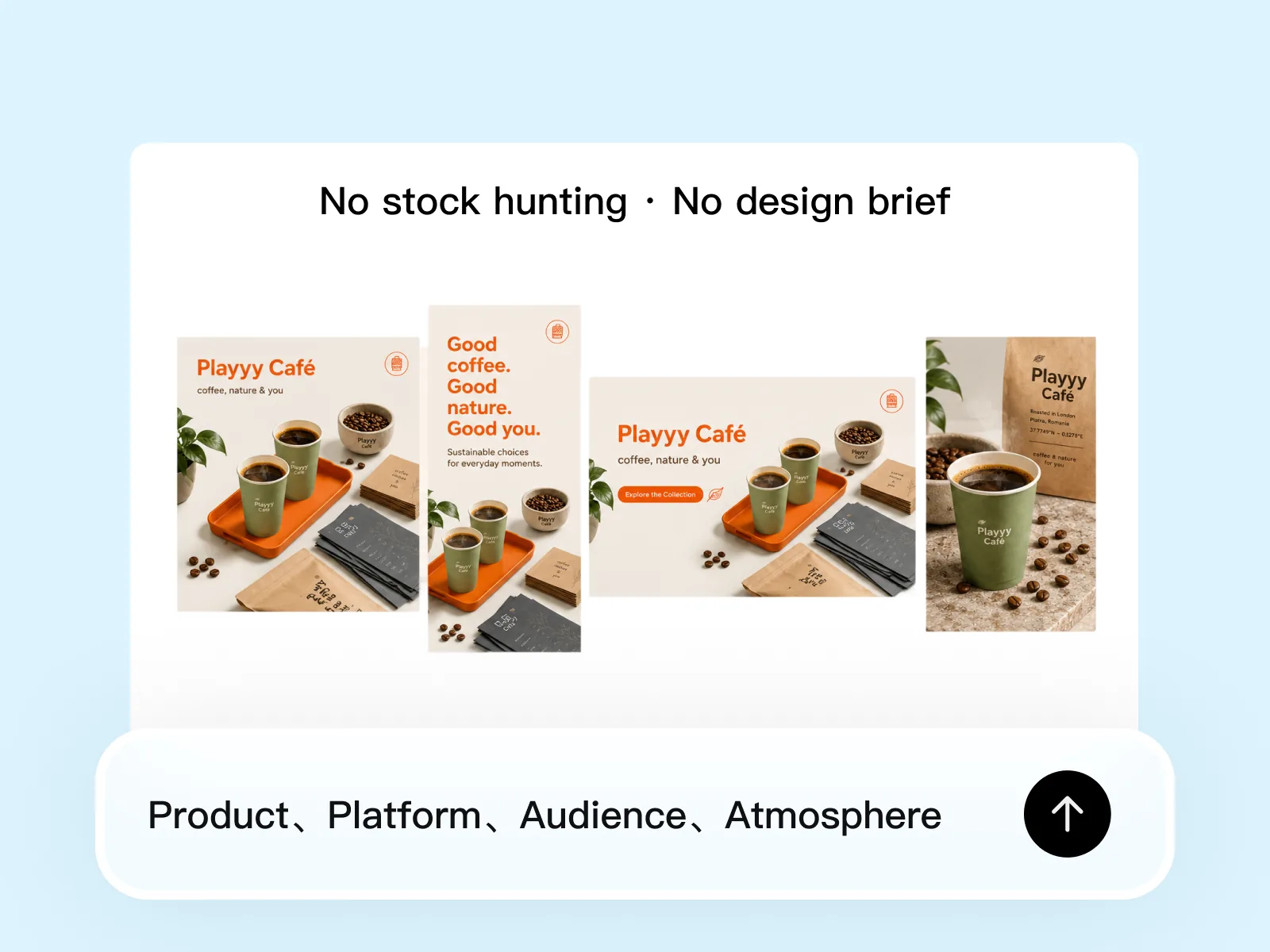
The GIF format is technically limited — 256 colours maximum, no true alpha channel, no modern compression. Animated WebP supports full colour, true transparency, and achieves 30–60% smaller file sizes than equivalent animated GIF. If your target platform supports animated WebP (Chrome, Firefox, Edge, Safari 16+), converting to animated WebP is the best long-term compression strategy.
Try for freeReduces the GIF colour palette to 128 carefully chosen colours using dithering to minimise visible banding. Smaller palette = smaller colour table = more compressible index data.
Palette reduction applies to every frame in an animated GIF. The animation plays identically — only the per-frame colour table and index data are compressed.
Static GIFs automatically convert to WebP when it saves more than palette reduction alone — typically 40–60% smaller for photographic GIF content.
Upload multiple GIFs and compress them all in parallel. Useful for banner sets, animation libraries, and bulk exports from design tools.
GIF files are processed server-side and discarded after compression. Nothing is retained between sessions.
Each compressed GIF downloads as soon as it's processed. No queue, no waiting for the full batch to complete before any file is available.
“We use animated GIFs in email newsletters because client email apps don't support video. Compressing them in Playyy before adding to the template cuts the email weight significantly — better inbox delivery and faster load.”

Emily Carter
Growth Marketing Strategist
“I make short GIF demos for product announcements. They're always larger than I expect. Playyy gets them down to a reasonable size without the animation looking noticeably worse.”

James Walker
Ecommerce Creative Strategist
“Our social team creates a lot of animated banner GIFs for ad platforms with strict file size limits. Playyy is the last step before upload — it always gets the file under the limit without having to re-export from the design tool.”

Daniel Brooks
Startup Brand & Content Advisor
Unlike JPEG or PNG, GIF doesn't have a quality setting. Its only compression lever is the colour palette size. Reducing the palette from 256 to 128 cuts the colour table in half and makes the index data more compressible — the two main sources of file size in a GIF. Dithering distributes the quantisation error across neighbouring pixels so the reduction isn't visible as hard colour banding.
The GIF format was designed in 1987. It has a 256-colour limit, no true alpha channel, and relatively primitive compression. Even after palette optimisation, an animated GIF is typically 5–10× larger than equivalent animated WebP. If your use case allows it, converting animated GIFs to animated WebP or video (MP4/WebM) is a more durable solution.
Uploading large GIFs to social platforms and CMSes and relying on their transcoding adds unpredictable processing time and produces inconsistent output. Compressing in Playyy before upload gives you a known-good file size and avoids double compression artefacts from the platform's own processing.
From one campaign brief to every channel asset — AI image generator, creator, and editor in one workflow.
Explore workflow
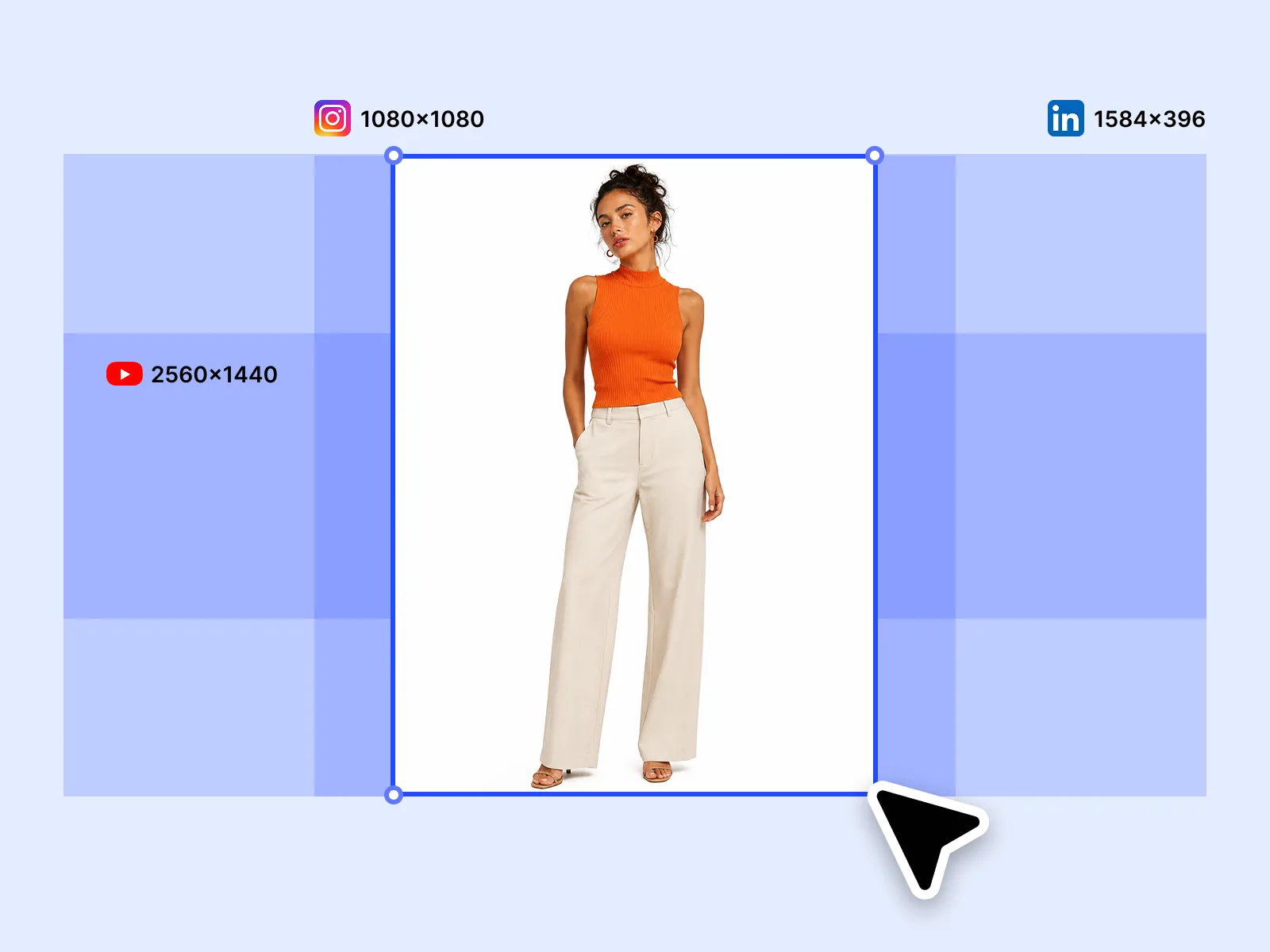
One hero visual, every platform format — YouTube, LinkedIn, Instagram — without manual resizing.
Explore workflowThe animation plays identically. Only the colour table and index data are compressed — the frame sequence, timing, and loop settings are unchanged.
Typical savings are 5–30% for well-optimised source GIFs, and more for GIFs that were exported with a full 256-colour palette when fewer colours were actually needed. Static GIFs that convert to WebP typically see 40–60% savings.
Dithering distributes colour quantisation error across neighbouring pixels so colour reductions don't appear as hard bands. Full dithering (the default) gives the best visual quality. If you see a grainy look in large flat-colour areas, the source GIF may have had very large uniform regions that don't dither well — this is a characteristic of the source content, not a bug in compression.
For most modern web contexts, yes. Animated WebP is supported by Chrome, Firefox, Edge, and Safari 16+ and is typically 30–60% smaller than equivalent animated GIF. If email newsletter compatibility is required, stick with GIF — major email clients don't support animated WebP.
15 MB per file. Large animated GIFs approaching this limit should be considered for video conversion (MP4 or WebM), which achieves much better compression than either GIF or animated WebP.
See how teams are using Playyy to ship better visuals, faster.

30 ad creatives, two channels, three days — how a SaaS growth team ran a quarter-end campaign push without an agency on retainer.
 Emily Carter
LinkedIn ads and organic posts, two different tones, one brand — produced in a single creative session without separate workflows.
Emily Carter
One person, three platforms, zero visual drift — how Sunday Kind stopped rebuilding the same visuals from scratch for each channel.
 Sophie Whitmore
Keep every image on brand, control the final look, and turn campaign ideas into polished assets without waiting on another design cycle.














