How a Brand Recovered 200 Legacy Images for a Campaign
 James Walker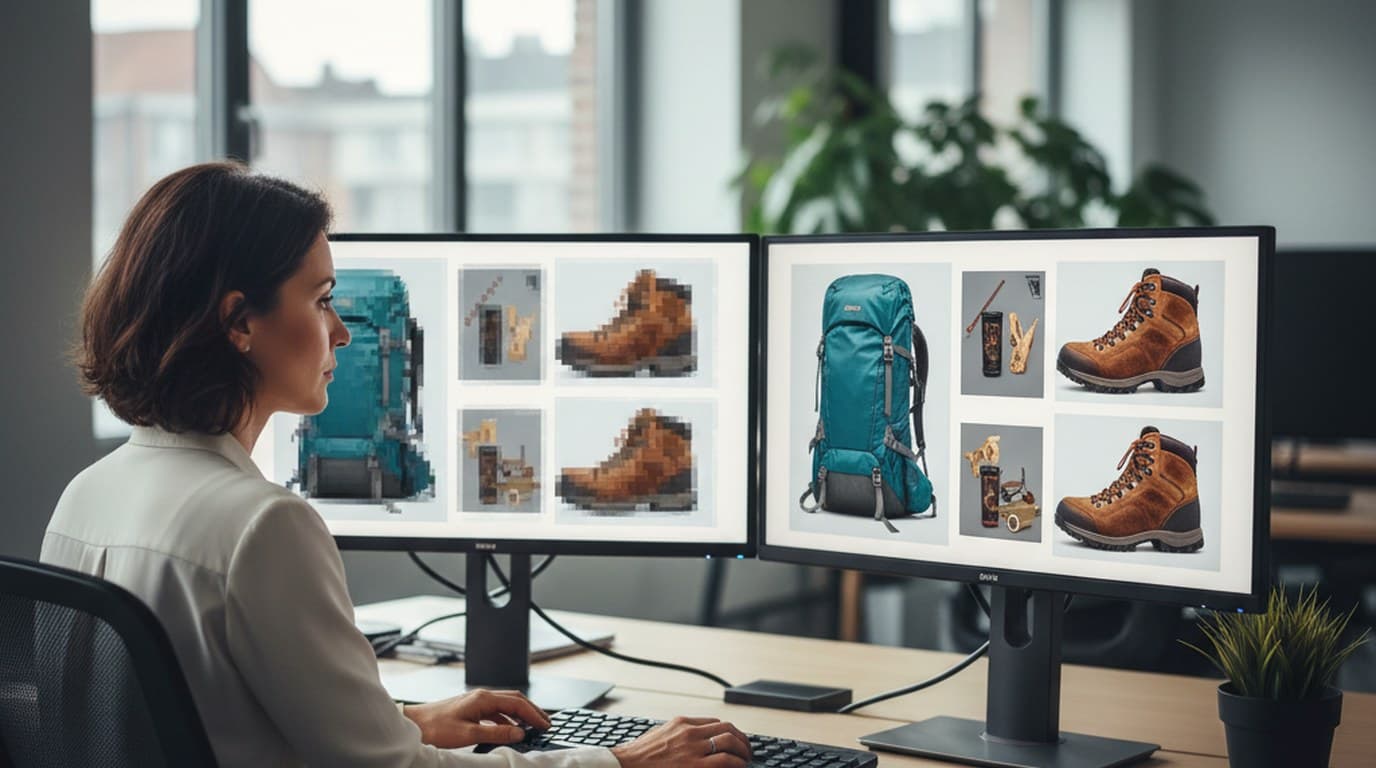
Elena Torres, brand marketing manager at an outdoor apparel company, had inherited the problem from her predecessor: a shared folder with 200 product images from three previous seasons, all of which needed to be excluded from campaign assets because of varying degrees of degradation. Some were blurry — downloaded from old web listings where the originals had been lost. Some were supplier images with watermark overlays. Some had been compressed to email-safe file sizes and were pixelated at campaign dimensions.
The spring campaign was eight weeks out. The brief called for product images across sixteen SKUs — several of which existed only in the degraded archive. Reshooting would take three weeks and cost more than the remaining campaign budget. Stock replacements would mean showing competitor gear in the brand's own ads. For outdoor and sporting goods brands managing seasonal campaign cycles, this is a common bind — see ecommerce branding for how brands in this position typically structure their image production.
Before spending budget on a reshoot, the question worth asking is whether the existing images can be recovered — and AI image enhancement has shifted what "recoverable" means significantly.
The result. Elena used Playyy's Visual Enhancer, Object Remover, and Image Upscaler to restore 184 of 200 degraded archive images in two days. The spring campaign launched on its original schedule with all sixteen SKUs covered, and the 16 genuinely unrecoverable images were reshot in a single focused half-day studio session.
Three Categories of Degraded Images, Three Different Problems
Elena's first step was sorting the archive by damage type. The 200 images split into three categories.
The first category — about 80 images — was simple compression artifacts. These were formerly good images that had been resized down for website use years earlier, and the original full-resolution files were gone. They were technically sharp but pixelated at the dimensions a campaign required: the kind of images that look fine on a product listing thumbnail but visually deteriorate when a display ad or printed brochure demands more resolution.
The second category — 60 images — were supplier-sourced photos with watermark overlays. The products were photographed correctly, the composition was right, and in several cases these were the only available images of discontinued accessories that were returning for a limited restock. The watermarks were the only thing making them unusable.
The third category — 60 images — were genuinely blurry: handheld product shots taken without a tripod, or images that had been sharpened incorrectly in post and then compressed. These were the most uncertain candidates for recovery.
Processing the Archive
Marketing teams commonly underestimate how much usable detail exists inside degraded image files. Compression and resizing reduce visible quality significantly, but the underlying data — edge patterns, texture information, spatial relationships — is often more intact than the preview suggests. AI image enhancement works by reading that latent detail rather than guessing at it, which is why the results frequently exceed what teams expect from files they had already written off as unusable.
Elena started with the compression-artifact category because the results were most predictable. Visual Enhancer analyzed each image's edge patterns and texture data and restored sharpness without producing the halo artifacts that standard unsharp masking generates. Image Upscaler brought the processed images to 2000px on the long side — the minimum for the campaign's digital ad specifications.
In our experience with marketing image archives, compression-artifact recovery is the category that most consistently surprises teams with how much recoverable detail was actually there. The detail exists in the compressed file's data; the AI is reading patterns that human-tuned sharpening parameters miss.
The watermarked supplier images were processed next. Object Remover handled each watermark by painting over the overlay area; the AI reconstructed the background from surrounding pixels. For the 60 watermarked images, the bottleneck was the manual paint step rather than the processing time — each image took about ninety seconds to mask and process. The full category was done in under two hours.
The genuinely blurry images were the most variable outcome. Of the 60 images in this category, Visual Enhancer produced campaign-usable results on 44. The remaining 16 — which had motion blur severe enough that edge detail was genuinely absent rather than compressed — were still too soft for large-format applications. Elena flagged those 16 for targeted reshoot. Sixteen images was a manageable brief; 200 was not.
The Campaign Launched on Schedule
The 184 successfully restored images covered all sixteen SKUs in the campaign brief. The 16 that required reshoots were all accessories — smaller items that could be shot on a tabletop in the studio without model booking or outdoor location work. That reshoot took one day.
The campaign launched on the original schedule. No budget extension, no stock replacements, no extensions requested from the agency producing the final campaign layouts.
A usable visual archive is cheaper than reshooting, but only if the archive is actually accessible and the files hold up at current output sizes — which is where most archives fail. For the brand, the spring campaign effectively validated a new protocol: before any reshoot request, the existing archive gets an AI enhancement pass. What can be recovered, is recovered. What genuinely can't, gets a focused brief.
The 200-image archive is now organized, quality-checked, and available for future campaigns. Three seasons of product photography that had been functionally inaccessible is now production-ready.
For the full workflow behind recovering and enhancing marketing images, see Turn Low-Quality Images Into Marketing Assets.

James Walker
I help Shopify and Amazon sellers improve product images, promotional banners and ad creatives. I focus on practical visual improvements that help products look more credible and conversion-ready — no design jargon, just what works.
Frequently asked questions
AI image enhancement works best on photos where detail existed but was degraded — by compression, resizing, or minor motion blur. Images that were significantly out of focus at capture have less recoverable detail, and the results are more limited. The strongest results come from web-compressed images, resized-down files, and supplier JPEGs that were over-compressed at export — which is the most common source of blurry marketing images in practice. Slight motion blur from handheld shooting also responds well to AI sharpening.