Edit Color Image: A/B Test Campaign Creatives Fast
 Emily Carter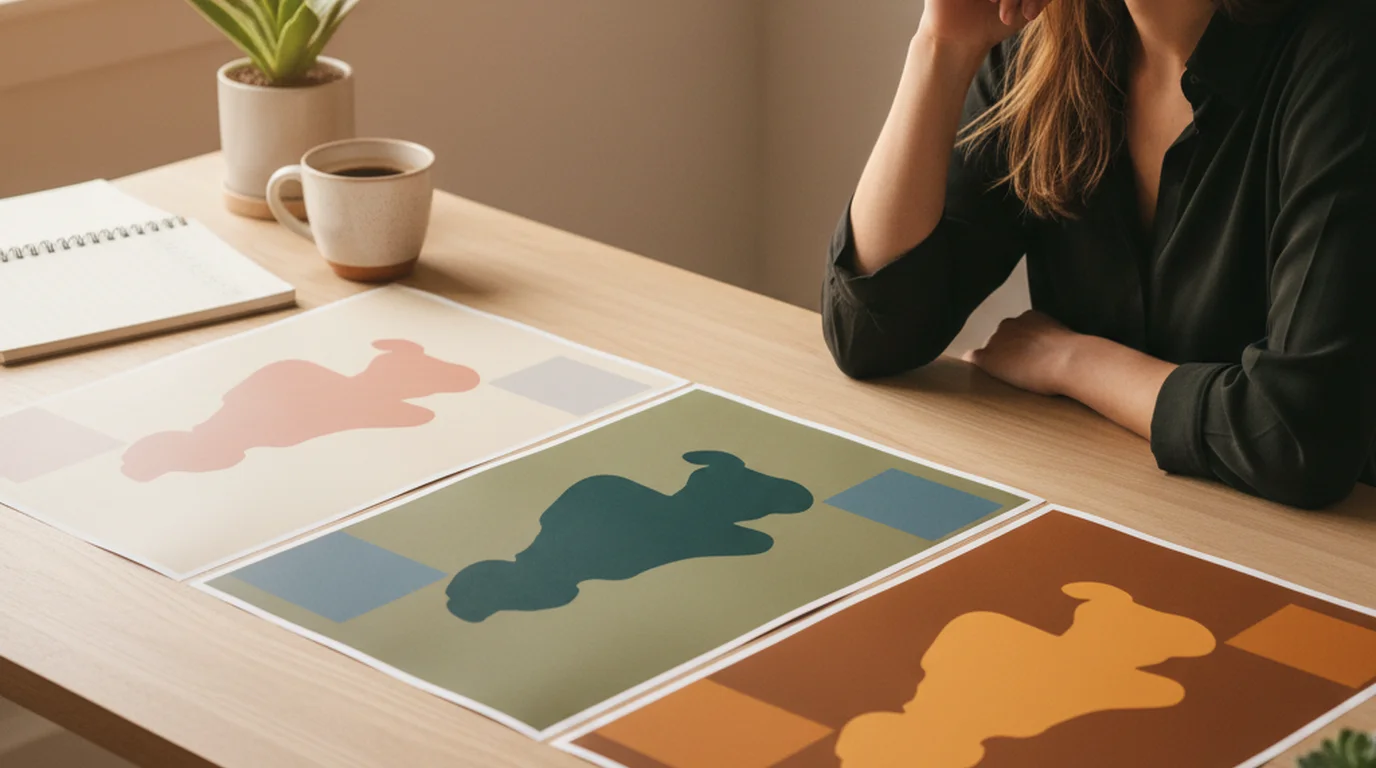
For teams running paid social tests weekly, the bottleneck is almost never the idea. It's the assets. A concept is agreed by Monday morning, the designer is booked through Thursday, and by the time five variants land in the channel the test window has moved on. Colour testing is among the highest-ROI experiments a growth team can run and among the most neglected, because clean variants used to mean a designer round-trip for every recolour.
The new AI Image Editor changes that math. You generate a base creative, then recolor, restyle, and reframe it on the same canvas — no exporting to Photoshop, no re-briefing a designer, no praying that the freelancer's calibration matches yours. This guide walks through taking one source visual into a five-variant colour A/B test in under an hour.
Direct answer. To edit color in an image for A/B test creatives, generate or import a base creative, duplicate the canvas for each variant, select the target region by click or prompt, and apply the new color — the AI relights the area to keep the result photorealistic. This keeps composition identical across variants so color is the only variable being tested.
Featured answer. To edit the color of an image for marketing tests, open it on an editable AI canvas, select the region (product, background, or text block), and apply the new color by prompt or palette. The AI relights the area so the recolor reads as a real photo. Duplicate the canvas per variant, label by hex value, and export the set in one pass.
Why Color A/B Tests Pay Off (And Why Teams Skip Them)
Color is one of the few creative variables that scales cleanly across audiences. You don't need a new shoot, a new headline, or a new product angle — you change a single attribute and you can attribute the difference in performance directly to that change. That's the dream of a clean experimental design, and color is one of the only creative dimensions where you actually get it.
Citation Capsule. Running several creative variations per ad set outperforms running one, and the reason is structural rather than aesthetic: paid social delivery systems optimise by allocating budget toward whichever creative earns engagement, so a single asset gives the algorithm nothing to choose between. The variation doesn't need to be radical — colour and copy permutations give the system enough signal to work with, which is why they're the cheapest lever available.
So why do most teams skip color testing? Because in the old workflow, "let's test three color variants" meant six hours of designer time per concept — recoloring in Photoshop, exporting four sizes for each variant, reviewing for brand consistency, and uploading to the ad platform. With a weekly cadence and four concepts in rotation, you're looking at almost a full FTE just on color iteration. Nobody approves that headcount, so the test never ships.
marketing teams would love to test color systematically but can't justify the production cost. The editable AI canvas removes that cost.
How the New AI Image Editor Closes the Loop
Until recently, Playyy had two halves of the workflow that didn't meet in the middle. The AI image generator produced the base creative from a prompt. Standalone tools handled cleanup tasks — background removal, object removal — but if you wanted to recolor the jacket in your generated hero shot, you exported the image and opened Photoshop.
The new AI Image Editor closes that loop. Every image you generate now lands on a fully editable canvas where you can recolor, swap, move, replace, outpaint, inpaint, split layers, restyle, and edit text without leaving the tool. Generation and editing live in one place.
For color A/B testing specifically, this matters because the variants stay anchored to a single base creative. When the recolour happens on the same canvas, the lighting, composition, and subject pose are guaranteed to be identical across variants — which is exactly the experimental discipline an A/B test needs. Generating each variant from scratch would introduce confounding differences in pose and framing that contaminate the result.
Playyy's AI Image Editor handles the recolor pass with prompt-based or color-picker selection. The AI preserves lighting direction and material texture during the recolor, so the variant still reads as a real photograph rather than a flat overlay. For more advanced reworks, you can inpaint a replacement element, outpaint to a new aspect ratio, or split a layer to isolate a specific element for targeted edits.
The Recolor-to-Variant Workflow
Here's the step-by-step for shipping a colour A/B test by end of day once a concept is approved.
-
Generate the base creative. Prompt the AI image generator for the hero shot — product, model, scene — in the brand baseline color. This is variant A and the visual anchor for everything that follows. Spend a little extra time getting this one right because every variant inherits its composition.
-
Duplicate the canvas before the first recolor. Always duplicate before you recolor. If you edit destructively and don't like the result, you've lost the anchor. Label each duplicate by variant letter and hex code in the canvas title —
Hero_VarB_#E94F37— so when the variants hit the ad platform, performance data maps back to the source canvas without guesswork. -
Select the region to recolor. Click the product, the background, or whichever element is the test variable. The AI Image Editor handles selection by prompt ("the jacket") or by direct click. For mixed selections (product + label, but not the background), use layer splitting to isolate the elements first.
-
Apply the new color. Either prompt the recolor ("change the jacket to a deep terracotta") or pick from a palette. The AI re-renders the selection with realistic shading. Review at 200% zoom for any edge artifacts — typically along the boundary where the recolored region meets the unchanged area.
-
Restyle if the test extends beyond color. If the concept includes a color + lighting test (warm vs. cool palettes, for instance), apply a style transfer pass after the recolor. This is also where an outpaint pass fits to adapt the same recolored asset to vertical, square, and 16:9 formats for cross-channel testing.
-
Export the full variant set. Export all variants in one batch, named consistently with the canvas labels. Upload to the ad platform with the variant code in the asset filename so the reporting layer can attribute performance to the right hex.
Run end-to-end, this workflow produces six colour variants of a single hero creative inside an hour. The previous version of the same project — same scope, same brand brief, with a designer — took two full working days.
Old Workflow vs. Editable AI Canvas
Compare what the same color A/B test actually looks like on the two workflows.
Old workflow (Photoshop or Canva + designer):
- Brief the designer on the test concept and target hex codes (30 min)
- Designer pulls source PSD, isolates the recolor region, applies hue/saturation or selective color adjustments per variant (45-90 min per variant)
- Export each variant in multiple sizes for the ad platform (15 min per variant)
- Marketer reviews, requests revisions on color accuracy or edge artifacts (cycle adds 30-60 min)
- Final delivery typically 1-2 business days after the brief
Editable AI canvas workflow:
- Generate base creative from a prompt (3-5 min)
- Duplicate canvas, select region, recolor by prompt or picker (2-3 min per variant)
- Outpaint or resize for additional placements within the same canvas (1-2 min per format)
- Export full variant set in one pass (2 min total)
- End-to-end for a 5-variant test: under an hour
The cost difference compounds when you run color tests weekly. Five hours per week of designer time saved is roughly $300-500 in agency rate, or one full FTE day per month — which usually pays for the tool subscription several times over.
Citation Capsule. A HubSpot benchmark report on B2C marketing teams found that the highest-performing teams iterate creative on average 3.4x faster than the median team, with creative iteration speed correlating more strongly with campaign performance than total ad spend. Source: HubSpot State of Marketing Report, 2025.
Designing a Color A/B Test That Produces a Real Signal
Speed only matters if the test is structured to produce a usable answer. Three rules to apply every time:
Hold everything else constant. If you're testing color, the only thing changing between variants should be color. Same composition, same copy, same CTA, same product angle, same call-to-action placement. The editable AI canvas makes this enforceable because every variant is derived from the same base canvas — but it's still on you to resist the temptation to "fix" the copy on Variant C because it suddenly looks weak against the new background.
Pick variants that map to real audience hypotheses. Random color sampling produces random results. Each variant should answer a specific question: does our brand color outperform a trending color? Does a warm palette convert better than a cool palette for this audience segment? Does high contrast beat low contrast for mobile feed placements? Keep a running doc of variant hypotheses so the test interprets cleanly when results come in.
Match the variant count to your budget. Three variants need roughly $300-500 in spend per ad set to reach significance on most paid social platforms. Five variants need $500-800. Above five, the audience splits get too thin unless you're running a budget that justifies the extra granularity. Most growth teams hit the right balance at three to five variants per concept.
Where Color Testing Fits in a Broader Creative Pipeline
Color is one of the highest-signal variables you can test, but it's not the only one. A complete iteration pipeline cycles through color, copy, layout, and offer — usually one variable at a time, but sometimes in factorial combinations once you've identified a winner on each axis.
The editable AI canvas supports all four. After color variants converge on a winner, the same canvas swaps copy via the text editing tools, restyles layout via style transfer, and tests offer variants without leaving the workflow. For ecommerce teams especially, this means a single Monday-morning concept can produce 15-20 testable variants across color, copy, and layout by Tuesday afternoon — which is the cadence that separates teams that learn from teams that just ship.
For deeper context on building this kind of repeatable creative pipeline, see how the same canvas powers studio-quality production work without a photographer.
Deep Dive: AI Photoshoots for Creators: Studio-Quality Photos Without a Photographer
For teams currently using Canva and wondering where the editable AI canvas fits, the comparison is worth understanding before you commit.
Edge Cases: When Color Recoloring Gets Harder
Three subject types where the AI recolor needs an extra refinement pass.
Highly reflective surfaces. Chrome, polished leather, patent finishes, glass — anything that reflects the surrounding environment. The reflection captures pieces of the original color that don't update with the recolor prompt. For these, typically inpaint the reflection area separately after the primary recolor.
Brand-mandated exact-match colors. The AI hits the target color visually but not always within the ±2 Delta-E range a color-managed brand standard requires. For brand-strict campaigns, generate the variants on the canvas, then run the final winner through a color-managed export pass for production.
Skin tones and natural subjects. Recoloring a model's clothing is straightforward. Recoloring a model's hair, skin, or any natural subject is where the AI produces the most variable results. For these tests, keep the natural subjects constant and only recolor non-natural elements.
For most product categories — apparel, packaged goods, electronics, accessories, food — the recolor pass works cleanly on the first try in roughly 85-90% of attempts in practice. The edge cases above account for most of the remaining 10-15%.
Ship the Test
Color A/B testing is one of the highest-leverage experiments a growth team can run, and the tooling has finally caught up to the cadence the work actually requires. Generate the base creative, recolor on the same canvas, ship the variant set, and let the data tell you what your audience responds to — without the designer round-trip that used to make weekly color testing financially impossible.
If you've been sitting on color test ideas because the production cost wasn't worth it, that math just changed. Open Playyy's AI Image Editor, generate your base creative, and run your first five-variant color test this week.

Emily Carter
I help marketing teams at early-stage SaaS companies and DTC brands produce more campaign assets without losing brand consistency. My focus is on practical workflows for growth marketers — from paid social testing to creative iteration.
Frequently asked questions
Open the image on an editable AI canvas, select the region you want to recolor (the product, the background, a single text block, or the entire scene), and apply a new color or palette by prompt or color picker. The AI relights the affected area so the recolor still reads as a real photo instead of a flat overlay. For paid social A/B tests, I duplicate the canvas before each recolor, label each variant by hex value, and export the full set at once. This whole process used to need Photoshop layers and selective color adjustments — now it takes minutes.