Lifestyle Product Photography at Home (No Studio)
 Emily Carter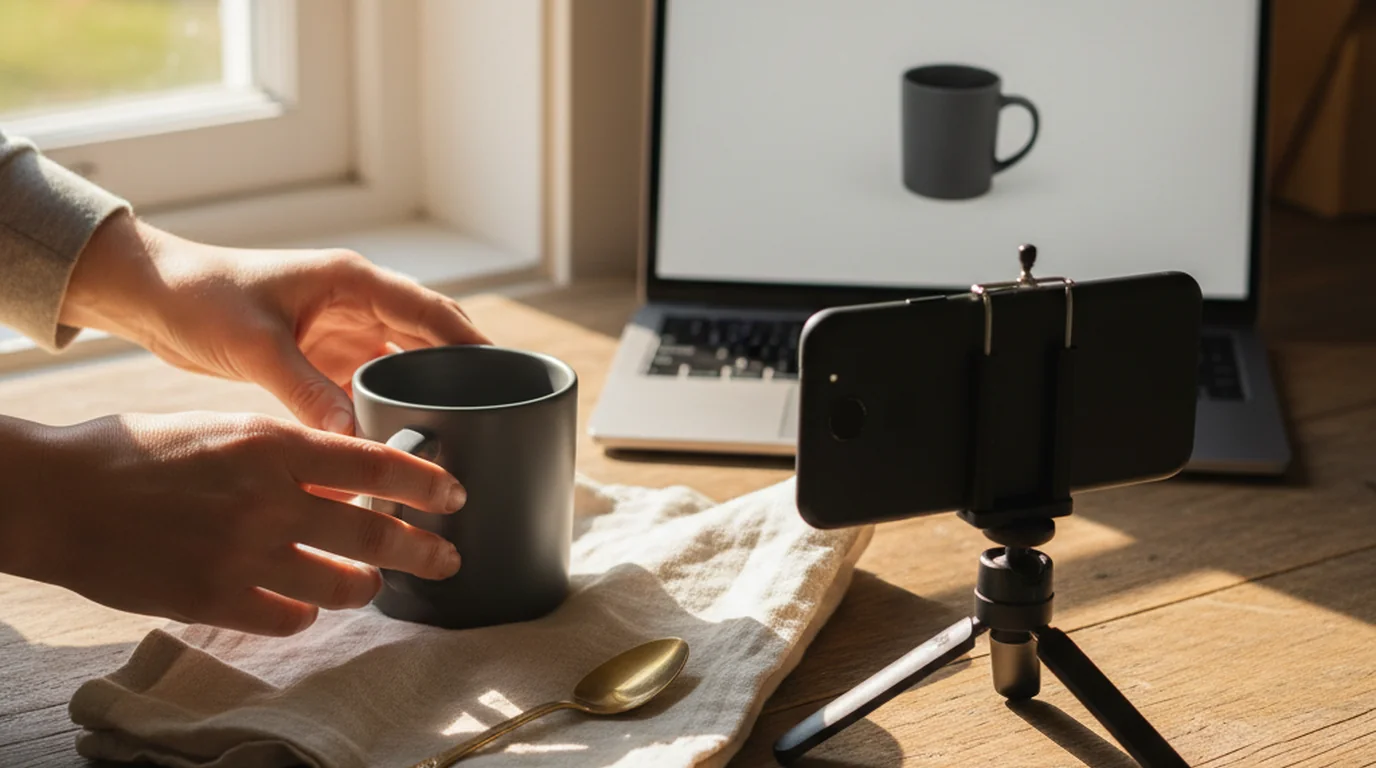
The product is on a kitchen table, the only light is a window, and there is no studio, no set, and no props budget. That is the actual starting position for most lifestyle product photography — and it is no longer a disadvantage. The packshots are clean, the listing is live, and the ad account needs six creative variants by Thursday, all of which want the product to exist somewhere other than a white square. Booking a set for that is slow and expensive. Skipping it means the product detail page never answers the questions that actually block a purchase: how big is this, what is it made of, where does it go in a real kitchen. Lifestyle product photography is the frame that answers them, and it no longer requires a studio day to produce.
Quick answer. To do lifestyle product photography at home, start with a clean packshot, then place it in a realistic setting — either physically, using one surface and window light, or by generating the scene around the existing product photo. Keep the product identity untouched, match the shadow direction to the new light source, and reserve the white-background version for marketplace main images.
How to Create Lifestyle Product Photography From One Packshot
Product staging starts from a photo you already own, which is why lifestyle product photography scales this way and a shoot doesn't.
- Start with a clean product photo. Sharp, evenly lit, whole product visible, ideally on white or already cut out. Playyy's AI product staging tool builds the scene around that file, so the SKU in the finished frame is the SKU you photographed.
- Decide what question the frame answers. Scale, material, use, or occasion. One question per image. This single decision is what separates a gallery that converts from a folder of nice pictures.
- Describe the setting concretely. Surface, room, light direction, time of day, and supporting objects. "Matte black speaker on a weathered oak table, morning window light from the left, linen napkin in soft focus behind" gives you a frame. "Lifestyle vibe" gives you a stock photo.
- Check the light against the product. Shadow direction, shadow softness, and reflections have to agree with the scene. A product lit from the front, dropped into a scene lit from the left, reads as fake even to people who can't say why.
- Generate variants for the same question. Three surfaces, two light setups. Paid social needs the variety; the product page needs the best one.
If your source photo still has a cluttered background from a phone shoot, run a background removal pass first. Staging works from the product, and a cleaner cutout means a cleaner contact shadow where the product meets the new surface.
How Lifestyle and Product Photography Differ
These get treated as competing styles. They're sequential jobs.
A packshot is documentation. It exists to prove what ships: the exact colour, the exact form, nothing added. That's why marketplaces want it isolated and why it's a poor advertisement.
A lifestyle frame is interpretation. It exists to place the product in the buyer's life — on their counter, in their bag, in their hand. It's a good advertisement and a bad specification, because a viewer can't separate the product from the styling around it.
Listings need both, in that order, and the frames that fail are usually the ones trying to be both at once: a staged scene so busy the product is decorative, or a packshot with one lonely prop that convinces nobody.
Deep Dive: How to Change Picture Background for Product Photos
Where Lifestyle Product Photography Is Allowed — and Where It Isn't
This is the practical constraint that most creative-ideas articles skip entirely, and it decides how many staged frames are worth producing.
Amazon's Selling Partner Style Guide for Clothing & Accessories is explicit in both directions. The MAIN image must sit on a pure white background (RGB 255, hex #FFFFFF) and must not include "accessories or props that are not included with purchase" — the guide illustrates the rule by rejecting a MAIN image where a handbag distracts from the top being sold, and warns that failing MAIN requirements "may result in the suppression of your ASIN from search." Alternate images are the opposite: the guide states that images which are not the MAIN "can have an environment or on location images and can use props," lists "showing the product in use and/or in an environment" as a recommended alternate, and allows up to eight alternates per SKU.
So the allocation is fixed and generous: one compliant white frame, then up to eight slots explicitly reserved for exactly the kind of staged photography most sellers never produce. Add your own storefront — where nothing stops a lifestyle image from leading — plus paid social, email, and A+ content, and a single SKU can absorb eight to twelve staged frames without repeating itself.
The Scale Problem Lifestyle Product Photography Solves
There's a specific, measurable reason in-context frames matter more than their reputation as "brand" images suggests.
Baymard Institute's benchmark of product page implementations across 60 of the world's largest ecommerce sites found that "42% of users will attempt to gauge the overall scale and size of a product from its product images," while "28% of sites do not provide any 'In Scale' images among their product images." Nearly a third of large retailers are silent on the one question almost half of shoppers try to answer visually — which is why an in-scale frame outperforms a prettier one.
In practice, an in-scale frame means a known reference in the shot: a hand, a doorway, a standard mug, a chair beside the rug. Dimensions in the copy don't do this job. Most people cannot convert "38 cm" into a mental picture of their own countertop, and they don't try.
Nine Lifestyle Product Photography Ideas That Answer a Buying Question
Product photography ideas are easy to collect and hard to prioritise. These are ordered by how often the underlying question blocks a purchase.
- In-hand. The fastest scale cue there is. Works for anything under about 40 cm.
- In-place. On the surface where the product lives — bathroom shelf, kitchen counter, desk, entryway.
- In-use, mid-action. Pouring, wearing, carrying, plugging in. Shows the product doing its job rather than resting.
- In-scale with a known object. A chair on the rug, a laptop beside the bag, a standard glass next to the bottle.
- Texture close-up in context. The weave, the grain, the finish, shot in the scene's light rather than studio light.
- Packed or portable. In the bag, in the car, in the suitcase. Answers "can I take this with me?"
- Seasonal variant. Same SKU, different set dressing. Cheap to produce when the scene is generated, and it keeps the gallery from going stale between drops.
- Gifting frame. Wrapped, boxed, or staged as a set — with the caveat that anything not included with purchase stays out of the MAIN slot.
- Two-product context. How the item sits alongside its natural companion, which does double duty as a bundle ad.
Those are the product photography ideas worth running first. Work through the list for one SKU and you have nine distinct frames. Run it with a physical set and you have a two-day shoot; run it from one packshot and it's an afternoon.
What Separates Good Product Staging From an Obviously Fake Scene
Four details give away most staged frames that look fake.
Contact shadow. Where the product touches the surface there has to be a darker, tighter shadow. Without it, the product floats a millimetre above the table and the eye catches it instantly.
Shadow direction agreement. One light source, one direction, for the product and everything around it. Two conflicting shadows is the most common tell.
Reflection logic. Glossy products pick up the room. A chrome bottle in a green kitchen with no green in its highlights reads as a paste-up.
Product fidelity. Labels legible and spelled correctly, colour matching the real item under neutral light, proportions unchanged. Any scene that redraws the product itself is a liability on a product page, not a creative choice. Label text and cap or lid proportions are worth zooming to 200% on before anything ships.
Apparel is its own case. A garment staged as a still life shows material and styling; showing fit needs a body in the frame, whether that's a hollow-body ghost mannequin frame for construction or an on-model shot for how it wears.
What to Shoot and What to Stage
The economics are straightforward once you split the work by what a shoot uniquely provides.
Book a photographer for hero campaign frames, for materials that defeat generation — transparent glass, faceted jewellery, highly reflective metal — and for anything where a real person performing a real action is the point. Ask for the rate per finished image rather than per day, so the comparison against in-house production is honest.
Use product staging for everything else: seasonal refreshes, ad variants, marketplace alternate slots, the fourth and fifth gallery images nobody has budget to reshoot, and the long tail of SKUs a shoot day never reaches. That's the majority of a catalog's image demand by volume, and it's demand that recurs every quarter.
Start With the Question, Not the Set
Lifestyle product photography works when each frame is assigned a question and reviewed against the real product — that is the whole discipline. Pick the question, describe the setting concretely, check the shadows, keep the white packshot for the MAIN slot, and fill the alternate slots that are sitting empty on most listings right now.
One clean product photo is enough to start. For apparel and accessories, the same logic applies with a person in the frame — generate the on-model shots and let the staged still-life frames handle material and context.
Complete Guide: Ecommerce Product Photography: The Complete Guide

Emily Carter
I help marketing teams at early-stage SaaS companies and DTC brands produce more campaign assets without losing brand consistency. My focus is on practical workflows for growth marketers — from paid social testing to creative iteration.
Frequently asked questions
Lifestyle product photography shows a product in a realistic setting or in use, rather than isolated on a plain background. A candle on a bathroom shelf beside folded towels, a backpack on someone's shoulder mid-stride, a speaker on a picnic blanket. The product stays the subject; the surroundings exist to answer questions about scale, material, and context that a packshot leaves open.