A8 Paper Size
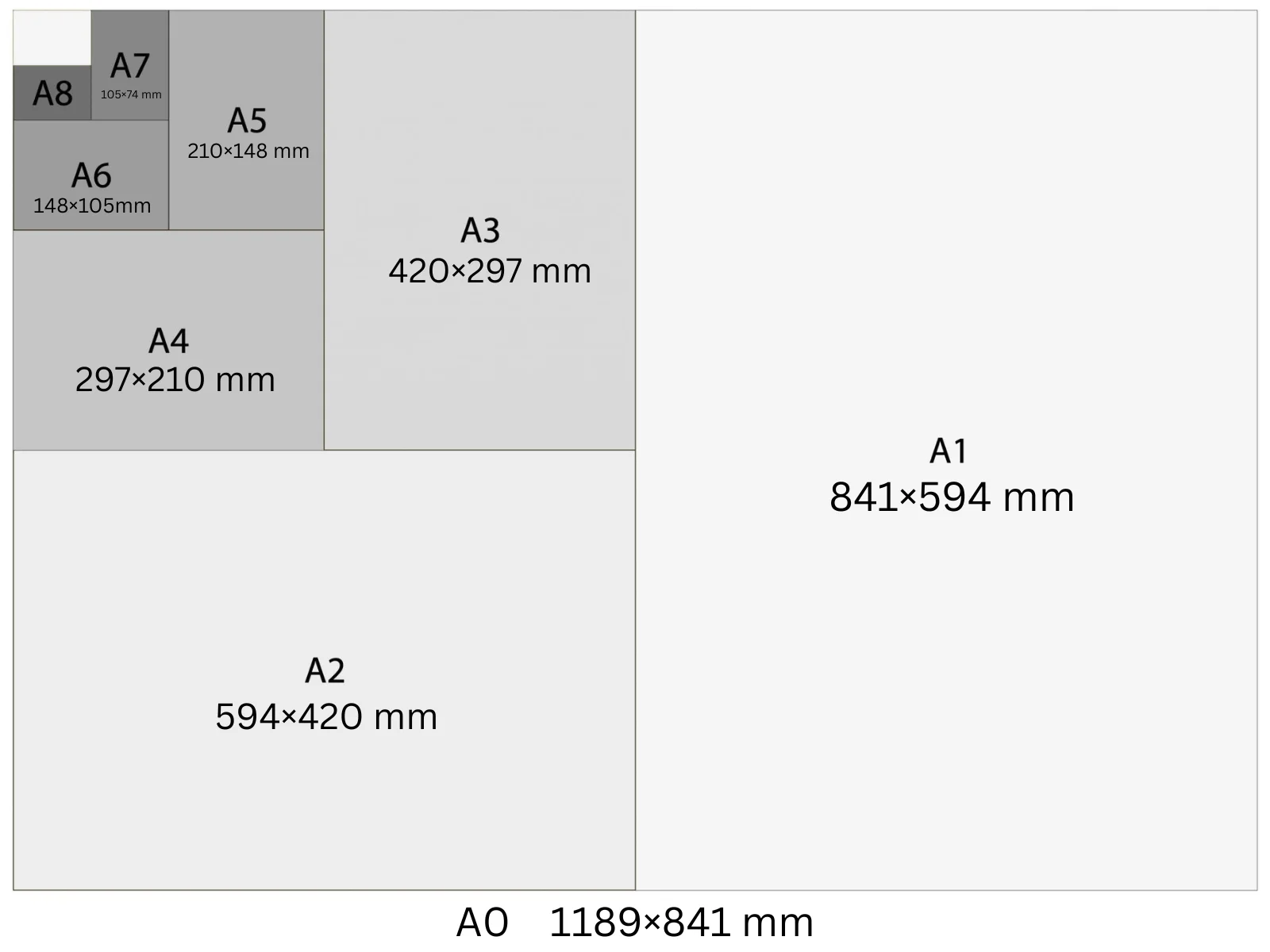
A8 is 52 × 74 mm (2.05 × 2.91 in) — half an A7 and the smallest commonly printed ISO A-series size. At 300 DPI it's 614 × 874 pixels. Used for vouchers, price tags, raffle tickets, and small promotional inserts. Sixteen A8 cards fit on a single A4 sheet, making it one of the most cost-efficient formats for short-run print.
In Playyy, A8 is a built-in size preset: choose it under the prompt box and your design starts at 614 × 874 px at 300 DPI, ready to export as a print PDF.
Specifications
| Pixels | 614 × 874 px (at 300 DPI) |
| Millimetres | 52 × 74 mm |
| Centimetres | 5.2 × 7.4 cm |
| Inches | 2.05 × 2.91 in |
| Aspect ratio | 1:1.414 |
| Colour mode | CMYK |
| Bleed | 2 mm |
| Safe zone | 3 mm from trim |
Design at A8 size with Playyy
Free to start · Watermark-free exports
A8 in Pixels at Different DPI
The pixel count changes with DPI setting — choose the right one for your output.
| DPI | Width (px) | Height (px) | Use |
|---|---|---|---|
| 72 | 147 | 210 | Screen preview, PDF viewers |
| 96 | 196 | 280 | Windows screen standard, digital documents |
| 150 | 307 | 437 | Medium-quality print, home printers |
| 300 | 614 | 874 | Professional print, commercial offset |
Design Tips
- →Sixteen A8 cards impose on one A4 sheet in a 4×4 grid — set 2 mm gutters and include crop marks for clean trimming.
- →Keep text to an absolute minimum: one line of headline copy, a number or barcode, and your logo. At 52 × 74 mm, body paragraphs become unreadable.
- →Use a 2 mm bleed on all edges and keep critical content at least 3 mm from the trim edge — small-format cutting has less tolerance than larger sheets.
- →QR codes on A8 should be at least 15 × 15 mm to scan reliably from a phone at arm's length.
How to Make A8 Designs in Playyy
Three steps, no design software. Set the size once — from the size options or straight in your prompt — and every design comes out at 614 × 874 px.
- 1
Open Playyy
Playyy runs in your browser, so there's nothing to download. Sign in and you'll land on the Home page.
- 2
Type your prompt and set the A8 size
Describe what you want in the input box on the Home page, then set the size whichever way is quicker. Pick A8 from the size options right underneath — print, poster, and social formats are all in that list. Or just say it in your prompt, like "A8 at 614 × 874 px", and Playyy matches it. Either way you get 614 × 874 px at 300 DPI, with no converting from millimetres or inches.
- 3
Create your A8 design and export it for print
Playyy generates the design at the full 614 × 874 px — that's A8 at 300 DPI, the resolution commercial print expects. Allow 2 mm of bleed and export a print-ready PDF. Colour mode: CMYK.
Create A8 designs with Playyy
Type a prompt, pick A8 from the size options underneath it, and export at 614 × 874 px — no design software needed.
Start designing free →Make something at A8
Prepare your image
See it in a workflow
Frequently Asked Questions
What is A8 size in mm?+
A8 is 52 × 74 mm (5.2 × 7.4 cm, or 2.05 × 2.91 inches). It's half the area of A7 and shares the 1:√2 aspect ratio of all ISO A-series paper sizes.
What is A8 used for?+
A8 is used for vouchers, price tags, raffle tickets, event ticket stubs, loyalty card inserts, and small coupons. Its compact size also makes it popular for gift tag applications when a slightly smaller tag than A7 is required.
What is A8 in pixels at 300 DPI?+
A8 at 300 DPI is 614 × 874 pixels. At 150 DPI it's 307 × 437 px. At 96 DPI it's 196 × 280 px. For print output always use 300 DPI; at 72 or 96 DPI images will look soft when printed at this small physical size.
How many A8 sheets fit on A4?+
Sixteen A8 sheets fit on one A4 sheet (4 columns × 4 rows). This makes A8 a very cost-effective format for print runs of vouchers, tickets, or tags — you get 16 items per A4 press sheet.
Is A8 the smallest ISO paper size?+
No — the A-series continues to A10 (26 × 37 mm), but A8 at 52 × 74 mm is about the smallest that stays practical to print and cut. Below it, text becomes unreadable and standard guillotines cannot hold tolerance across a stack.
How do I make a design in A8 size?+
Open Playyy, describe what you need in the prompt box and choose A8 from the size presets underneath. The design is generated at 614 × 874 px (300 DPI), every element stays editable, and you can export a print-ready PDF. Playyy is free to start.