How a Founder Built a YouTube Brand Without a Designer
A legal-tech startup founder, no designer, 22 YouTube thumbnails — how the startup built a consistent channel identity in one week using Playyy's brand kit.
 Daniel Brooks
Build an RSVP form on an event page, design the invitation to match, and turn every reply into a guest list sheet you can sort, update and export.
Start creating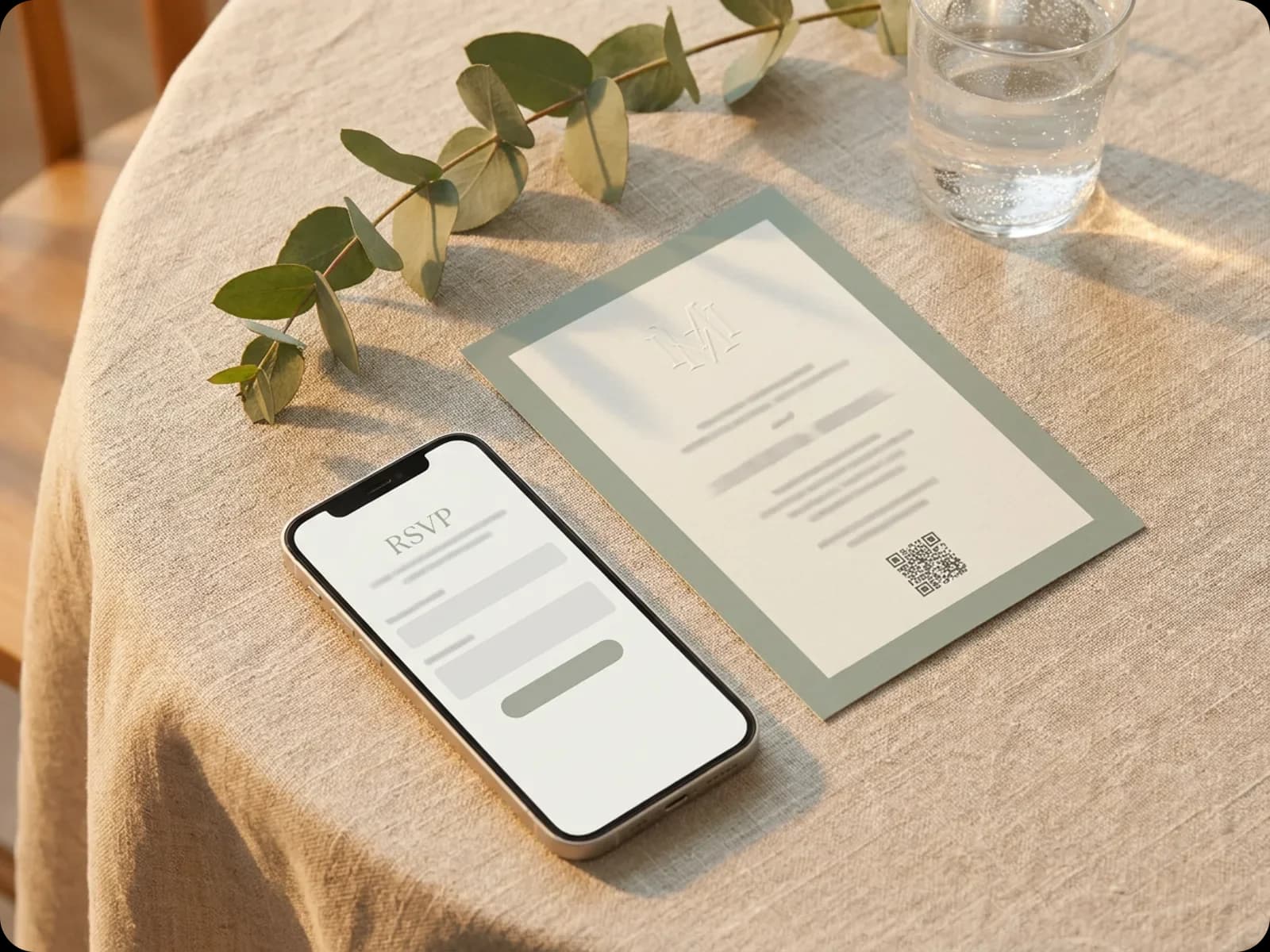
Design the invitation, publish an RSVP page with the questions you need, then move the replies into a guest list sheet for meals, seating and follow-ups.
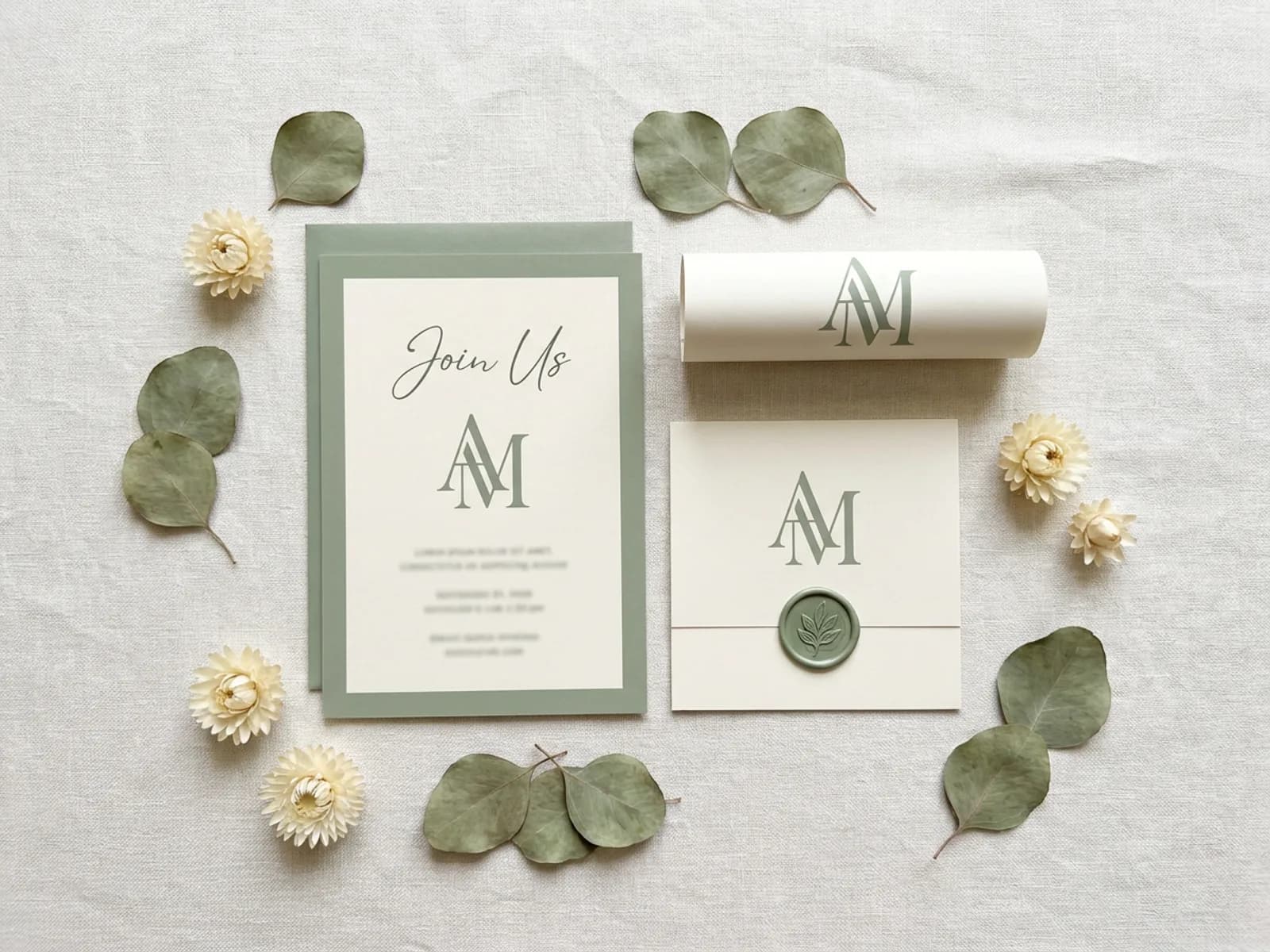
Guests meet the event long before they arrive, on a save-the-date, an invitation or a poster by the door. Describe the event, the date and the mood, and Playyy designs the pieces as editable designs, so changing a time or a venue is a quick edit. The Monogram Maker gives a wedding or a milestone party its own mark for the invitation, the envelope and the menu. Add a QR code that points to the RSVP page, and every printed invitation leads guests straight to the reply form.
Try for free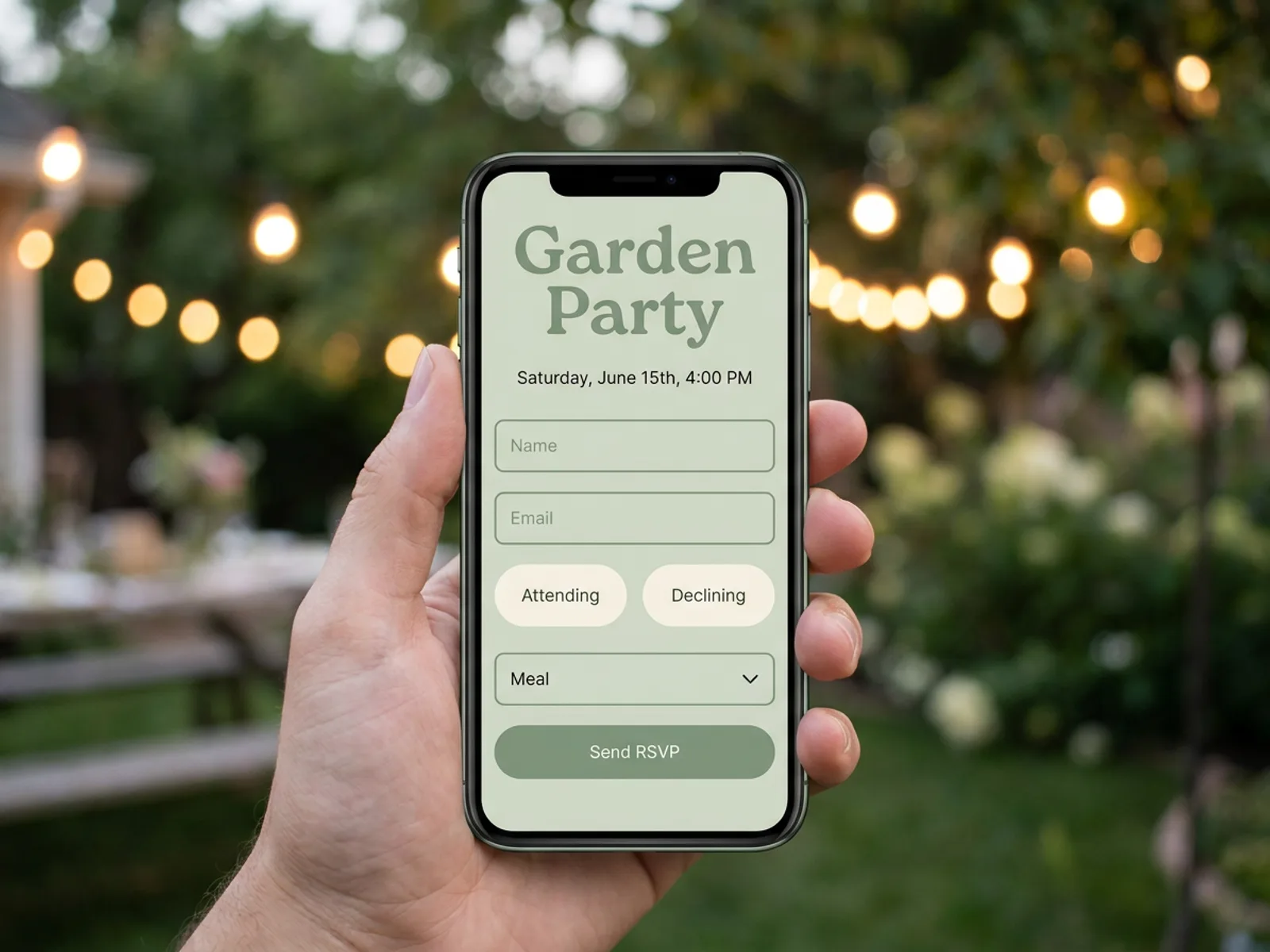
Describe the RSVP form you need and the AI Form Builder puts it on an event page with the date, the place and what guests should know. Ask for the questions that matter to your plans: attending or not, number of guests, meal choice, dietary needs, song requests or which session they'll join. Publish the page to a shareable link and send it by message or email, or behind a QR code. Keep it public, add a password for a private wedding, or limit it to your workspace for an internal event. Every reply lands in the Responses panel next to the page, and you can download the replies as a CSV at any time.
Try for free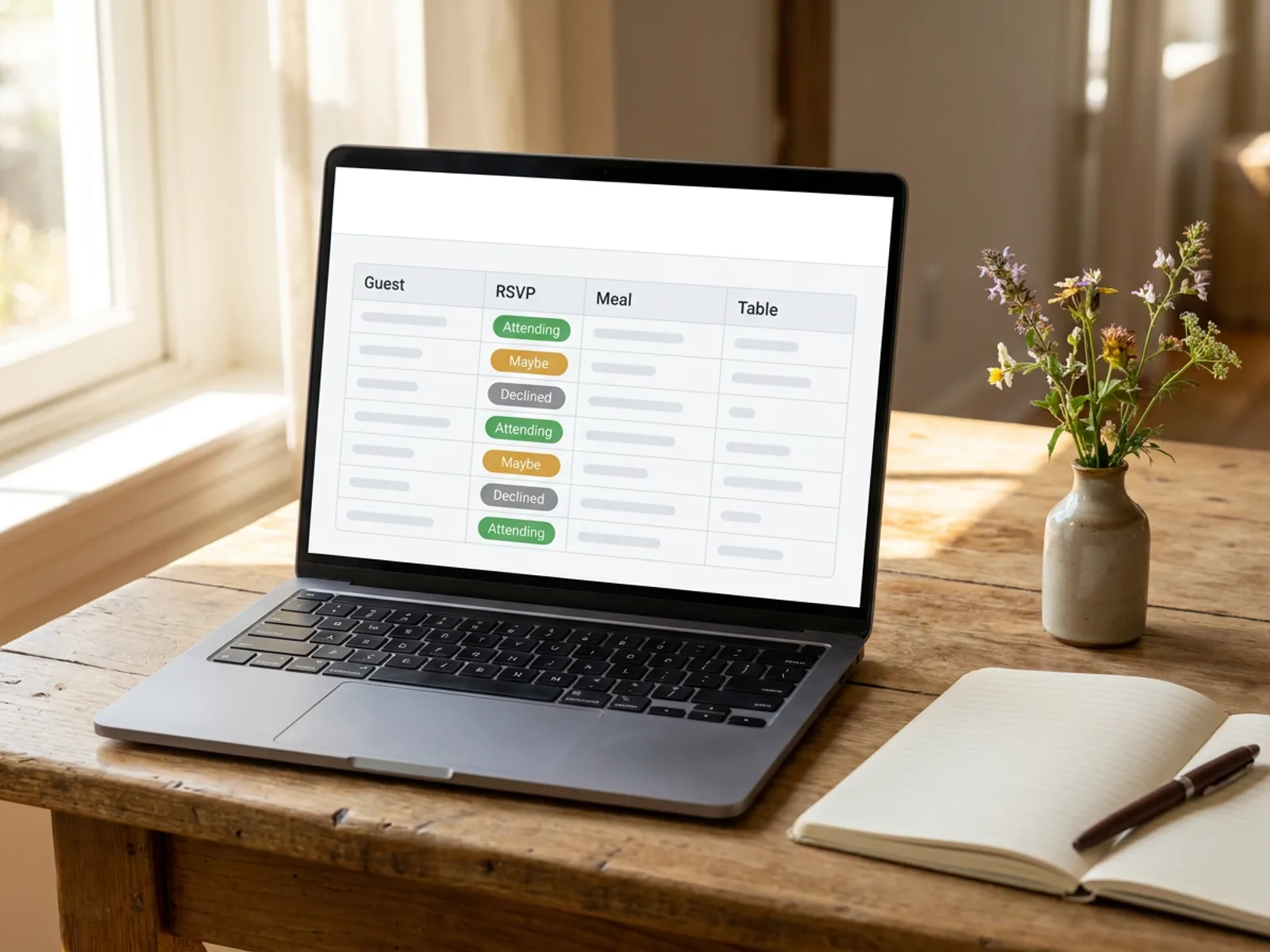
Replies become useful once they sit in one list. Link the RSVP form to a sheet with one click and Playyy creates a responses sheet in the same file, with a column for every question; press Refresh to bring in new replies. Add your own columns for table numbers, gifts and thank-you notes, sort by meal choice for the caterer, and ask the agent who still hasn't replied or how many guests chose the vegetarian option. Prefer to start from a plan instead? The AI Spreadsheet Generator builds a guest list with RSVP, meal and seating columns from one sentence. Export to Excel or CSV for the venue when the numbers are final.
Try for freeInvitations, save-the-dates, posters and social posts that share the same colors, fonts and monogram.
Attendance, guest count, meal choice and dietary questions on a styled event page.
Publish the RSVP page as Public, Password protected or Workspace members only.
Every reply in the Responses panel, ready to download as a CSV.
Copy replies into a sheet, refresh for new ones, add seating and gift columns, and export to Excel.
Ask the agent who hasn't replied or how many guests chose each meal.
“Venues and hosts always want the invitation, the poster and the reply link sorted in the same week. Building the RSVP page in the same place as the invitation means the QR code, the colors and the date all agree without a second round of checks.”

Luca Moretti
Local Business & Event Marketing Consultant
“For weddings, the reply page is part of the stationery. When it carries the same monogram and palette as the invitation, guests treat it like the rest of the suite.”

Claire Dubois
Creative Director & Brand Aesthetic Consultant
“Small studios run workshops every month. Having the registration page and the attendee list in one file makes it easy to see who signed up for which session and send the final list to the venue.”

Aiko Tanaka
Independent Designer & Visual Systems Consultant
See how teams are using Playyy to ship better visuals, faster.
A legal-tech startup founder, no designer, 22 YouTube thumbnails — how the startup built a consistent channel identity in one week using Playyy's brand kit.
Daniel Brooks
ChatGPT images buried in chat, no brand kit, no spec control. How a 12-person B2B SaaS team switched workflows and tripled creative output in the same time budget.
 Emily Carter
YouTube channel banner, profile picture, and 4 end-card variants — zero design cost, one afternoon, no designer.
 Luca Moretti
Guests move from a printed invitation to the RSVP page in one scan, and both carry the same colors, type and monogram. The event feels planned from the first card to the last reminder, instead of jumping from a designed invitation to a plain form.
An RSVP form is only half the job; the caterer needs meal counts and the venue needs a seating plan. Because the replies move into a sheet in the same file, the guest list, the meals and the table numbers stay together and export cleanly when the numbers are final.
Invitations, posters, the RSVP page, the guest list and the day-of signage live in the same workspace. A date change or a new venue is a quick edit across the pieces, and anyone helping with the event can work from the same files on a team plan.
An RSVP form is how guests tell the host whether they're coming. It usually asks for a name, whether the guest will attend, how many people are in the party and any meal or dietary needs. Online RSVP forms collect the replies in one place, so the host can count guests and plan catering and seating without chasing messages.
A simple wedding RSVP asks for the guest's name, an Attending or Declining choice, the number of guests in the party, a meal choice such as chicken, fish or vegetarian, dietary notes and a short message for the couple. In Playyy, describe those questions and the event details, and the AI Form Builder puts the form on a styled event page ready to publish.
No. The invitation asks people to come, and the RSVP is their reply. Many invitations include an RSVP date and a way to answer, such as a reply card or a link. With Playyy, design the invitation and add a QR code or link that opens the RSVP page, so guests can answer in under a minute.
Playyy's free plan includes daily credits to build an event page with an RSVP form and publish it to a shareable link on your workspace subdomain. Replies collect in the Responses panel, where you can download them as a CSV or copy them into a guest list sheet. Paid plans add more credits for frequent edits and larger events.
Build an RSVP page with the questions you need, publish it, and share the link on your invitation, in a group message or behind a QR code. Set a reply-by date on the page and in the invitation. Check the Responses panel as replies arrive, then move them into a guest list sheet to track meals, seating and anyone who still needs a reminder.
Yes. A workshop, class or community event uses the same pattern with different questions: name, email, ticket or session choice, experience level and accessibility needs. Publish the registration page, share the link, and keep the replies in a sheet where you can sort by session and export the list for check-in.

Turn any product photo into channel-ready studio imagery — no studio, no reshooting.
Explore workflow
From one campaign brief to every channel asset — AI image generator, creator, and editor in one workflow.
Explore workflow
Ecommerce image editing across every SKU — background removal, cleanup, and upscaling that meet marketplace specs.
Explore workflowKeep every image on brand, control the final look, and turn campaign ideas into polished assets without waiting on another design cycle.














