How a Founder Built a YouTube Brand Without a Designer
A legal-tech startup founder, no designer, 22 YouTube thumbnails — how the startup built a consistent channel identity in one week using Playyy's brand kit.
 Daniel Brooks
Create cover art, tour and gig posters, a YouTube channel banner and release-week social posts for your single or album, all in one visual style.
Start creating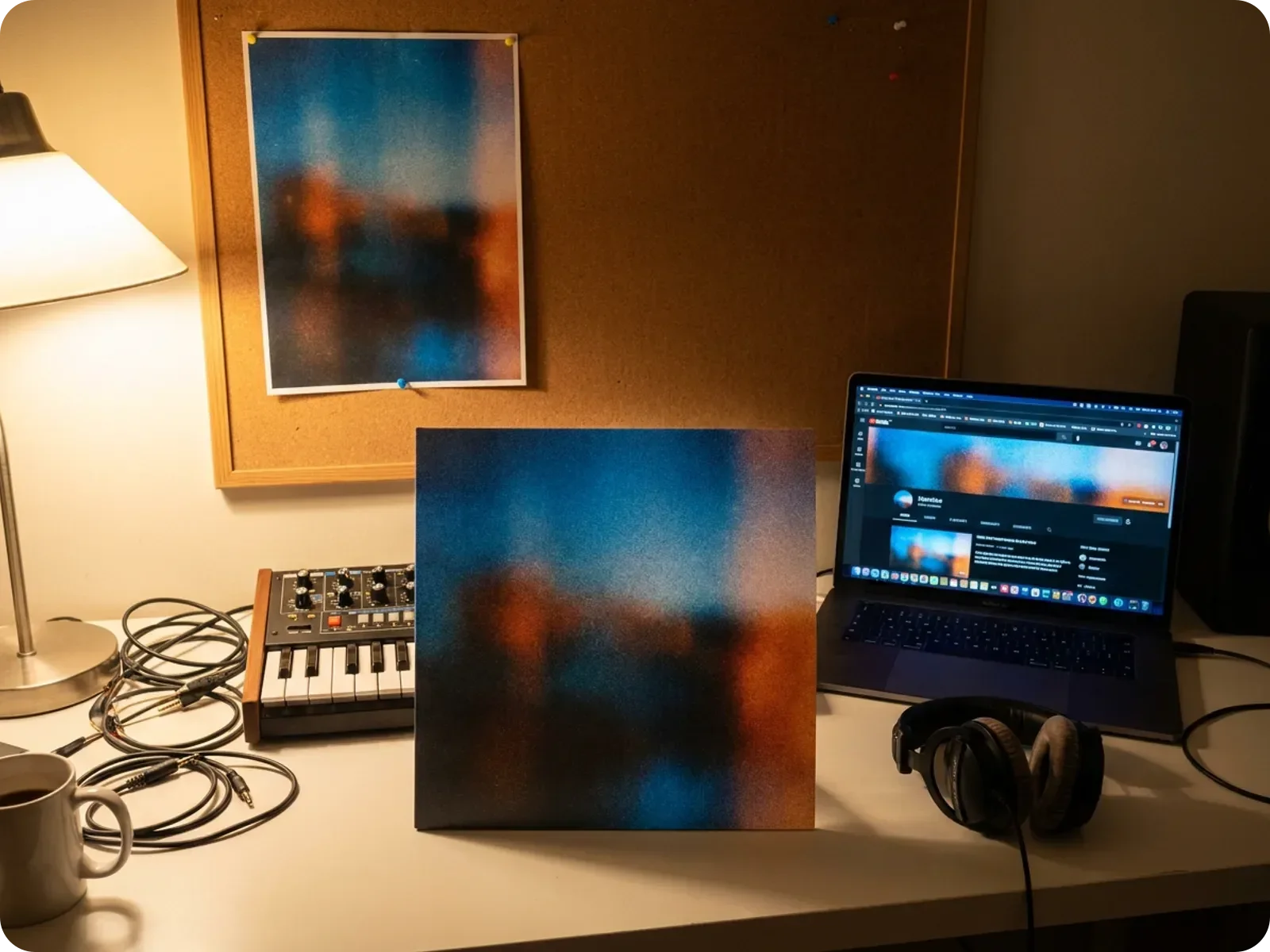
Set the look with the cover, then carry it to the gig poster, the channel banner and every post of the release campaign.
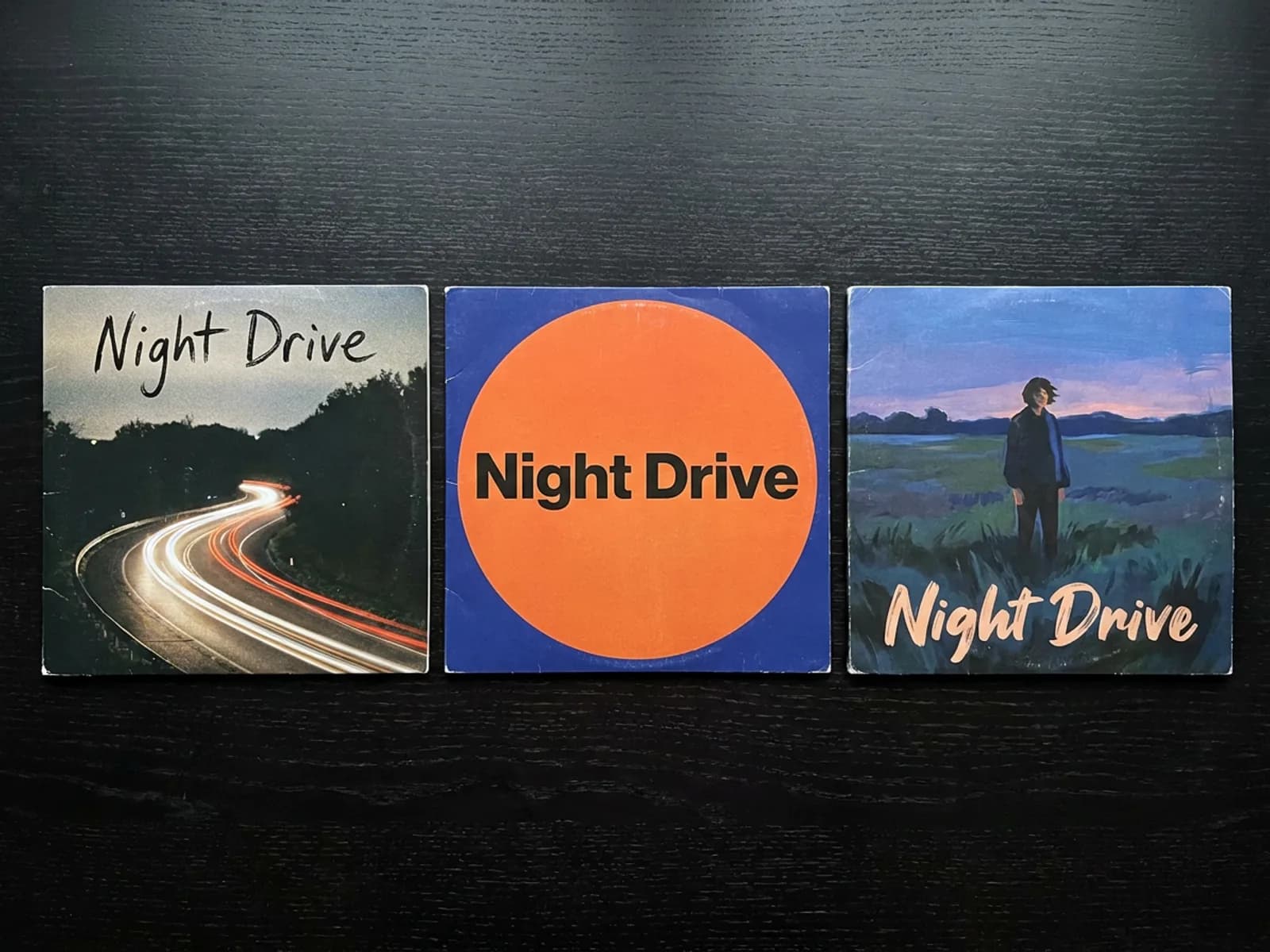
The cover is the image listeners see most, next to every stream and every share, so it sets the look for the whole release. Describe the mood of the record to the AI Album Cover Generator — era, colors, texture, a photographic or illustrated feel — and it returns cover art at 3000 x 3000, the square size streaming platforms ask for. The artist name and title arrive as editable type, so you can test lettering, spacing and placement while the image stays exactly as generated. Generate a few directions, pick one, and save its colors and type to your brand kit so the rest of the campaign inherits them.
Try for free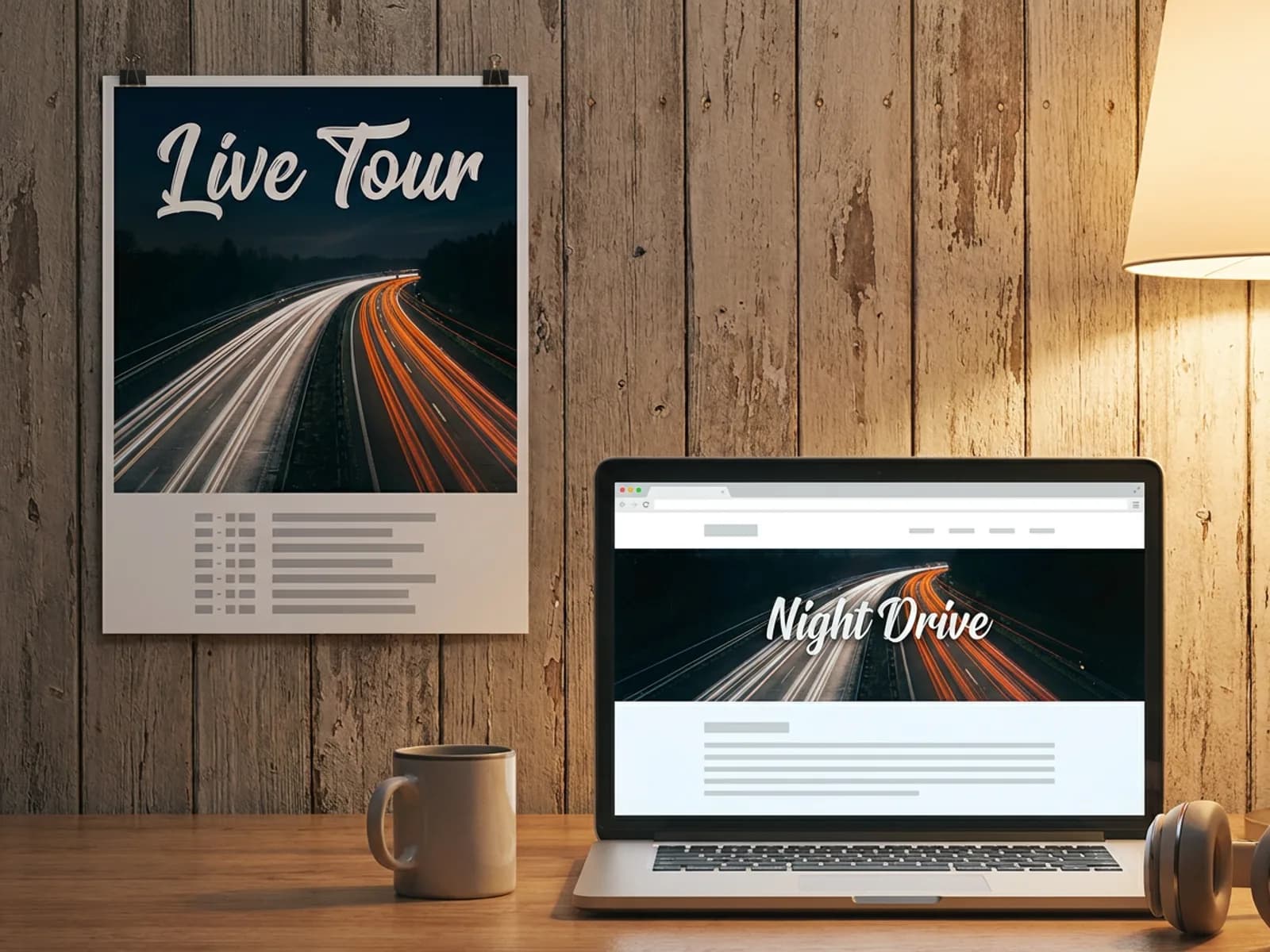
A release show or a short run of dates needs a poster that looks like the record. Upload the cover as a reference and the AI Poster Generator rebuilds the artwork into a vertical layout with dates, venues and ticket details as editable type, at 11x17 for venue walls or 18x24 and 24x36 for larger prints, exported as a print PDF with bleed. For video, the YouTube Banner Maker produces 2560 x 1440 channel art with your name inside the safe area, and the same banner works as a starting point for X and LinkedIn headers.
Try for free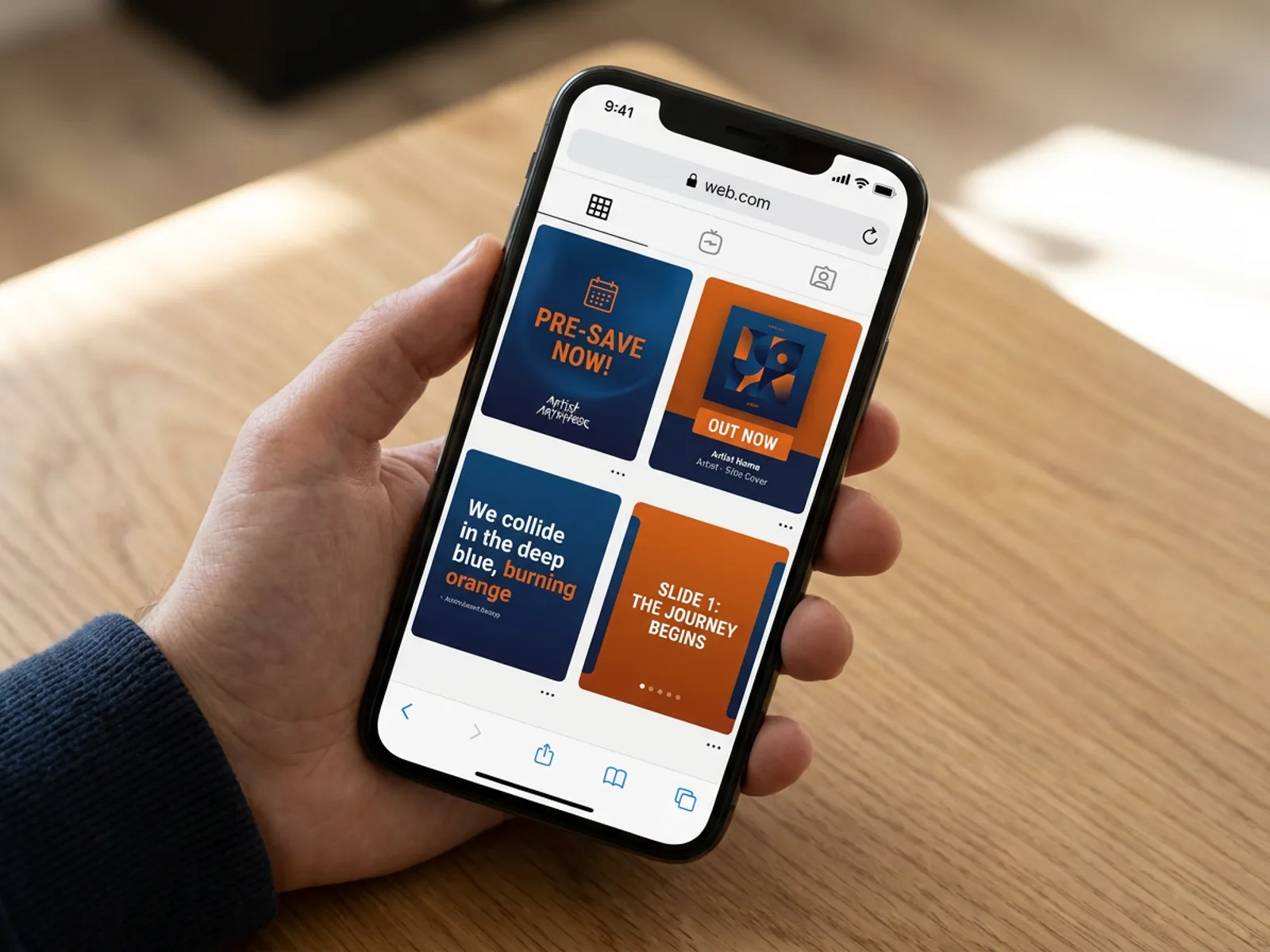
Release campaigns run on a sequence: the announcement, a pre-save push, release day, then lyric cards, live clips and thank-you posts. The AI Social Media Post Generator creates single posts or a four-piece campaign sized for Instagram, TikTok, LinkedIn and X, in the colors and type taken from the cover. The Carousel Maker handles the posts that need more room — a track-by-track breakdown, the story behind the song, tour dates — with a hook slide, content slides and a call to action in one style. The whole campaign looks like one record from first teaser to last thank-you.
Try for freeDescribe the mood of the record and get square cover art at streaming size, with artist and title set as editable type you can restyle.
Rebuild the cover's look into posters at 11x17, 18x24 or 24x36 with editable date lists, and export print PDFs with bleed.
Create a YouTube banner with your name in the safe area, then reuse the design for X and LinkedIn headers.
Generate single posts or a four-piece campaign sized for Instagram, TikTok, LinkedIn and X in the cover's colors and type.
Build track-by-track breakdowns, lyric stories and tour-date carousels with a hook, content slides and a call to action, exported as images or a PDF.
Save the cover's colors and fonts to your brand kit and every poster, banner and post after it picks them up automatically.
“Release week is a stack of formats: the square cover, stories, a channel banner and a carousel for the lyrics. Building all of them from the cover art keeps an independent artist's feed looking like one campaign instead of five separate uploads.”

Sophie Whitmore
Social Media Manager & Brand Content Consultant
“The artists I work with often make the cover themselves and need everything around it. Keeping the title as editable text meant we reused the same artwork for the tour poster and the YouTube banner without redrawing the type.”
Minji Park
Creator Marketing Strategist
“For small labels, the gig poster and the album cover are the brand. I set a 3000 x 3000 canvas for the cover, then carry the same direction to an 18x24 poster, so the print file and the streaming file share one look.”
Aiko Tanaka
Independent Designer & Visual Systems Consultant
See how teams are using Playyy to ship better visuals, faster.
A legal-tech startup founder, no designer, 22 YouTube thumbnails — how the startup built a consistent channel identity in one week using Playyy's brand kit.
Daniel Brooks
ChatGPT images buried in chat, no brand kit, no spec control. How a 12-person B2B SaaS team switched workflows and tripled creative output in the same time budget.
 Emily Carter
YouTube channel banner, profile picture, and 4 end-card variants — zero design cost, one afternoon, no designer.
 Luca Moretti
Independent releases often end up with a cover from one place, a poster from another and posts made in a rush the night before. Playyy keeps the cover, posters, channel banner and social campaign in one workspace, with the cover's colors and type saved to a brand kit, so every touchpoint from teaser to tour date reads as the same release.
Artist names, titles, venues and dates stay as editable text layers, so adding a show to the poster, swapping 'Out Friday' for 'Out Now' or fixing a typo is a quick edit. Images go up to 4K, and print pieces export as PDFs with bleed for the venue's printer or a merch run.
The free plan's daily credits cover cover-art drafts, a poster and a first round of release posts, and exports are full-quality files ready to upload. When releases get more frequent, paid plans start at $18 a month, and team plans let band members, managers and a small label share one brand kit.
Streaming distributors commonly ask for square artwork at 3000 x 3000 pixels, a size that also holds up well when reused on posters and merch. Check your distributor's current spec before uploading, since requirements vary slightly. Playyy's AI Album Cover Generator exports cover art at 3000 x 3000 with the artist name and title as editable type.
A typical independent release uses cover art, a set of social posts for the announcement, pre-save and release day, a few story or carousel posts, and a refreshed banner on YouTube and other profiles. If there are live dates, add a gig or tour poster. Playyy produces each of these from the cover's look, so the whole campaign matches.
Distributor review centers on the artwork file and what it shows: square format, resolution, readable text that matches the release metadata, and imagery you have the rights to use. Read your distributor's current artwork guidelines before submitting, and keep the final file limited to text and images you own or are licensed to use.
Use the cover as the visual reference. In Playyy, upload the artwork to the AI Poster Generator and describe the layout you need — headline artist, date list, venue, ticket link — and it rebuilds the design around your material in a vertical poster format. Text stays editable for each new date, and export as a print PDF with bleed at 11x17, 18x24 or 24x36.
YouTube channel art is 2560 x 1440 pixels, with the area that shows on every device sitting in a narrower strip at the center, so keep the artist name and key text there. Playyy's YouTube Banner Maker outputs 2560 x 1440 with your name placed in the safe area, and the design can be reused for X and LinkedIn headers.
Give a single a few weeks of lead time so there is room for an announcement, a pre-save push and pitching to playlists before release day. Plan the visuals for that whole window at once: in Playyy, generate the announcement, pre-save, out-now and follow-up posts in one sitting from the cover's look, then schedule them in your usual app.

Turn any product photo into channel-ready studio imagery — no studio, no reshooting.
Explore workflow
From one campaign brief to every channel asset — AI image generator, creator, and editor in one workflow.
Explore workflow
Ecommerce image editing across every SKU — background removal, cleanup, and upscaling that meet marketplace specs.
Explore workflowKeep every image on brand, control the final look, and turn campaign ideas into polished assets without waiting on another design cycle.














