Process Flow Diagrams, SOPs and Workflow Docs
Map a process as an editable flowchart, write the SOP and present it, all from one description.
Explore workflowPlayyy's AI flowchart generator turns a process written in plain words, or Mermaid code, into an editable flowchart with real shapes, labels and connectors you can drag, rename and restyle.
Describe the process step by step in the box above, or paste Mermaid flowchart code. Playyy opens on its Flowchart skill and draws the diagram on the canvas, where you move steps, rename them and download the result.
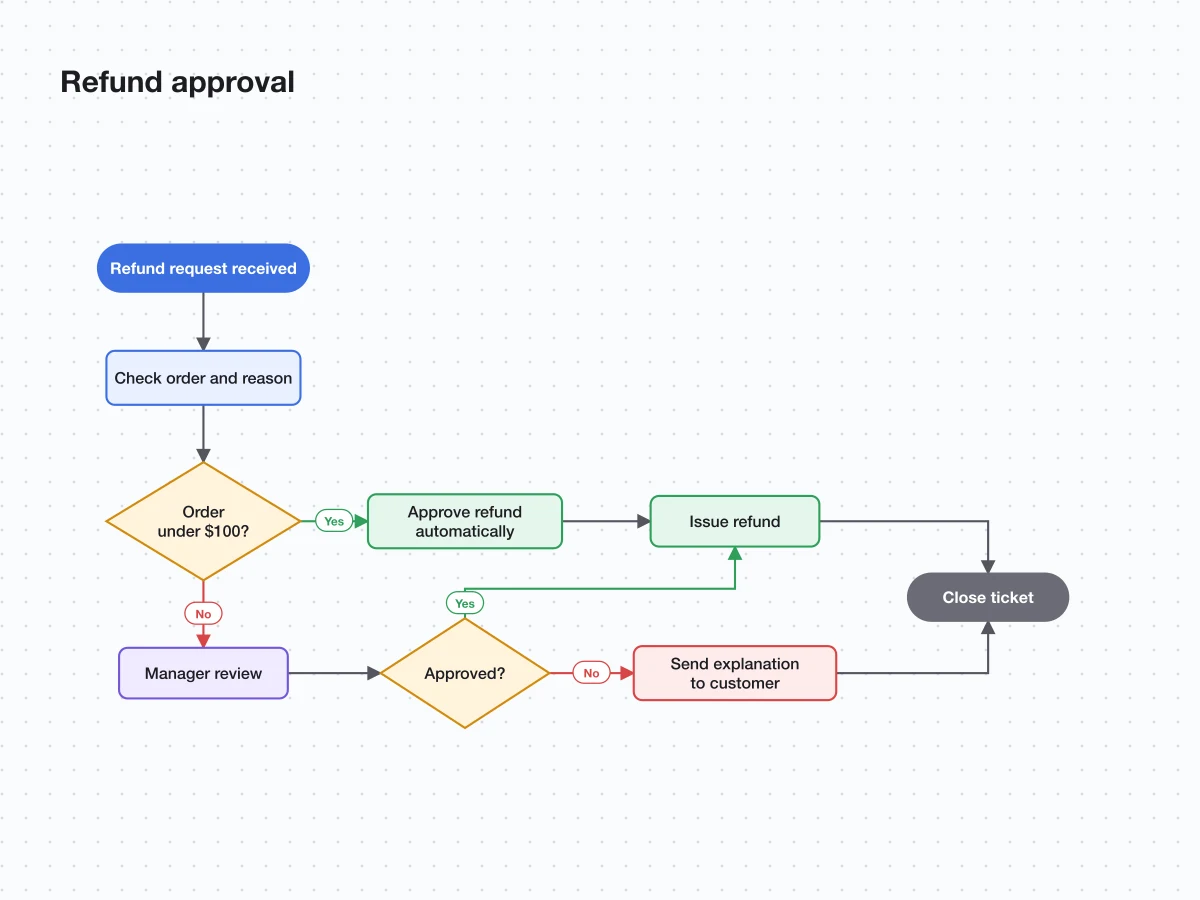
Write the process the way you would explain it to a colleague: who starts it, what happens next, where a yes or no decides the path, and how it ends. The AI flowchart generator lays it out with start and end points, process boxes, decision diamonds and labeled arrows, grouped into stages where the process has them. Text to flowchart works for onboarding checklists, approval chains, support escalations, user flows and any other process with clear steps.
Try for free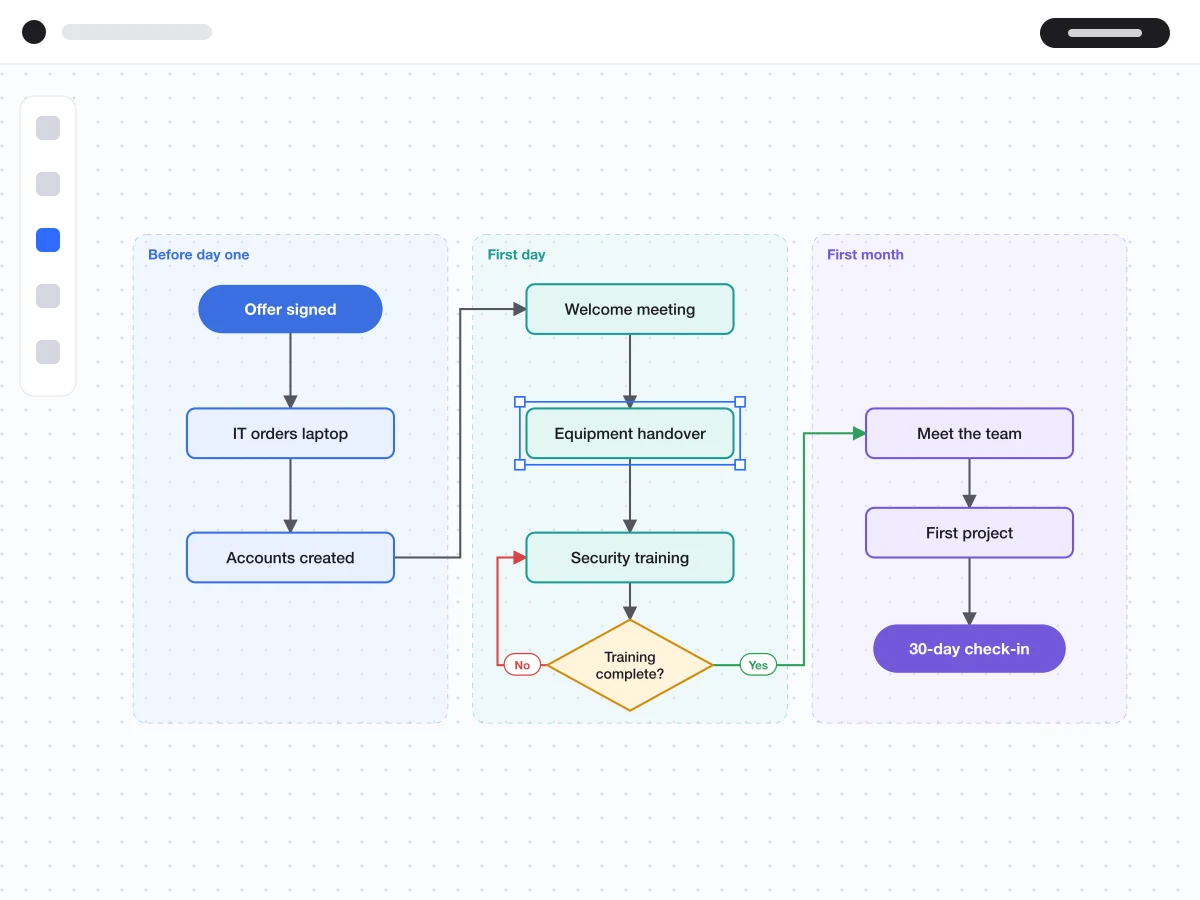
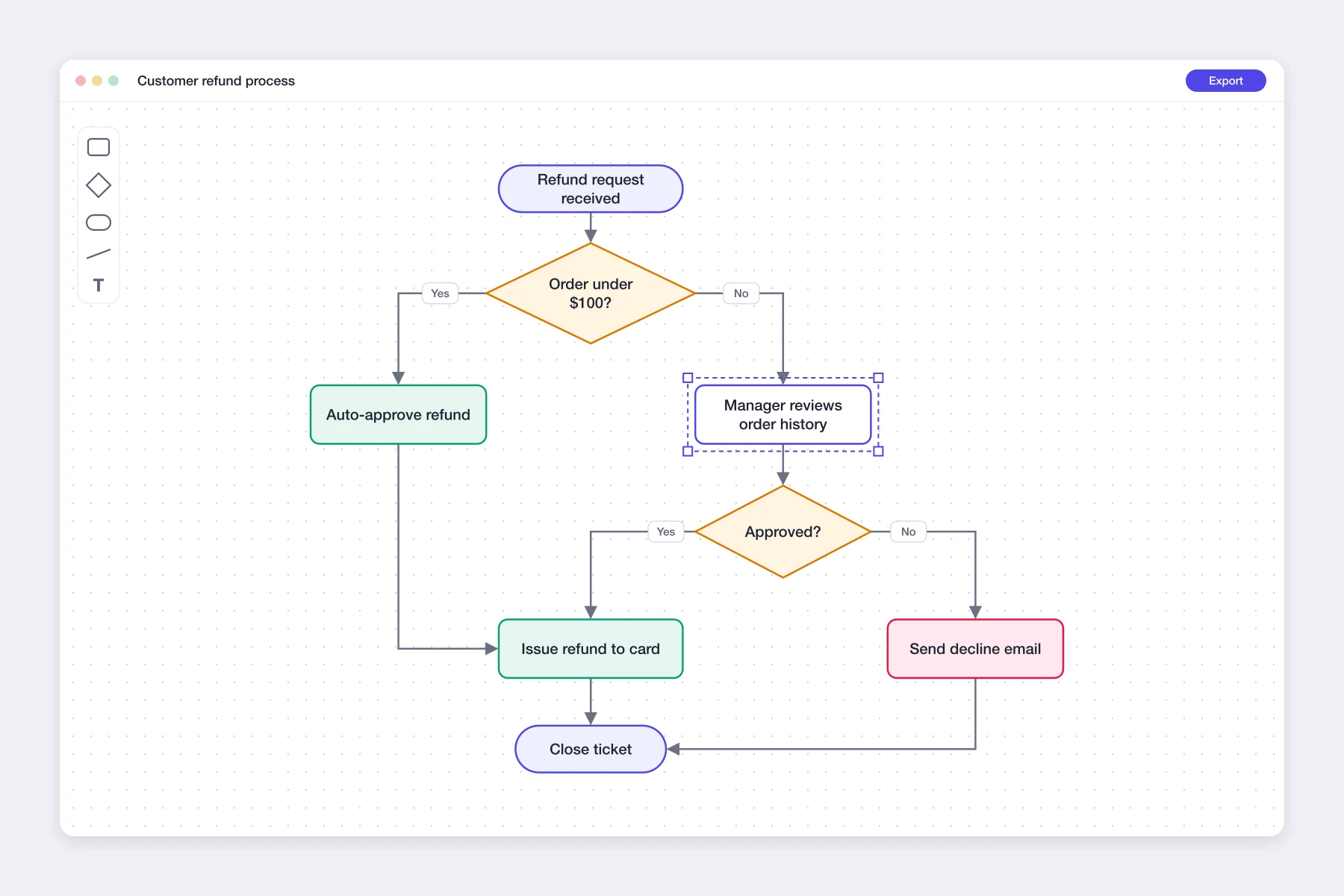
The flowchart is built from native shapes, text and connectors, so it behaves like a diagram you drew yourself. Drag a step and its arrows follow, because each connector is attached to the boxes at both ends. Rename a step, change a color, or ask in the chat: 'add a manager approval step after review', 'make the rejection path red'. The rest of the diagram stays where you put it.
Try for free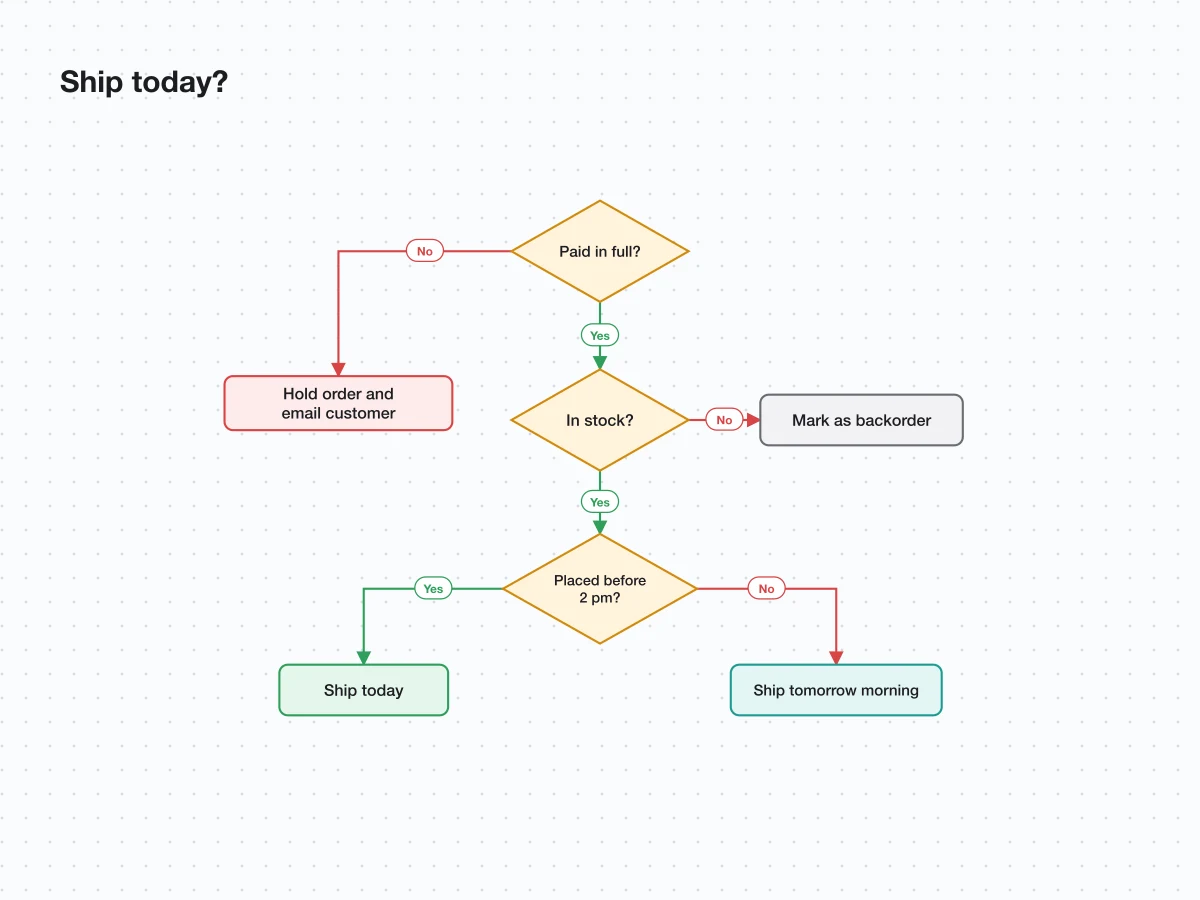
Use it as a decision tree maker: list the questions and outcomes and each question becomes a diamond with its yes and no branches. Paste Mermaid flowchart or graph code and Playyy converts it into the same editable shapes, which is also the quickest way to turn Mermaid into a PNG. Bring in an existing .drawio or .excalidraw file, or an Excalidraw share link, keep editing it here, then download a PNG or PDF, or export it back to Excalidraw.
Try for freeNeed numbers instead of steps? Make an editable chart from your data
Describe the steps and decisions in plain words and get a laid-out diagram.
Paste Mermaid flowchart or graph code and get native shapes you can edit.
Questions become diamonds with labeled yes and no branches to each outcome.
Connectors stay attached to their boxes, so a moved step keeps its arrows.
Apply your brand kit so process maps match your slides and documents.
Download an image or PDF, or export an Excalidraw file to keep working there.
Write the process in your own words and the layout, shapes and arrows are done for you, ready to adjust rather than draw.
Every step is a shape and every arrow a connector, so next month's process change is a quick edit on the same file.
Flowcharts sit next to the slides, documents and visuals you make in Playyy, in the same brand colors and fonts.
Map a process as an editable flowchart, write the SOP and present it, all from one description.
Explore workflow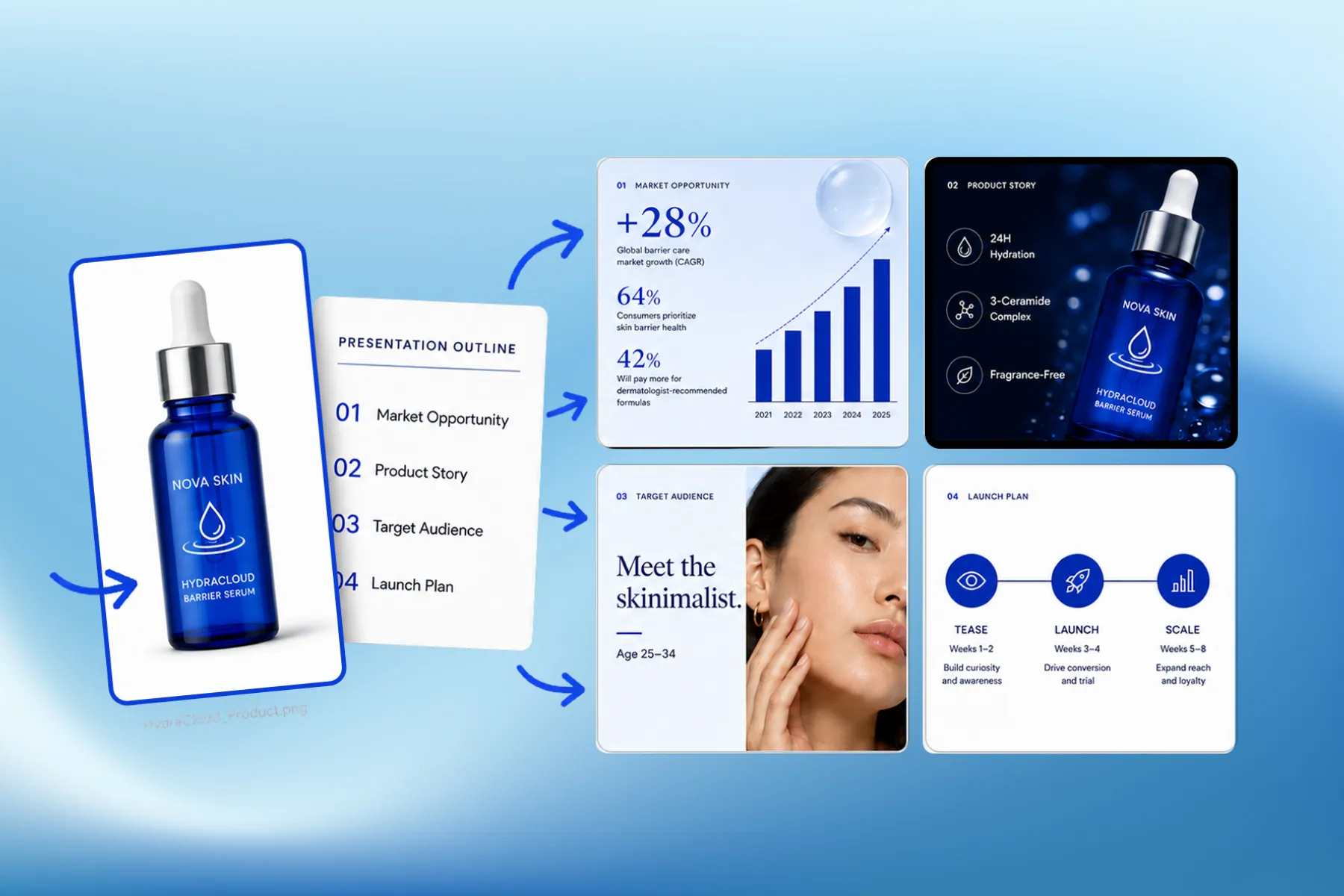
Presentation software that designs marketing, educational, and corporate decks from your brand kit — edit any slide, share a link, or export a PPT.
Explore workflowPlayyy's AI flowchart generator is free to start, with daily bonus credits that refresh every day. Describe the process or paste Mermaid code in the box above, sign in, and Playyy draws the flowchart on an editable canvas with real shapes and connectors. Move steps, rename them and recolor them, then download a PNG or PDF.
ChatGPT can outline the steps of a process and write Mermaid code for it, which is a good first draft. To turn that into a diagram you can edit, paste the outline or the Mermaid code into Playyy: it becomes native boxes, diamonds and connectors you can drag, relabel and style, then download as an image or PDF.
Write one step per line or in short sentences, and say where a decision splits the path, for example 'If the order is over $100, send it to a manager; otherwise approve it'. Playyy reads the order, the decisions and the outcomes and draws them as a connected flowchart. Add or change steps afterwards in the chat or on the canvas.
List the first question, its possible answers and what each answer leads to, then the next question on each branch. Playyy turns every question into a decision diamond with labeled branches and every final answer into an outcome box. Keep each question to one yes-or-no choice for the clearest tree.
Paste your Mermaid code into the box above and Playyy converts it into an editable diagram on the canvas. Adjust labels, colors or spacing if you like, then download it as a PNG, or as a PDF for print. Playyy reads Mermaid flowchart and graph syntax; for sequence or Gantt charts, describe the process in words instead.
Yes. Upload a .drawio or .excalidraw file, or paste an Excalidraw share link, and Playyy rebuilds it as editable shapes, labels and connectors. Rectangles, rounded boxes, ellipses, diamonds and straight or right-angle connectors come across; swimlanes and custom shapes arrive as rectangles and curved lines as straight ones. You can export the diagram back to Excalidraw.
Yes. Click any shape to rename it, recolor it or resize it, and drag it to a new spot with its arrows attached. For bigger changes, ask the agent in plain language, such as 'add a step for legal review between draft and approval', and only that part of the diagram updates.
Keep every image on brand, control the final look, and turn campaign ideas into polished assets without waiting on another design cycle.