
Ecommerce Product Photo Editing: Amazon & Shopify
Ecommerce image editing across every SKU — background removal, cleanup, and upscaling that meet marketplace specs.
Explore workflowRecolor one garment photo into every colorway you sell — the print, the hardware, the stitching and the light all stay exactly as shot
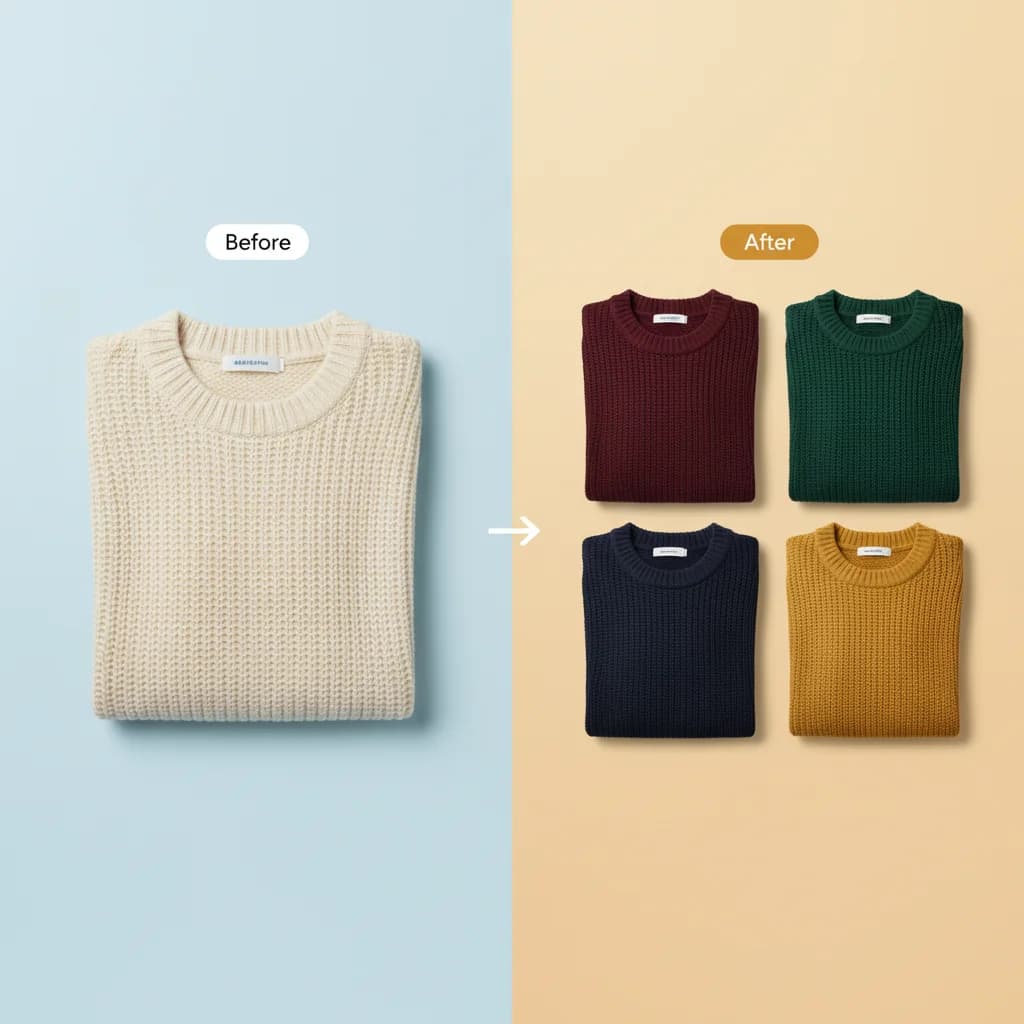
A workflow built around your real creative needs — from first direction to final asset.
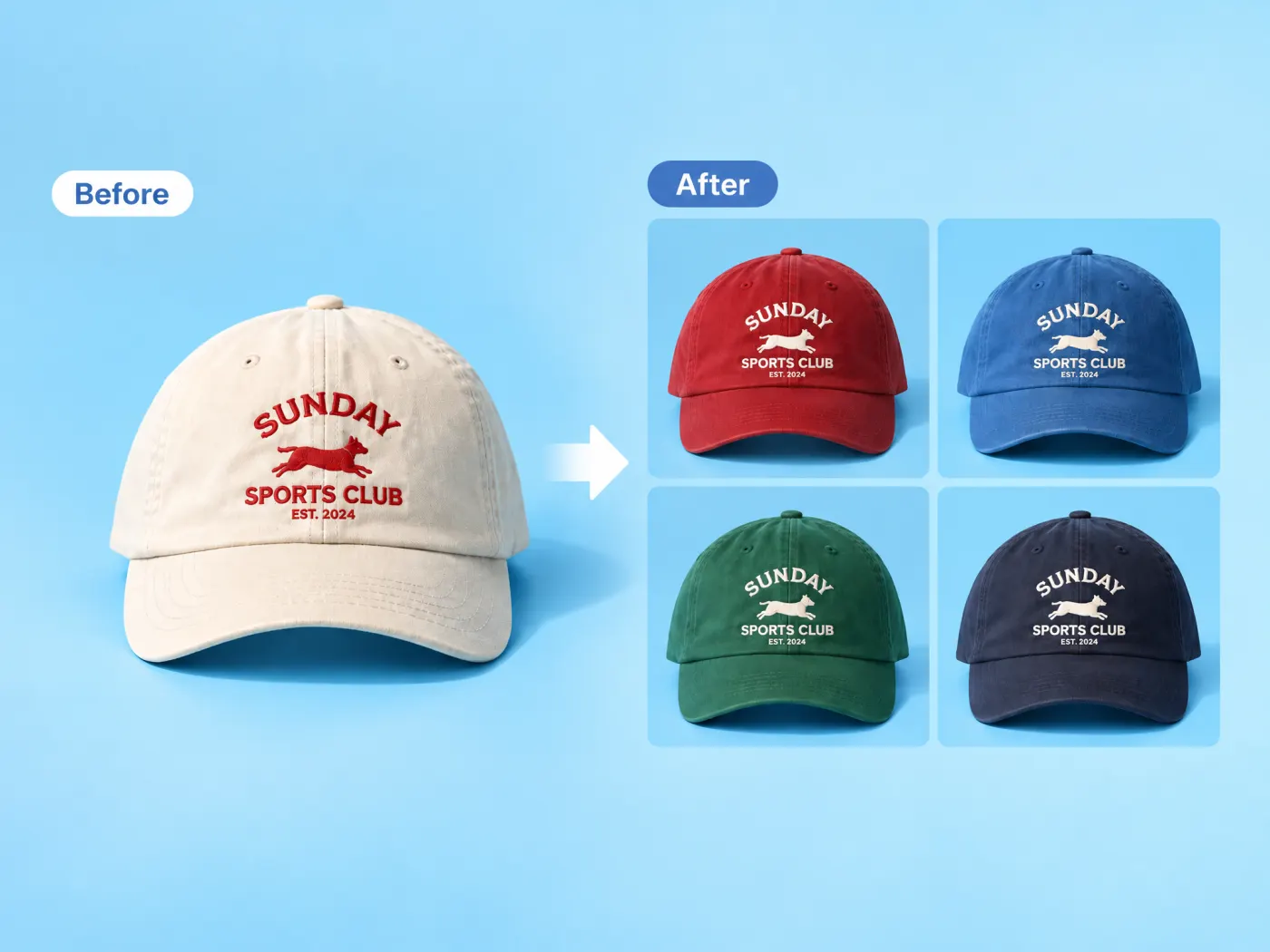
Photograph the cap once and pick the colors it ships in. Each one comes back as its own image — the same cap, the same crown shape, the same brim curve, the same embroidery, photographed in the same light — with only the fabric changed. That is the difference between a color variant a shopper trusts and a hue slider that turns the whole frame, logo and background included.
Try for free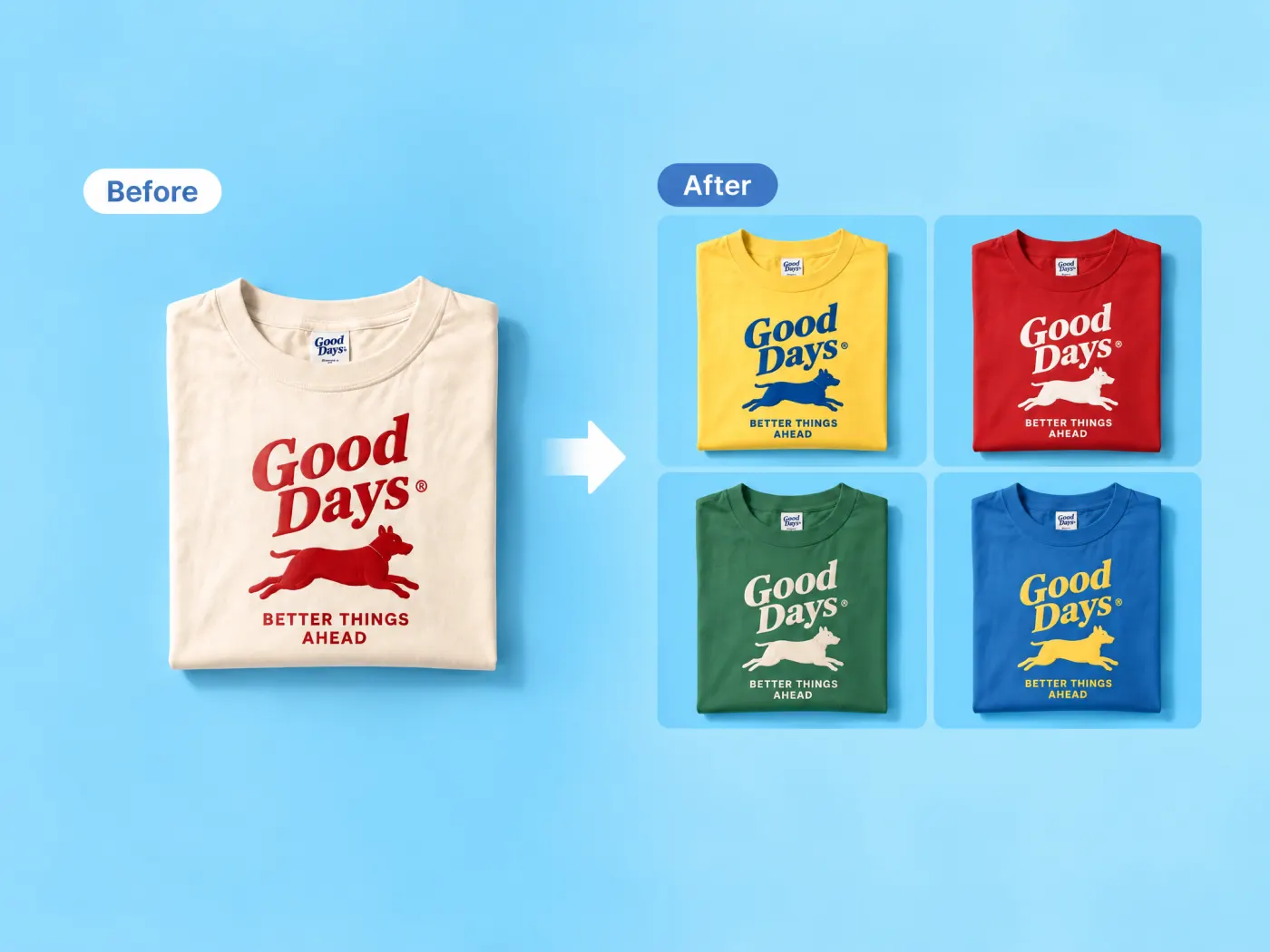
Before anything is rendered, the photo is read for which regions are the garment's base material and which are not. Prints, graphics, logos, hardware, zips, buttons, trims, stitching, soles, labels, the background, and any person or hands in the frame are all held to their exact original colors. On a printed tee that is the whole point: the shirt goes from cream to forest green and the artwork on the chest stays the color it was printed.
Try for free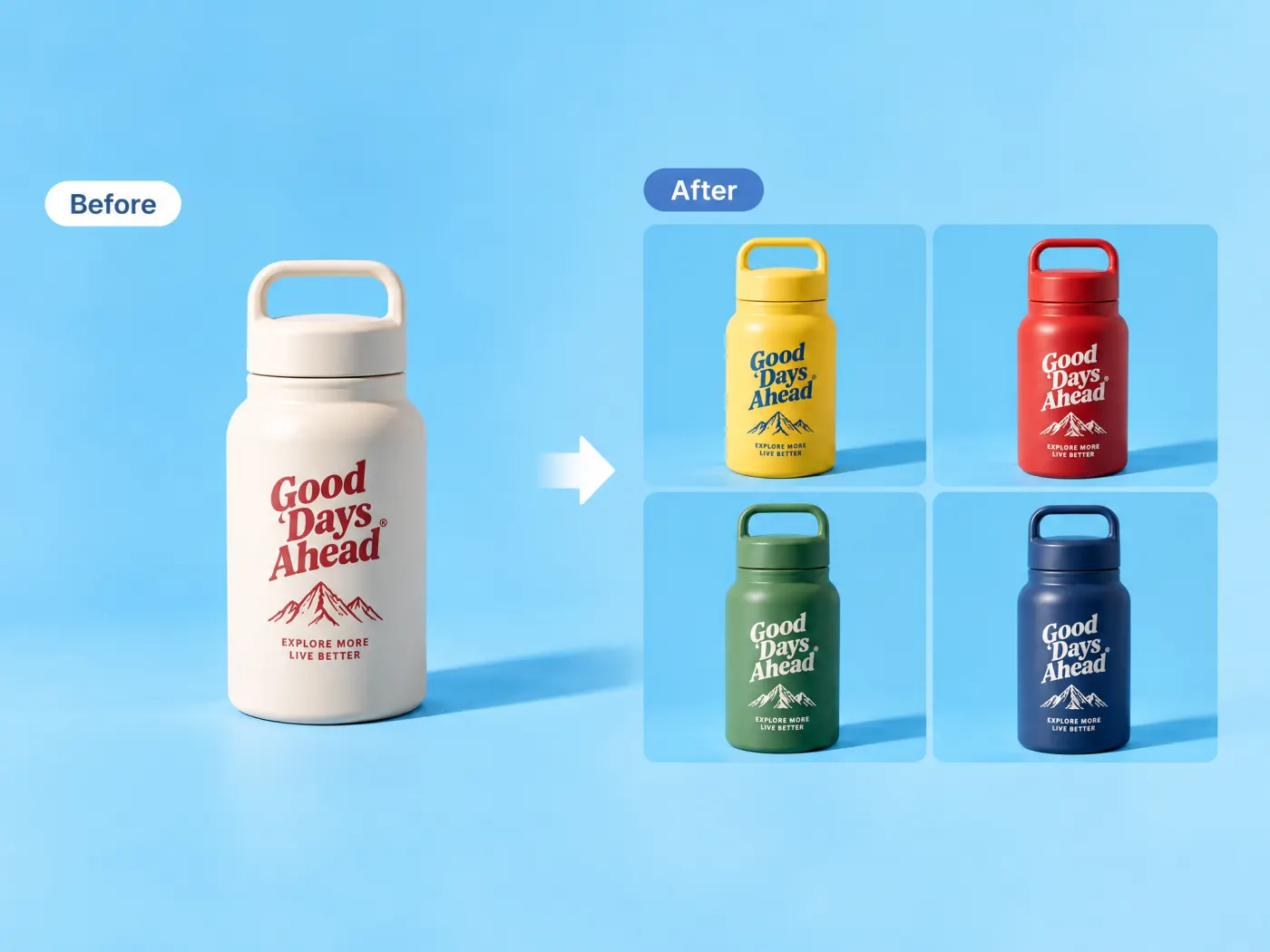
The same treatment applies to anything with a base material and a set of colorways — a powder-coated bottle, a bag, a chair, a phone case. The shell changes color, the printed brand mark, the lid threads and the moulded handle do not, and the shadow the original photo cast on the backdrop stays where it was. Up to eight colors per run, from sixteen presets or any hex you paste in.
Try for freeWant to retune one color by hand instead of rendering a colorway set? Use the editor's color panel
Black through burgundy as one-tap presets, plus a picker for the exact brand color when the swatch has to match a Pantone your factory already dyed to.
Graphics, logos, zips, buttons, trims, stitching, soles and labels keep their original colors. Only the base material the colorway names is repainted.
Shadows, highlights and the fall of light across the fabric are carried into every variant, which is what stops a recolor looking like a flat fill.
One image per color, each a separate file at the source photo's own shape — never a lineup, a grid, or several colorways crammed into one frame.
The same number of products and people as the photo you uploaded. No duplicated sleeve, no second model, no drift in the cut between variants.
Colorways can go on the site while the dye lot is still in production, which is what makes pre-order and made-to-order ranges photographable at all.
“We photograph the sample in one color now. The other six colorways go up the same afternoon, and the chest print is identical across all of them.”
Claire Dubois
Creative Director & Brand Aesthetic Consultant
“The check I do is zoom to the label and the stitching. If those shifted color with the fabric the image is useless — here they don't.”

Emily Carter
Growth Marketing Strategist
“For pre-orders this is the only way we can show a colorway at all. The dye lot doesn't exist yet when the page has to go live.”

Luca Moretti
Local Business & Event Marketing Consultant
Pulling hue and saturation moves every pixel that shares that hue — the print, the label, the backdrop, the model's skin. It is fine for a mood board and useless for a SKU image, because the one thing a variant photo has to prove is that only the fabric is different. Deciding which regions are base material before touching any of them is the whole job, and it is why this is a separate tool from the editor's color panel.
A shirt in eight colors is eight shoots, or one shoot and seven sets of samples that have to exist first. For a range that changes each season the arithmetic stops working quickly, which is why so many stores show one color and a row of swatches — and why the variants that do get photographed rarely match each other's light.
Color is the most common reason a garment goes back, so a variant image that drifts from the real dye is worse than none. Keeping the source photo's own lighting is what holds the rendered color honest: the highlight and the shadow give the eye the reference it needs to read the shade correctly, which a flat fill removes.
Ecommerce image editing across every SKU — background removal, cleanup, and upscaling that meet marketplace specs.
Explore workflow
Turn any product photo into channel-ready studio imagery — no studio, no reshooting.
Explore workflowUpload one photo of the garment and pick the colors you want it in. Each color comes back as its own image with only the garment's base fabric repainted — the print, the hardware, the stitching, the background and the original lighting are all carried over unchanged.
No. Prints, graphics, logos, hardware, zips, buttons, trims, stitching, soles and labels are identified as not-the-base-material before anything is rendered and are held to their exact original colors. That separation is the point of the tool.
Up to eight per run. There are sixteen presets — black, white, grey, beige, navy, blue, sky blue, purple, green, olive, yellow, orange, red, burgundy, pink and brown — and you can add any custom color by hex.
Yes. Anything with a base material and a colorway works the same way: bottles, bags, furniture, cases, shoes. The rule is the same — the shell changes, the branding and hardware don't.
The Color Changer is the editor's dominant-color panel: it pulls the palette out of an image and lets you retune each color's hue, saturation and brightness by hand, across the whole frame. This one is a product tool — it decides what the garment is, repaints only that, and renders one finished image per colorway.
That's what they're for. Each color comes back as a separate image at the source photo's shape, ready to attach to the matching variant. As with any generated image, check it against the real dye before publishing — particularly for colors a customer is likely to return over.
One garment, evenly lit, with the fabric and any print clearly visible and the color boundaries not lost in shadow. The more legible the base material is in the source, the cleaner the separation between what gets repainted and what doesn't.
See how teams are using Playyy to ship better visuals, faster.
One product creative, ten color variants, thirty minutes — how a DTC supplement brand kept its paid social fresh without a designer round-trip.
 Emily Carter
Eight palettes, ninety minutes, one editable canvas. How a Lisbon design studio rebuilt its pitch-stage color workflow on Playyy's AI Image Editor.
 Aiko Tanaka
Thirty-four campaign images. Six days. One colour. How Camille Laurent built an entire autumn campaign around a burgundy colour story without booking a studio.
Aiko TanakaKeep every image on brand, control the final look, and turn campaign ideas into polished assets without waiting on another design cycle.














