20 Business Card Ideas and Examples by Profession
 Aiko Tanaka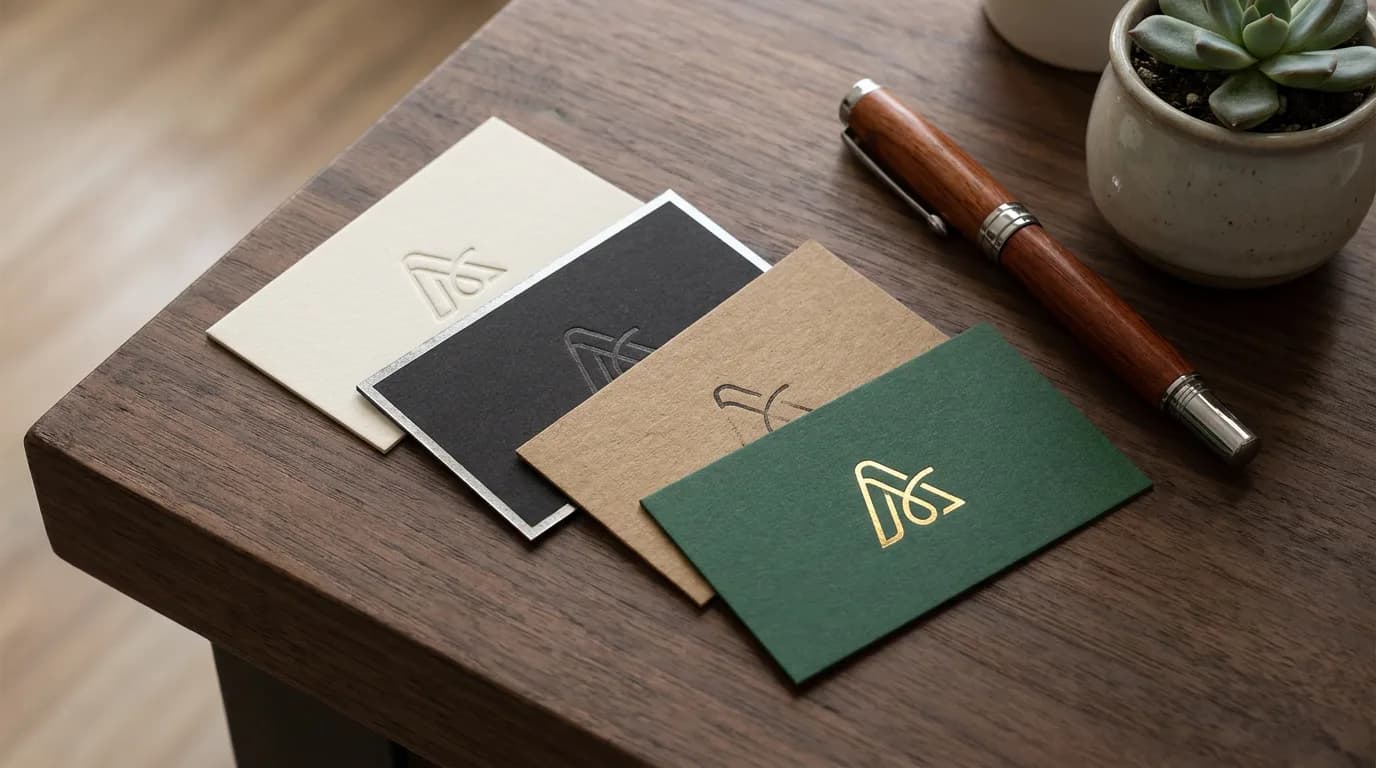
Business cards still change hands constantly: at trade shows, client meetings, markets, salon counters, real estate open houses and conference coffee queues. The cards people keep share two traits. They hold exactly the information someone needs to reach you, and they look like they belong to your line of work. The business card ideas and examples below start with a checklist of what to put on a business card, then move through front-and-back layouts, 20 examples grouped by profession, and the paper and finishes that make a card feel worth keeping.
Direct answer. A good business card shows your name, job title, company or logo, phone, email and website, with an optional QR code. Put the logo or name on the front and contact details on the back. The best business card ideas match the design to your profession: tactile stock for craft trades, minimal type for consultants, a portfolio QR for creatives.
What to Put on a Business Card
Start with content, because content decides the layout. Here's the checklist, in order of priority.
Must have
- Name, the largest text on the contact side.
- Job title or what you do, in plain words ("Wedding Photographer", not "Visual Storyteller").
- Company name or logo.
- Phone and email. At least one direct line, ideally both.
- Website, without the "https://www." prefix.
Worth adding
- QR code linking to a portfolio, menu, booking page or digital contact card.
- One social handle, if that's where clients actually find you.
- Address, only for businesses customers visit in person.
- A short tagline of under eight words.
Leave off
- Fax numbers, multiple mobile numbers, a full list of social accounts, and long service lists. Each extra line shrinks everything else.
If the card needs a logo and you don't have one yet, Playyy's logo generator creates one from your business name and style, which you can then drop onto the card.
Front and Back: Where Each Item Goes
A double-sided card gives each side a single job. The front is the visual memory: logo or name, brand color, maybe a tagline. The back is the working side with every contact detail. Single-sided cards suit simple, type-led designs where name and contact sit together.

Size depends on region, which matters if you print abroad or order from an overseas printer. Wikipedia's business card article lists 3.5 x 2 inches (88.9 x 50.8 mm) for the US and Canada, 85 x 55 mm across much of Western Europe, 91 x 55 mm in Japan, and 90 x 54 mm in China. A design built for one ratio rarely fits another cleanly, so pick the region first. The business card size page has the pixel dimensions, bleed and safe zone for the North American standard.
Business Card Examples for Creatives
Creative cards can carry more personality, because the card itself is a sample of the work.
- Photographer: a full-bleed photo on the front, cropped tight to a detail rather than a whole scene; name and QR code to the portfolio on a white back.
- Graphic designer: a single bold color front with the logo mark only. Restraint signals confidence.
- Illustrator: a small original drawing on the front, a different one on every batch of cards.
- Tattoo artist: black stock, white or metallic ink, a flash-style motif and an Instagram handle.
- Musician or DJ: a vertical card with the name set big and a QR code to the latest release.
Business Card Examples for Local and Trade Businesses
For local businesses, the card often lives on a fridge or in a wallet for months, so a useful back side keeps it there.
- Café or bakery: a loyalty stamp grid on the back. Ten stamps, one free drink.
- Hairstylist or barber: an appointment reminder line on the back ("Your next visit: ___").
- Contractor or electrician: heavy kraft stock, a bold phone number, and the license number in small type.
- Florist: a pressed-flower illustration in one corner on cotton paper.
- Food truck: a die-cut or rounded card with the weekly location schedule on the back.
Business Card Examples for Professional Services
Professional service cards win on clarity. Clients want to trust you, so the design should look calm and expensive.
- Lawyer: cream stock, classic serif type, letterpress name, nothing else on the front.
- Accountant: a crisp white card with one accent color and a clean grid aligning every line.
- Real estate agent: agent headshot on the back beside phone and a QR code to current listings, brokerage logo on the front.
- Consultant: a minimal front with only the name and a one-line positioning statement.
- Financial advisor: navy or forest green front, gold foil logo, and the registration details legally required in your market.

Business Card Examples for Tech, Health and Wellness
- Software developer: a monospaced font, the name set like a line of code, and a GitHub link.
- Startup founder: the company logo front, founder name and a QR to the product on the back, in the brand's exact colors.
- Therapist or counselor: soft, muted color, rounded corners, and the booking link front and center.
- Yoga or fitness teacher: a vertical card with class times on the back.
- Dentist or clinic: an appointment reminder back, clinic hours, and a clean clinical color like teal or white.
Business Card Design Ideas Beyond the Layout
Paper and finish do as much work as the design. These upgrades cost a little more per card and make the card harder to throw away:
- Heavier stock. 16 pt (about 350 gsm) or thicker feels substantial in the hand.
- Rounded corners. Softer, and they survive a wallet longer.
- Spot UV. A glossy coating on just the logo, which catches the light on a matte card.
- Letterpress or embossing. The name pressed into thick cotton paper.
- Foil. Gold, silver or copper on a logo or name, best used on a single element.
- Edge painting. A colored edge that shows when cards are stacked.
- Vertical orientation. An easy way to stand out in a stack of horizontal cards.
The underlying rule is the same as for any small print piece: one idea per card. A card with foil, a die-cut, a photo and a QR code reads as cluttered rather than premium.
Five Mistakes That Send Cards Straight to the Bin
Most weak business card examples fail for the same handful of reasons, and each one has a simple fix.
Text that's too small. Contact lines set at 5 or 6pt look tidy on screen and turn unreadable in print. Keep everything at 7pt or larger, and the name noticeably larger than the rest.
Information pressed against the edge. Printers trim stacks of cards at once, and the cut can drift slightly. Keep text and logos inside the safe zone, roughly 0.125 inches in from the trim line, and extend background color past the edge into the bleed.
A low-resolution logo. A logo copied from a website at screen size prints soft and pixelated. Use a vector file or an image built for 300 DPI at the final size.
Glossy coating on the writing side. People write on cards: a meeting date, a referral, a note. A matte or uncoated back keeps that possible.
A QR code nobody tested. Scan it from the printed proof with two different phones before ordering a full run, and point it at a page that will still exist in a year.
Designing Your Card with AI
A business card is part of a larger brand system, so the fastest route is designing it with the rest of your brand already in place. In Playyy, a brand kit built from your website URL or uploaded files carries your logo, colors and fonts into every design, which keeps cards for a whole team consistent. The guide to brand kits explains what goes into one.
From there, describe your name, role, company and style, and Playyy designs the front and back together at the standard size for your region, single- or double-sided, in landscape or portrait. Every line stays an editable text layer, so a new phone number is a quick fix, and a QR code element can be placed on either side. Ask the agent for variations in different styles, such as classic serif or bold modern, then compare them side by side.
Pick the Idea That Fits Your Work
Get the checklist right first: name, title, logo, phone, email, website and maybe a QR code. Then pick the example from your profession that matches how you want clients to remember you, and spend any extra budget on paper rather than more information. When you're ready to build it, the Playyy AI business card generator designs both sides at regional sizes and exports a print PDF with crop marks and bleed.
Keep Reading
- 7 Types of Logos, and the Versions Each One Needs — which logo style reads best at business card size.
- How to Make a Flyer in 7 Steps — the next print piece for local businesses, from copy to bleed.
- 12 Brand Identity Examples, Sorted by Business Type — how cards, flyers and signage add up to one identity.
- 25 Poster Ideas Sorted by What the Poster Is For — large-format ideas built on the same brand.

Aiko Tanaka
I work with boutique brands, cafes, creators and small businesses on visual systems, layout discipline, typography and moodboards. My focus is on fast concept exploration that still has a strong design point of view.
Frequently asked questions
A business card includes your name, job title, company name or logo, and at least one direct way to reach you, usually a phone number and email. Most cards also carry a website. Optional extras are a QR code, a social handle, a short tagline and a business address if clients visit in person. Five or six items is plenty.